
Every roundup of the best AI coding assistants in 2026 makes the same mistake: it puts an app builder, an IDE, and a chat model in one list and ranks them as though they compete. They do not. Lovable builds an app from nothing. Cursor 3 edits a codebase you already have. Claude Fable 5 thinks about a problem you cannot solve. Ranking those against each other is like ranking a bulldozer against a scalpel.
So I split this differently. Over eight weeks I ran all seven tools through the same three jobs: build a full-stack app from a blank page, refactor an existing 4,000-line Next.js codebase, and hunt down a real production bug that had been open for two weeks. Same tasks, same repo, same person, tracking cost per finished job rather than sticker price. The ranking below is ordered by the job each tool is best at, not by a made-up composite score.
Short version before you scroll: Lovable is the one to buy if you do not have an app yet. Cursor 3 is the one to buy if you do. GitHub Copilot is the one to buy if you have a team and a procurement process. Claude Fable 5 is the one to open when everything else has failed. And Replit is where you start if you have never shipped anything, with a billing warning attached.
Best AI coding assistants 2026: quick picks
Four tools cover the decision most people are actually making. The other three are further down, ranked for the narrower jobs they win.
Lovable
Free tier · Pro $25/mo
The fastest path from a plain-English description to a deployed, working full-stack app with auth, a database, and a public URL. It is the only tool here that finishes the job for someone who cannot write the code themselves. Budget your credits and it is the best value on this page.
Cursor 3
Hobby free · Pro $20/mo
The best agentic editor for code that already exists. Up to eight parallel agents in isolated Git worktrees, the cleanest diff review in the category, and an unlimited Auto mode that handles most routine work without touching your paid credit pool.
GitHub Copilot
Free tier · Pro $10/mo
Cheapest entry point, unlimited code completions on every paid plan, and the only tool here that already sits inside the review, security, and billing process your company signed off on. The agent work is metered now, but completions are not.
Claude Fable 5
Free tier · Pro $20/mo
The strongest reasoning I pointed at anything in eight weeks. It solved the production bug the other six could not, on the first attempt. It is not an IDE and it does not run in your editor, so treat it as the specialist you call in, not the tool you live in.
The Lovable link above is an affiliate link, so I may earn a commission if you subscribe. It costs you nothing extra, and it did not decide the ranking. Every other link on this page is a plain vendor link that earns nothing.
Full affiliate disclosure here. Cursor, GitHub Copilot, Google Antigravity, Claude, ChatGPT, and Replit are all unaffiliated on this site.
How I Tested This
The test that separated these tools was the debug job. Every one of them can write a React component. What decides which one you should pay for is what happens when the answer is not obvious, the stack trace lies to you, and the bug only reproduces on the last day of the month.
Claude Fable 5 found it in one pass without hints. Cursor 3 found it after I narrowed the search to two files. The other five proposed plausible fixes that were wrong, and two of them confidently rewrote working code around the bug instead of fixing it.
That result reframed the whole roundup for me. The gap between these tools is not in how much code they can write. It is in whether they know when they are wrong.
Quick comparison: all 7 AI coding assistants
| Tool | Rating | Price | Best for | Verdict |
|---|---|---|---|---|
| Lovable | 4.0/5 | $25/mo Pro | Building a full app from a plain-English prompt | Fastest to a deployed app. Credits vanish in fix loops. |
| Cursor 3 | 4.2/5 | $20/mo Pro | Professional work in an existing codebase | Best agentic editor. Watch the credit meter. |
| GitHub Copilot | 4.0/5 | $10/mo Pro | Teams already inside the GitHub ecosystem | Cheapest and safest team buy. Agents now metered. |
| Google Antigravity 2 | 4.1/5 | Free · $19.99/mo | Google AI subscribers who want multi-agent work | Real innovation. The free tier is close to unusable. |
| Claude Fable 5 | 4.7/5 | $20/mo Pro | The hardest reasoning and debugging problems | Smartest model here. Not an IDE, and limits keep moving. |
| ChatGPT | 4.4/5 | $20/mo Plus | One subscription that covers coding and everything else | Best all-rounder. Never the best at any single job. |
| Replit | 3.6/5 | $20/mo Core | Complete beginners shipping a first project | Easiest start. Worst billing reputation on this page. |
1. Lovable: best for app building
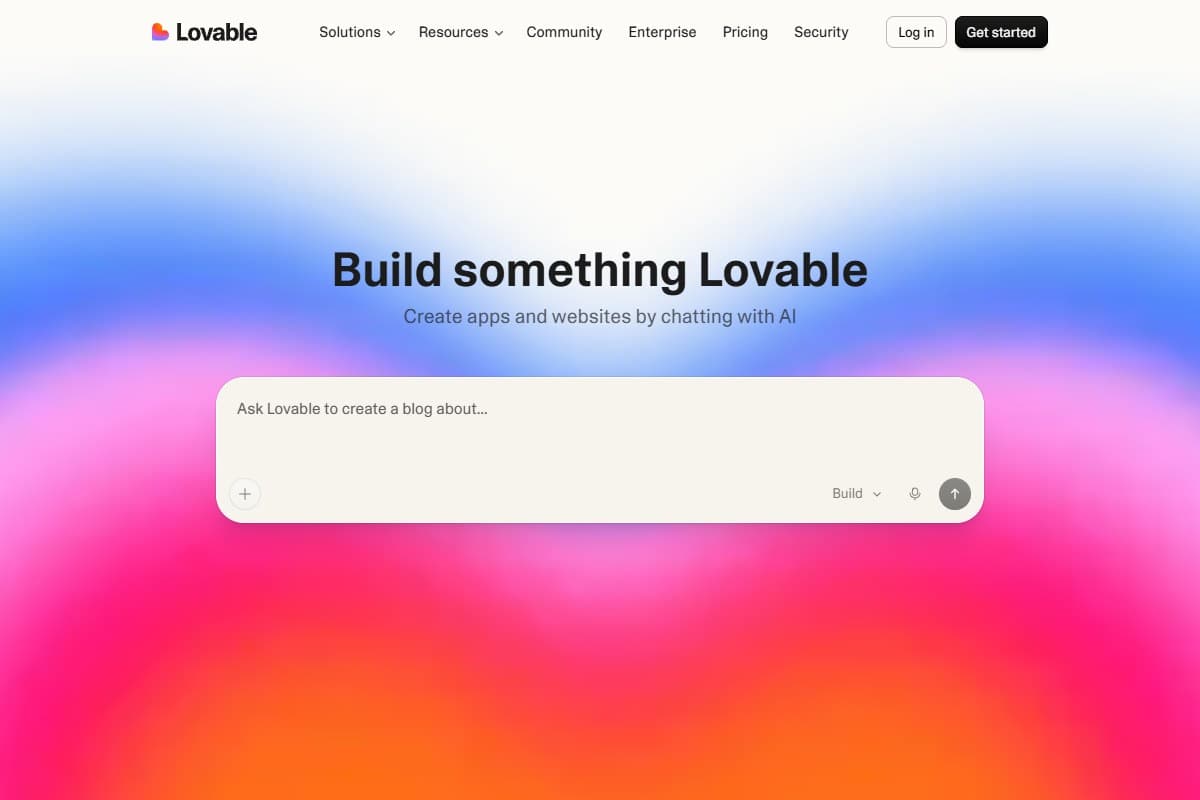
Lovable is the only tool on this page that finishes a job for someone who cannot write the code. That sounds like a small distinction until you watch it happen. I pasted a single paragraph describing the waitlist app and had a live, public URL with a working email form writing to Postgres in 34 minutes. No terminal, no environment variables, no deploy step.
For the build test, nothing else came close. Cursor 3 and Copilot both need a project to exist before they are useful. Replit got there in about 90 minutes with more hand-holding. Lovable was first by a factor of three, and it was the only one where the output was immediately shareable with a non-technical person.
The ceiling is real, though, and it is the same ceiling I found in my full Lovable review earlier this year. Past roughly 15 distinct features, the agent starts fixing one thing and breaking the thing next to it. That loop is where the credits go. My build test burned about a third of a month of Pro credits, and I was not being reckless.
Pricing sits at a free tier, then Pro at $25 a month for 100 credits, dropping to around $21 a month on annual billing. Credits are complexity-weighted, so a hard prompt costs more than an easy one, and they do not roll over. Business is $50 a month for 250 credits. Every plan allows unlimited workspace members, because Lovable charges for credits rather than seats, which makes it unusually cheap for a small team compared to per-seat tools.
- Fastest path from an idea to a deployed, shareable app of anything I tested: 34 minutes in the build test
- Handles the whole stack, so auth, Postgres, storage and deployment wire themselves up without config
- Code export to a real GitHub repo means you can leave at any point with working Next.js
- Charges for credits rather than seats, so unlimited collaborators cost nothing extra
- The free tier is genuinely enough to finish a first prototype and decide
- Fix loops are where credits die: repairing agent-introduced breakage can cost more than the original build
- Crossing roughly 15 features starts the fix-one-break-the-next cycle that ends most projects
- Not the tool for an existing codebase: it is a builder, not an editor
- Credits do not roll over, so a quiet month is money gone
- Security defaults and edge-case handling are weaker than what a developer would ship
2. Cursor 3: best for professional devs
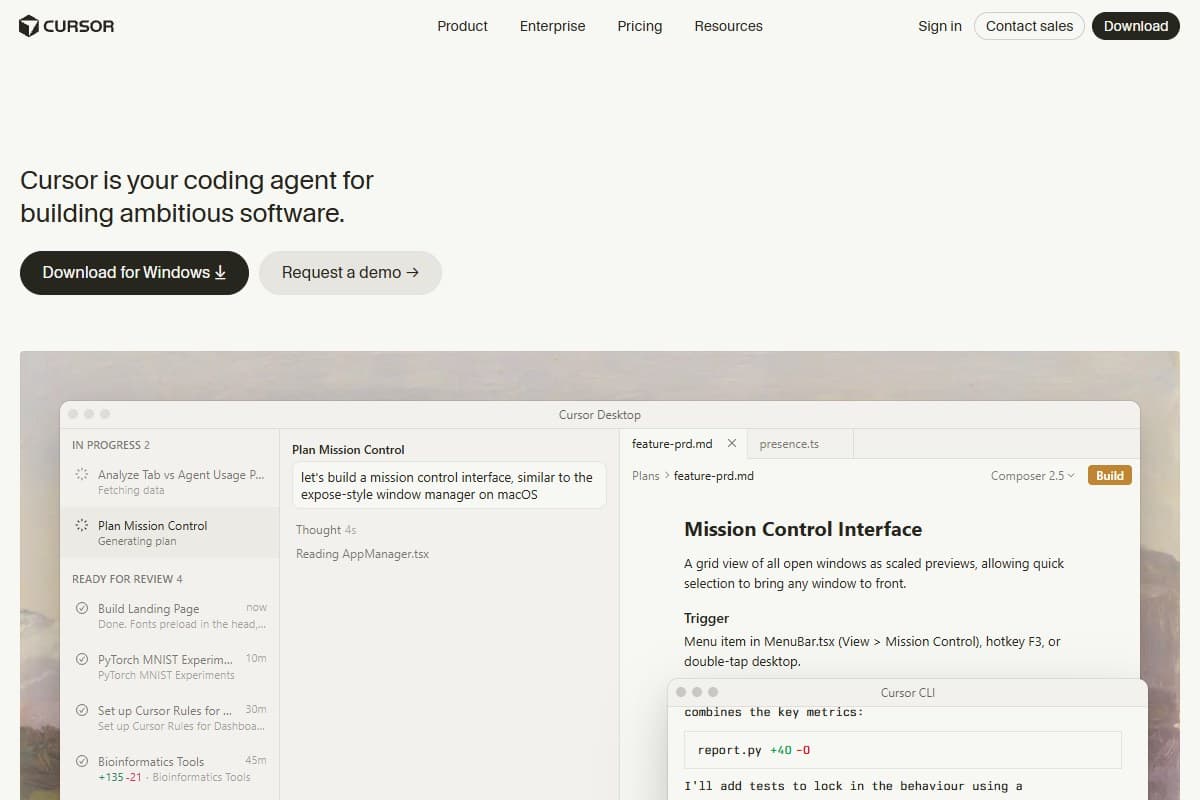
Cursor 3 won the refactor test, and it was not close. The auth extraction, the tests, and the import sweep ran as three parallel agents in isolated Git worktrees, and I had a clean pull request in eleven minutes. The diff review is the best in the category: you approve or reject work file by file rather than accepting a wall of changes and hoping.
What Cursor is not is a place to start from nothing. Point it at an empty folder and it behaves like a very good editor with a chat panel. Point it at a mature codebase and it behaves like three junior engineers who never get tired. That distinction is the whole reason it sits at number two here rather than number one: most people reading a roundup like this do not yet have the codebase that makes Cursor worth $20.
The pricing structure is the thing to understand before you subscribe. Hobby is free. Pro is $20 a month and includes a credit pool worth roughly the plan price at underlying API rates. Pro+ is $60 for about three times the usage, and Ultra is $200 for about twenty times. Auto mode is unlimited and does not draw from the pool, which is the detail that makes Pro workable. The moment you manually select a frontier model or run a cloud agent, the meter starts. I covered the credit burn in detail in my Cursor 3 review, and the short version has not changed: live in Auto, reserve premium models for hard problems, check the dashboard daily for two weeks.
Cursor also has the best independent reception on this page. It holds 4.6 out of 5 across 312 verified reviews on G2, and the recurring complaint in those reviews is the one I hit myself: it is not obvious how fast frontier-model usage is being consumed until it is gone.
- Best-in-class agentic refactoring: three parallel agents produced a clean pull request in eleven minutes
- Isolated Git worktrees per agent, so parallel work does not trample itself
- Unlimited Auto mode covers most routine tasks without spending credits
- VS Code fork, so extensions, keybindings and themes carry across on day one
- Strongest independent rating here at 4.6 out of 5 across 312 G2 reviews
- No live credit meter while an agent runs: you find out afterwards
- Cloud agents bill per minute on top of model cost and can drain a Pro plan in an afternoon
- Useless as a starting point if you do not already have a project
- Parallel agents will produce conflicting edits if you do not split the work cleanly
- Pro credits rarely last a full month under real agent use
3. GitHub Copilot: best for teams
Copilot is the boring answer, and for a team of more than five people it is usually the right one. It is already inside the pull request flow, the security scanning, the audit log, and the invoice your finance team approved. Nothing else here clears procurement that easily.
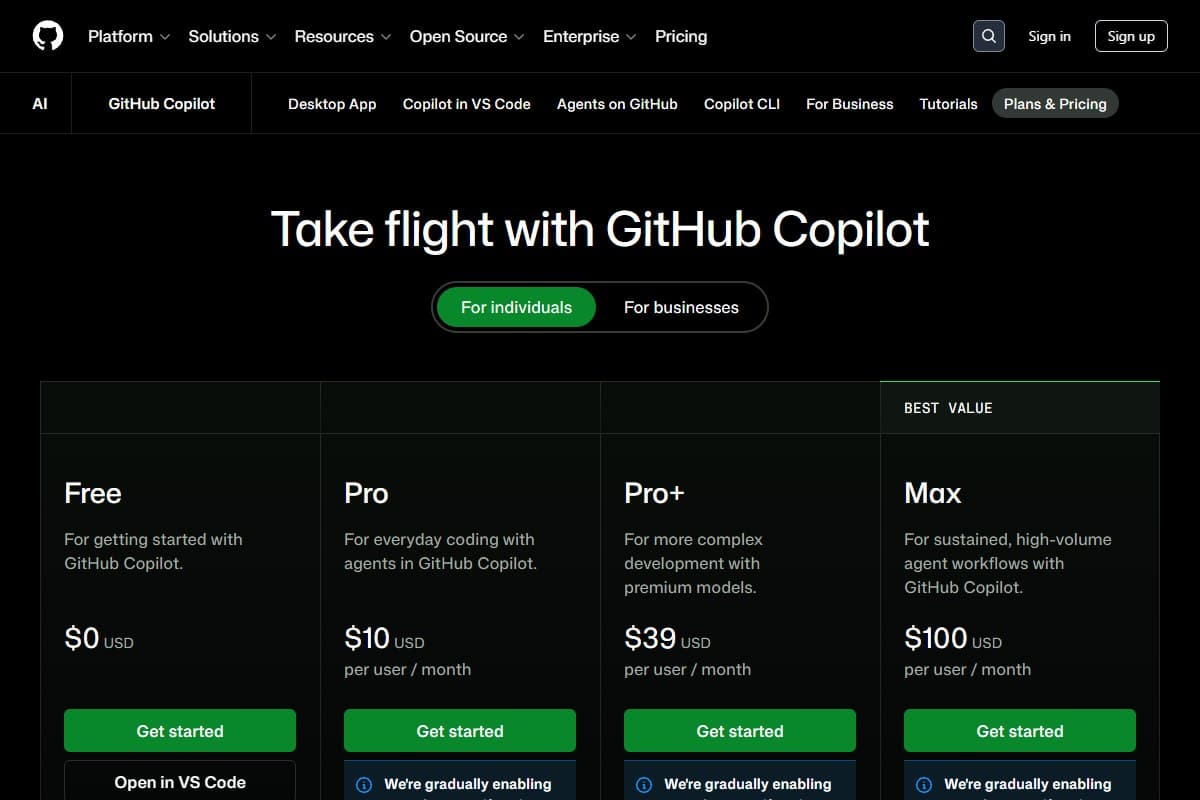
It also has the cheapest entry point on this page at $10 a month for Pro, and the single most underrated detail in 2026: code completions and next-edit suggestions are not billed in credits. They stay unlimited on every paid plan. If what you actually want from an AI assistant is very good autocomplete, Copilot is the cheapest way to get it and probably always will be.
The catch arrived on June 1, 2026, when GitHub moved every plan to usage-based billing under the AI Credits banner, where one credit equals one cent. Pro includes 1,500 credits, Pro+ at $39 includes 7,000, Max is $100, Business is $19 per seat, and Enterprise is $39. Then on September 1 the included allowances shrank: Business dropped from $30 to $19 of included credits per seat and Enterprise from $70 to $39. Agent mode is what drains the pool, because every tool call and every retry spends tokens.
In my refactor test, Copilot finished the job but needed more supervision than Cursor and cost more in credits to get there. On the debug test it proposed a fix that was confidently wrong. If the metered agent work is what you were paying for, my GitHub Copilot alternatives post walks through what to switch to and what it costs.
- Cheapest paid entry point on this page at $10 a month
- Code completions and next-edit suggestions stay unlimited and are never billed in credits
- Already approved inside most companies: no new vendor, no new security review
- Deep integration with pull requests, code review and GitHub Actions
- Free tier is enough for a student or occasional user to get real value
- Agent mode is metered, and it is the feature most people upgraded for
- Included credits shrank on September 1, 2026 for Business and Enterprise seats
- Weaker agent output than Cursor 3 on the same refactor, with more supervision needed
- Reviewers consistently report it losing context in long conversations
- Support is ticket-based and slow if a bill goes wrong
4. Google Antigravity 2: best for the Google ecosystem

Antigravity 2 does one thing nothing else on this page does: it lets you assign different models to different agents inside the same workflow, Claude on one, Gemini on another, and watch them work in parallel from a Manager view. It also ships a browser agent that drives a real headless Chromium, so it can look at the UI it just built and tell you the submit button overlaps the email field on narrow screens. In my build test it caught a mobile layout regression the others missed entirely.
The problem is the free tier, and it is a serious problem. Quotas reset weekly rather than every few hours, and the practical result is that a free user gets through maybe half an hour of real work before being locked out for the week. That has produced a genuinely rough reception: one reviewer at XDA spent a week with it and closed it for good over exactly this limitation. Higher limits ride on a Google AI subscription at $19.99 a month for Pro, $99.99 for Ultra at roughly five times the quota, and $200 for roughly twenty times.
So it is the right pick in a narrow case: you already pay Google for AI, you want multi-agent orchestration, and you want an agent that can see the rendered page. My full Google Antigravity 2 review covers the Manager and Editor split in detail. Outside that case, the quota volatility is a real risk to build a workflow on.
- The only tool here that runs different models on different agents in one workflow
- Browser agent drives real Chromium and catches visual regressions the others cannot see
- Manager and Editor split is the best-designed agent layout I have used
- Bundled into a Google AI subscription you may already be paying for
- Ships as a desktop IDE, a CLI, and an API tier rather than just an editor
- The free tier resets weekly and runs out inside about half an hour of real work
- Quotas have been cut repeatedly and without much warning
- Still a public preview with no standalone price of its own
- Noticeably less confident once you leave Google services for Stripe, Supabase or Resend
- Google's track record of retiring developer tools is a fair thing to weigh
5. Claude Fable 5: best for complex tasks
Fable 5 is the smartest thing on this page and it is not an IDE. That combination is the whole story.
On the debug test, I pasted the cron job, the schema, and two weeks of failed hypotheses. Fable 5 found the timezone bug in one pass, explained why it only fired on the last day of the month, and pointed out a second latent bug in the same function that nobody had hit yet. No other tool got there without me narrowing the search first. That is the moment worth paying for, and it happens maybe twice a month, which is exactly how you should budget for it.
On the build and refactor tests it was fine and unremarkable. It writes excellent code and then hands it to you to paste somewhere, which is a worse workflow than any of the editors here. The independent data agrees with the shape of that: in G2's analysis of more than 3,000 AI code generation reviews, Claude scored highest on structured accuracy at 4.6 out of 5, with accuracy complaints appearing in just 5 percent of its reviews.
The thing to watch is the limits, not the price. Pro is $20 a month, Max runs $100 and $200, and the usage caps have moved repeatedly through 2026. The temporary 50 percent Claude Code weekly boost ends on September 14, replaced by a permanent 25 percent increase, which nets out to most paying users losing roughly 17 percent of capacity. My Claude Fable 5 review has the full model breakdown.
- Solved the production bug the other six could not, in one pass, with no hints
- Highest structured accuracy rating in G2's analysis of 3,000+ AI coding reviews at 4.6 out of 5
- Accuracy complaints appear in only 5 percent of its reviews, against a 12 percent category average
- Flat $20 Pro pricing with usage limits rather than surprise invoices
- Explains its reasoning well enough that you learn something from the fix
- Not an IDE: you are copying code between a browser tab and your editor
- Usage limits have changed repeatedly through 2026, most recently in September
- Overkill and slow for routine work like boilerplate and small edits
- Safety classifiers occasionally interrupt legitimate security and systems work
- No project context unless you feed it, so setup cost per session is real
6. ChatGPT: best all-rounder
ChatGPT is the tool most people already have, and for a lot of readers that makes it the correct answer by default. One $20 subscription covers coding, writing, research, spreadsheets, and the odd image, and the Codex side of the product has become a genuinely capable coding agent rather than a chat window that happens to know Python. OpenAI's Codex upgrades put the same agent in a CLI, a VS Code extension, the web, and GitHub pull requests, which closes most of the workflow gap that used to make it a poor second to a real IDE.
It finished the build test and the refactor test. It did not find the timezone bug. And it carries the highest accuracy complaint rate of any tool here: in G2's review analysis, accuracy problems came up in 23 percent of ChatGPT reviews, nearly one in four, against a category average of 12 percent. That tracks with my experience. It is confident, it is fast, it is right most of the time, and the times it is wrong it sounds identical to the times it is right.
Buy it if you want one subscription that does everything. Do not buy it expecting to beat Cursor at refactoring or Claude at debugging. If you are deciding between the flagship models rather than the editors, my ChatGPT vs Claude vs Gemini comparison goes deeper.
- One $20 subscription covers coding plus everything else you do in a week
- Codex now runs in a CLI, a VS Code extension, the web and GitHub pull requests
- Fastest of the general models on routine code generation
- Enormous community, so almost every error you hit has been discussed somewhere
- Free tier is genuinely useful for occasional coding help
- Highest accuracy complaint rate on this page: 23 percent of G2 reviews mention it
- Failed the debug test and proposed a confident, wrong fix
- Never the best tool for any single coding job, just decent at all of them
- Context handling on large codebases is behind the dedicated editors
- Wrong answers are indistinguishable in tone from right ones
7. Replit: best for beginners
Replit is the easiest place on the internet to go from nothing to a running program, and that is not a small thing. No install, no environment setup, no Git knowledge required. For someone who has never shipped code, the on-ramp is the product, and Replit's is the gentlest here. It also scored the second-lowest accuracy complaint rate in G2's analysis at 2 percent, which surprised me.
Then there is the billing, and I cannot recommend this tool without leading with it. Core is $20 a month and includes $25 of Agent credits, but Agent work is charged by checkpoint, and you do not see the price of a checkpoint until after it has been created and your credits debited, including for attempts that failed. That is the mechanism behind the complaints, and the complaints are loud. Replit sits at 2.9 out of 5 across 1,534 reviews on Trustpilot, with 43 percent five-star and 33 percent one-star and very little in between. The recurring one-star story is a month of credits gone in an afternoon of the Agent debugging its own mistakes.
In my ceiling test, that is exactly what happened. Replit got the waitlist app running quickly, then spent a long stretch fixing a bug it had introduced, charging for each attempt. Cheapest to start, most expensive to finish.
Use it to learn. Set a hard spend limit on day one. Move to Lovable or Cursor once you know what you are building.
- Gentlest on-ramp here: nothing to install, nothing to configure, runs in a browser
- Very low accuracy complaint rate in G2's analysis at 2 percent
- Core plan at $20 a month includes $25 of Agent credits to start
- Real collaborative editing, which is genuinely good for teaching and pairing
- Deploys and hosts the result without a separate provider
- Checkpoint pricing is charged after the fact, including for failed attempts
- 2.9 out of 5 on Trustpilot across 1,534 reviews, with 33 percent one-star
- The Agent enters long debugging loops and bills for every lap
- Support response on billing disputes is the most complained-about on this page
- Reliability drops noticeably as a project grows past a simple app
What every plan actually costs
Sticker price is the least useful number in this category, because six of these seven meter something on top of it. Here is the entry point for each, with the part the pricing page does not say loudly.
- 1,500 AI credits included
- Completions unlimited and unmetered
- Agent mode spends credits fast
- Best for: teams and cheap autocomplete
- Credit pool worth about the plan price
- Auto mode unlimited and free
- Cloud agents bill per minute
- Best for: existing codebases
- Flat price, usage caps not invoices
- Strongest reasoning tested
- Limits changed again in September 2026
- Best for: the hardest problems
- Codex in CLI, IDE, web and GitHub
- Covers non-coding work too
- Highest accuracy complaint rate here
- Best for: one subscription for everything
- Free tier resets weekly, not hourly
- Higher limits via Google AI Pro
- Quotas cut repeatedly in 2026
- Best for: existing Google AI subscribers
- Includes $25 of Agent credits
- Checkpoints priced after the fact
- Failed attempts still billed
- Best for: absolute beginners
- 100 complexity-weighted credits
- Unlimited collaborators, no per-seat fee
- Credits do not roll over
- Best for: building an app from nothing
The pattern across all seven is the same, and it is the defining fact of this category in 2026: the flat-rate era is over. Every tool here except Claude and ChatGPT bills you for how hard the model worked, and the worst-case month is knowable only after you have watched your own meter for two weeks. Budget for roughly double the tier you think you need in month one, then adjust down.
What the Community Is Saying
My eight weeks are one data point. Here is what is verifiable from public review data and official announcements as of September 2026, so you are not taking my word for any of it.
-
The category is well-liked and the complaints are specific. G2's analysis of more than 3,000 verified AI code generation reviews through August 9, 2026 found 92 percent of reviewers rate their tool positively, with a category average of 4.6 out of 5. Productivity and time savings were explicitly cited in 18 percent of reviews. The paradox the report calls out is real: developers complain about accuracy and award high ratings anyway, because the verification work is still cheaper than the time saved.
-
Accuracy complaints separate these tools more than star ratings do. In the same dataset, accuracy problems appeared in 23 percent of ChatGPT reviews and 20 percent of Gemini reviews, against a category average of 12 percent. GitHub Copilot sat at 13 percent. At the other end, Replit came in at 2 percent, Cursor at 4 percent, and Claude at 5 percent. Claude also took the highest structured accuracy score in the category at 4.6 out of 5.
-
Cursor has the strongest independent standing here. It holds 4.6 out of 5 across 312 verified reviews on G2. The most-repeated criticism in those reviews is not quality, it is visibility: reviewers say it is not clear how fast frontier-model usage is being consumed until a workflow gets interrupted. That is the same thing I hit in week one.
-
Replit's billing reputation is the worst on this page, and it is not close. It sits at 2.9 out of 5 across 1,534 Trustpilot reviews, with 43 percent five-star and 33 percent one-star. The one-star reviews tell one story over and over: a month of credits gone in hours, the Agent charging to repair its own mistakes, and slow or automated responses to billing disputes.
-
Lovable's reviews are polarised in the same shape, for the same reason. On Trustpilot, roughly 66 percent of reviews are five-star and 18 percent are one-star, with very little in between. The one-star cluster is almost entirely about credits burned in fix loops rather than about output quality. People either ship something in a weekend and love it, or get stuck in a loop and feel charged for the privilege.
-
Copilot's price did not change, but what you get for it did. GitHub's own announcement moved every plan to usage-based AI Credits on June 1, 2026, and on September 1 the included allowance dropped again, from $30 to $19 per Business seat and $70 to $39 for Enterprise. Unlimited completions are the part that survived, and it is worth knowing that before you switch away.
-
Antigravity's free tier is the loudest complaint in the category. The weekly reset is the specific mechanism people object to, and the reaction has been harsh enough that reviewers like XDA have written it off after a week. The underlying multi-model, multi-agent idea is well regarded. The quota policy is not.
-
Claude users are frustrated by limit changes, not by price. The recurring theme through 2026 has been what one write-up calls limit whiplash: a temporary 50 percent weekly boost ending on September 14 and being replaced by a permanent 25 percent increase, which nets out to most paying users losing about 17 percent of capacity. Nobody is arguing the $20 is bad value. They are arguing they cannot plan around it.
How to pick the right one for you
Work down this list and stop at the first line that describes you.
- You do not have an app yet and cannot write the code. Lovable. Start on the free tier, move to Pro at $25 when you run out, and treat the 100 credits as a hard monthly budget split in half between building and fixing.
- You have never written code at all. Replit, with a spend limit set on day one. Learn there, then leave.
- You have a real codebase and ship features weekly. Cursor 3 Pro at $20. Live in Auto mode and reserve frontier models for hard problems.
- You are on a team of five or more with a procurement process. GitHub Copilot. The $10 entry point and unlimited completions are hard to argue with, and it is already approved.
- You mostly need great autocomplete and nothing else. GitHub Copilot again, and ignore agent mode entirely. Completions are not metered.
- You already pay Google for AI and want multi-agent work. Google Antigravity 2, on a paid Google AI tier. Do not build a workflow on the free tier.
- Your problem is hard and you are stuck. Claude Fable 5. It is the specialist, not the daily driver.
- You want one subscription for coding and everything else. ChatGPT Plus, with the caveat that you verify anything that matters.
Most working developers I know now pay for two: an editor and a reasoning model. That is roughly $40 a month and it is the combination that actually covers the work. You can also line these up side by side in our free AI tools comparison tool if you want the pricing and ratings in one view.
Bottom Line
There is no single best AI coding assistant in 2026, and any roundup that names one is comparing tools that do different jobs. Lovable earns the top slot here because building an app from nothing is the job most people are actually stuck on, and at $25 a month it was three times faster to a deployed, shareable product than anything else I tested. Buy Cursor 3 at $20 instead if you already have a codebase, GitHub Copilot at $10 if you have a team and want unlimited completions, and Claude Fable 5 at $20 when you are stuck on something genuinely hard: it was the only tool that found a two-week-old production bug without hints. Skip Google Antigravity's free tier, which locks you out in half an hour, and approach Replit with a hard spend limit, because 33 percent of its 1,534 Trustpilot reviews are one star and nearly all of them are about billing. The one rule that applies to all seven: the flat-rate era is over, so watch your own meter for two weeks before you trust any of these with a deadline.
FAQ: best AI coding assistants 2026
What is the best AI coding assistant in 2026?
It depends on whether you have a codebase yet. For building an app from nothing, Lovable at $25 a month is the fastest tool I tested by a wide margin, getting a deployed full-stack app live in 34 minutes. For working inside an existing codebase, Cursor 3 at $20 is the best agentic editor available and won my refactor test in eleven minutes. For the hardest debugging problems, Claude Fable 5 at $20 is the only tool that solved a production bug the other six could not.
What is the best free AI coding assistant?
GitHub Copilot's free tier is the most practical, because code completions are never metered on any Copilot plan and the free tier gives you real value without a card. Lovable's free tier is the best for actually finishing something, since it includes enough credits to build a first prototype end to end. Avoid relying on Google Antigravity's free tier: its quota resets weekly rather than hourly, so it runs out inside about half an hour of serious work.
Is Cursor better than GitHub Copilot in 2026?
For agent work, yes. Cursor 3 produced better output with less supervision on the same refactor and holds 4.6 out of 5 across 312 G2 reviews. For price and team fit, Copilot wins: it starts at $10 against Cursor's $20, its code completions are unlimited and unmetered, and it already sits inside the GitHub review and security tooling most companies use. Pick Cursor for individual quality, Copilot for organisational fit.
Which AI coding assistant is cheapest?
GitHub Copilot Pro at $10 a month is the cheapest paid plan, and it is the only one where the core feature, code completion, is not metered at all. Everything else on this page starts at $19.99 to $25. But cheapest to start is not cheapest to finish: in my testing Replit had the lowest effective entry price and the highest real cost per finished job, because failed agent attempts are still billed.
Can AI coding assistants replace developers in 2026?
No, and the debug test is why. All seven tools wrote competent code. Only two of them correctly diagnosed a real production bug, and two of the failures confidently rewrote working code around the bug rather than fixing it. These tools replace a large share of the typing, not the judgement. Where they shine is making an experienced developer faster. Where they fail is when nobody experienced is reviewing the output.
Why do AI coding assistants burn through credits so fast?
Fix loops. Every tool here charges by how hard the model worked, and the expensive work is not the first attempt, it is the sixth. When an agent gets a feature 80 percent right and breaks something adjacent, repairing the breakage often costs more than the original build did, and on Replit and Lovable failed attempts are billed the same as successful ones. Budget your monthly credits in two halves, one for building and one for fixing, and you will be close.
Which AI coding assistant is best for beginners?
Replit, with a caveat. Nothing to install, nothing to configure, and it runs in a browser, which makes it the gentlest on-ramp available. Set a hard spend limit before you write a line, because it sits at 2.9 out of 5 across 1,534 Trustpilot reviews and almost every one-star review is about credits disappearing during agent debugging loops. Once you know what you are building, move to Lovable or Cursor.
Do I need to pay for more than one AI coding assistant?
Most working developers I know pay for two: an editor and a reasoning model, typically Cursor 3 or Copilot alongside Claude or ChatGPT. That is about $30 to $40 a month and it covers the two things that are genuinely different jobs, writing code inside a project and thinking through a problem that has you stuck. Paying for three is usually a sign you have not decided what you actually use.
Is Lovable better than Replit for building an app?
For finishing an app, yes. Lovable got a full-stack waitlist app deployed in 34 minutes against roughly 90 minutes for Replit, and it handles auth, database and deployment without you touching configuration. Replit is the better place to learn, because it teaches you what the pieces are. Lovable is the better place to ship, because it assembles them for you and exports a real GitHub repo if you outgrow it.
Related reviews
- AI Coding Tools topic hub: every coding-tool review on this site in one place.
- Lovable review: the full test of my top pick, including where the 15-feature ceiling hits.
- Cursor 3 review: parallel agents, the credit burn, and how to keep Pro at $20.
- GitHub Copilot alternatives: what to switch to after the move to metered billing.
- Google Antigravity 2 review: the Manager and Editor split, and the free-tier problem.
- Best AI tools for developers: the wider stack beyond the editor.
Testing a tool I did not cover, or got a bill that surprised you? Get in touch: reader questions shape the next round of reviews.
Free interactive tool
Compare Lovable with other AI toolsSide-by-side pricing, features, and ratings — plus a recommended pick for your use case.
Independent AI tools researcher testing what actually works.
Keep reading
Related reviews

Lovable Just Launched AI Subagents: Here's Why It Could Change Vibe Coding Forever (May 2026)
Lovable shipped AI subagents: the main build agent now spawns parallel workers to research, review, and synthesize. My honest first-look.

Lovable Review 2026: Is the $6.6B AI App Builder Worth It? (I Built 3 Real Apps to Find Out)
Lovable hit $400M ARR and a $6.6B valuation in six months. I built three real apps in a week to test whether the hype actually holds up.

Google Antigravity 2 Pricing 2026: Is It Worth the Cost?
Google Antigravity 2 looks impressive. But what does it actually cost, and is it worth it compared to Cursor and GitHub Copilot?