
I build a lot of decks (pitch decks, content roadmaps, client proposals) and I have zero patience for nudging text boxes around at midnight. So when people kept asking which AI presentation tool is actually worth it in 2026, I did the obvious thing: I built the same 12-slide seed-round pitch deck in Gamma, Pitch, Beautiful.ai, and Canva, from the same outline, and compared what came out.
This is a hands-on best AI presentation tools test, not a feature-list roundup. Same content, same brand colors, same hour of my life given to each. Here's which one I'd actually hand a deck to a client from.
Short version: Gamma is the fastest path to a deck you'd present without apologizing. But "best" genuinely depends on what you care about, and one of these four surprised me by how on-brand it stayed.
How I Tested This
When I first opened Pitch, the onboarding nudged me to create a workspace and invite a team before it would let me near the AI generator, which took me a couple of minutes longer than I expected for a solo test run.
Get the weekly AI tools digest. No hype, just honest reviews.
One short email each Friday. Unsubscribe anytime. We will never share your address.
Why AI presentation tools finally got good in 2026
For years, "AI slides" meant a generic template with your text dropped into it: hex codes on a stranger's layout. That changed in 2026. The current generation of tools actually reasons about structure: it decides what belongs on each slide, drafts the copy, picks layouts that fit the content, and increasingly pulls from your brand rather than a default theme.
The result is that the bottleneck moved. It used to be "make this look presentable." Now it's "is this actually on-brand and accurate?" That's the lens I tested through: because a beautiful deck that doesn't look like your company is just a different kind of rework.
Here's the concrete example that made the difference click for me. My seed-round outline had a "traction" slide listing five metrics in a single dense paragraph: the kind of thing that used to mean ten minutes of manually splitting text into columns and resizing fonts until it fit. Three of the four tools recognized it was overloaded and restructured it without being asked: one split it into a two-column stat block, another turned it into a simple bar visual, a third broke it across two slides with a clean header. Only one dropped all five numbers onto one cramped slide and left me to fix it. That single slide, repeated across a 12-slide deck, is the entire difference between "AI saved me an afternoon" and "AI gave me a first draft I then rebuilt." It's also why raw speed isn't the only thing that matters: a tool that's fast but makes you redo half the slides is slower than a tool that's thoughtful on the first pass.
The other thing worth knowing before you pick: every one of these tools is genuinely good now. There's no obviously bad option in this group. That wasn't true even a year ago, and it changes the decision from "which one works" to "which one fits how you work": speed, brand control, design guardrails, or ecosystem.
One more thing the 2026 tools changed: editing stopped being punishing. In older AI slide tools, the generated deck was effectively a locked image: if the AI put a chart in the wrong place, you started over. Now every tool here lets you edit the output like a normal document, so the AI draft is a genuine starting point rather than a take-it-or-leave-it artifact. That matters more than any single generation feature, because no first draft is ever exactly right.
If you're assembling a wider content and marketing stack, this pairs naturally with the writing side: my best AI writing tools 2026 roundup covers the tools I use to draft the copy that goes into these decks, and a sharp outline is still the single biggest lever on how good the generated deck turns out.
The best AI presentation tools, tested
1. Design.com (Sponsored): best for polished, on-brand design
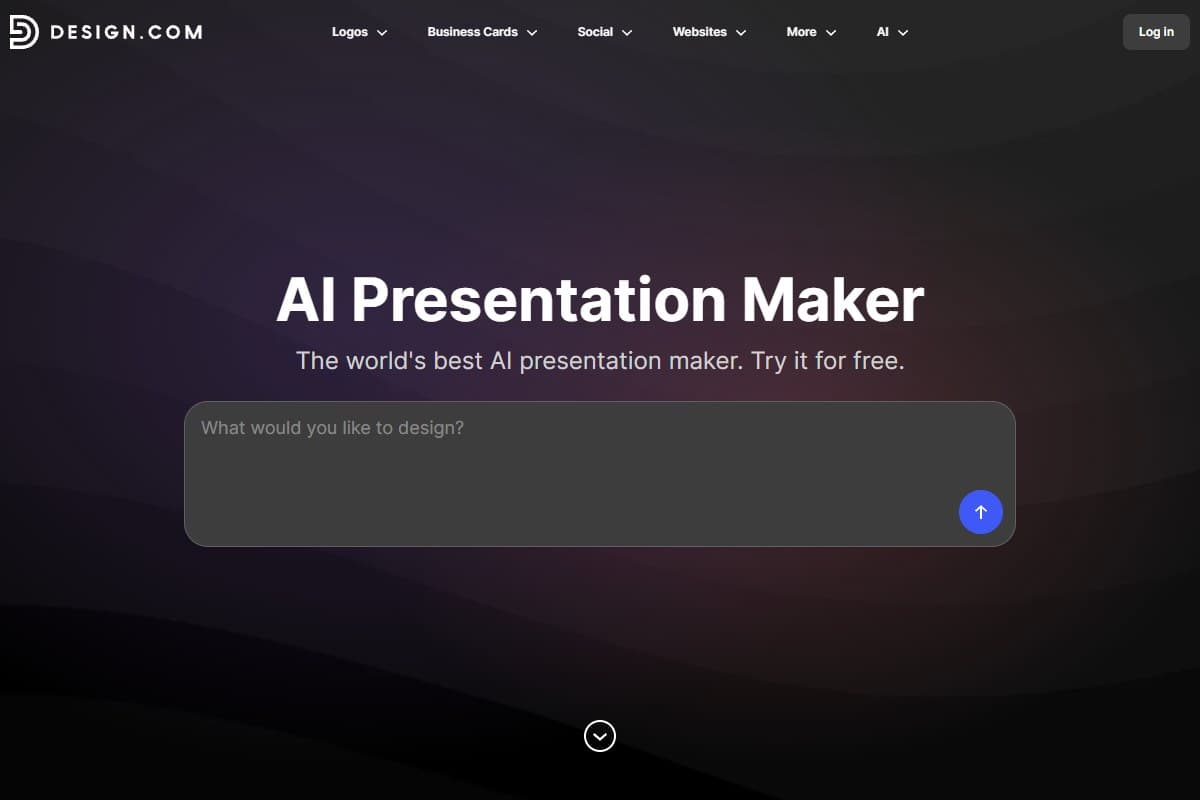
Featured SponsorDesign.com's AI presentation maker produces some of the most polished decks in this category. Its biggest strength is the quality of the designs behind the AI: its templates are created by designers from around the world, and it shows. The slides felt visually striking and professionally put together, and the AI did a good job of generating designs that actually suited the business rather than giving me a generic presentation that could have belonged to anyone.
The other advantage is what you get beyond presentations. Design.com also covers logos, websites, business cards, social graphics, flyers, and a long list of other branding and marketing materials, so I could keep working on the same business without jumping between separate design tools. If you want polished presentations that feel like part of your brand, rather than a one-off deck, that is where Design.com makes the most sense.
2. Gamma: best overall (and fastest)
Gamma won my test for the simplest reason: it got me from a one-paragraph prompt to a complete, genuinely presentable 12-slide deck in under four minutes. It doesn't think in "slides" so much as flexible cards, which sounds gimmicky until you realize it's why the output never feels cramped or template-y. The AI restructures content intelligently: it split my bloated "traction" slide into two without being asked. The one small friction: the very first generation stalled on me and I had to regenerate it once before the full deck actually rendered.
The trade-off: because Gamma is opinionated about layout, very precise pixel-level control is harder than in Canva. But for 90% of decks where you just need it to look good and read well, Gamma is the one I'd recommend first. Free tier to start, Plus from around $10/month.
3. Pitch: best for staying on-brand
Here's the one that surprised me. Pitch recently shipped an AI agent that generates decks from your real templates and layouts: not generic slides with your colors sprinkled on. When I pointed it at my brand setup, the output genuinely looked like it came from my company, not from a presentation tool. For agencies, startups with a brand guide, or anyone who has to look consistent across decks, that's the whole ballgame.
It wasn't the absolute fastest, and the free-form creativity is narrower than Gamma's. But "on-brand on the first try" saved me the most total time once you count the editing you didn't have to do.
4. Beautiful.ai: most design-disciplined
Beautiful.ai's whole premise is that you literally cannot make an ugly slide. Its "smart templates" auto-adjust spacing, alignment, and balance the instant you add content. In my test it produced the most consistently clean deck: nothing was ever misaligned or crowded. The cost of that discipline is freedom: it gently fights you when you want to do something off-grid. I noticed it felt a beat slower and laggier when I edited from my phone than it did on the desktop browser. For consultants and teams who want a guaranteed-professional baseline with no design skill required, it's excellent. For creative, expressive decks, it can feel like a straitjacket.
5. Canva: best all-rounder if you already use it
Canva is the deepest toolkit here, and its Magic Design AI now generates full decks too. It took the longest to a first draft and the AI output needed the most cleanup, but no other tool gives you this much creative control once you start editing, plus an enormous asset library, brand kits, and the fact that millions of people already know it. If Canva is already your design home, the AI presentation features are a strong reason to stay rather than add another subscription.
6. Prezi: best for non-linear, zoomable storytelling
Prezi is the outlier here, and it belongs in this roundup precisely because it refuses to make slides. Instead of a linear stack, it builds one large zoomable canvas and flies the camera around it: pull back for the whole picture, drill into a detail, pan across to the next section. Prezi AI now generates that entire canvas from a prompt, which removes the setup cost that historically kept people away from the tool.
In testing, generation was fast and the first draft looked professional with no cleanup. The real payoff is presenting: showing a workflow where every step stays visible in relation to the others communicates a system in a way a linear deck structurally cannot. It is the tool people describe afterward.
One thing Gamma cannot match: Prezi AI 3.0 also generates Videos and Infographics from the same AI layer, so a single subscription covers three formats where Gamma covers presentations only.
Two honest caveats. The free Basic plan gives you 350 AI credits but limits exports and withholds offline access, so anything client-facing means paying. And exports flatten the zoom into static slides, which means Prezi's best feature does not survive leaving Prezi. Free Basic plan, Plus from $19/month billed annually.
Full breakdown in our Prezi AI review 2026, including the pricing traps and what the community says about billing.
Side-by-side comparison
| Tool | Rating | Price | Best for | Verdict |
|---|---|---|---|---|
| Design.com (Sponsored) | 4.4/5 | Free / $3/mo+ | Polished on-brand presentations | Best for design quality and branding |
| Gamma | 4.5/5 | Free / $10/mo+ | Fastest prompt-to-deck | Best overall for most people |
| Pitch | 4.3/5 | Free / paid tiers | Staying on-brand | Best for brand consistency |
| Beautiful.ai | 4.1/5 | From ~$12/mo | Guaranteed-clean design | Most design-disciplined |
| Canva | 4.2/5 | Free / Pro ~$15/mo | Creative control + ecosystem | Best all-rounder |
| What matters most to you | Best pick |
|---|---|
| Polished decks that match the rest of your brand | Design.com (Sponsored) |
| Speed from idea to finished deck | Gamma |
| Decks that match your brand exactly | Pitch |
| Never producing an ugly slide | Beautiful.ai |
| Maximum creative control | Canva |
| Staying in a tool you already own | Canva |
Pricing: what each one actually costs
- Free plan to create and download designs
- Starter $3/mo, Value $4/mo, Premium $5/mo (billed annually)
- AI presentation maker + 50+ design tools
- Best for on-brand design across materials
- Generous free tier
- Plus ~$10/mo, Pro ~$20/mo
- Card-based flexible layouts
- Best speed-to-deck
- Free tier for individuals
- Paid tiers unlock Pitch Agent
- Brand-template generation
- Best for teams
- No free tier (free trial)
- Smart auto-design templates
- Team plans available
- Most consistent output
- Strong free tier
- Pro adds Magic Design + brand kit
- Huge asset library
- Best ecosystem value
The honest budget read: Gamma's free tier is the best place to start for individuals, and Canva is the best value if you'll use it for more than just decks. Pitch's value shows up at the team level, and Beautiful.ai is worth it specifically when you need design guardrails. One thing to watch on Beautiful.ai: there's no free tier, so to test it I had to drop in a card during the trial, and the cancel option sat under Account rather than the Settings menu I went looking in first.
Pros and cons of AI presentation tools
- Cut deck-building time from hours to minutes
- The 2026 generation actually structures content, not just styles it
- Pitch and Canva can hold genuine brand consistency
- Most have a free tier or trial, so evaluating costs nothing
- Export to PDF and PowerPoint means you're not locked in
- AI first drafts still need a human accuracy pass: always check the numbers
- Highly opinionated tools (Gamma, Beautiful.ai) limit pixel-level control
- Canva's AI output needs the most manual cleanup
- Brand-matching quality varies a lot between tools
- Best brand features are usually behind the paid tiers
Who should use which
Pick Gamma if you: want the fastest path from idea to a deck you'd present, and you're fine letting the tool make smart layout decisions for you.
Pick Pitch if you: care most about staying on-brand, work on a team, or build a lot of client-facing decks that need to look consistent.
Pick Beautiful.ai if you: have no design confidence and want a guarantee that every slide comes out clean and professional.
Pick Canva if you: already use it for other design work, want the deepest creative control, or want one subscription that does more than slides.
Still torn? Line them up in our free AI tools comparison tool to see pricing and ratings side by side, or browse the free AI tools that can get you started at zero cost.
Final verdict
After building the same deck four times, Gamma is the best AI presentation tool in 2026 for most people: nothing else gets you to a presentable draft faster. But the win that stuck with me was Pitch's brand fidelity: a deck that already looks like your company saves more total time than a fast deck you then have to re-skin.
If you're an individual or creator, start free with Gamma. If you're a team that lives and dies by brand consistency, Pitch is worth the closer look. And if Canva is already your home base, its AI features are a real reason to stay put.
Related reviews
- Best AI writing tools 2026: draft the copy that goes into your decks.
- AI Writing Tools topic hub: the full content-creation stack.
- ChatGPT vs Claude vs Gemini, which model to use for deck scripting and outlines.
- Top 5 free AI tools: free tools to pair with your presentation workflow.
- Design.com review 2026 (Sponsored): build the logo and brand colors your decks should carry, with AI logo editing and automatic template branding.
FAQ: best AI presentation tools 2026
What is the best AI presentation tool in 2026?
Gamma is the best AI presentation tool for most people in 2026: it's the fastest from a prompt to a complete, presentable deck, and its card-based layouts avoid the cramped, template-y feel of older tools. Pitch is the best choice for brand consistency, Beautiful.ai for guaranteed-clean design, and Canva for creative control and ecosystem value.
Which AI presentation tool is best for staying on-brand?
Pitch is the strongest for brand consistency in 2026. Its AI agent generates decks from your real templates and layouts rather than dropping your colors onto generic slides, so the output genuinely looks like it came from your company. Canva is a close second if you set up a brand kit.
Are there free AI presentation tools?
Yes. Gamma and Canva both have genuinely useful free tiers, and Pitch offers a free plan for individuals. Beautiful.ai is the main exception: it's subscription-only with a free trial. For evaluating which fits you, starting on Gamma's or Canva's free tier costs nothing.
Can AI presentation tools export to PowerPoint?
Most can. Gamma, Pitch, Beautiful.ai, and Canva all support exporting to PDF and PowerPoint (PPTX), though complex layouts and animations don't always survive the conversion perfectly. If PowerPoint compatibility is critical, test the export on a real slide before committing.
Do AI-generated decks still need editing?
Yes. The 2026 tools produce strong first drafts, but you should always do a human pass for accuracy (especially on numbers, names, and claims) and a quick brand check. The AI handles structure and design; you handle truth and tone. Budget a short editing pass even with the best tools.
Building a deck and not sure which tool fits your workflow? Get in touch: reader questions shape the next round of reviews.
Free interactive tool
Compare AI tools side-by-sideSide-by-side pricing, features, and ratings — plus a recommended pick for your use case.
Independent AI tools researcher testing what actually works.
Keep reading
Related reviews

Wispr Flow Review 2026: The AI Voice Dictation Tool That Actually Works? (Hands-On Test)
Wispr Flow just raised $81M to build a 'Voice OS.' I dictated this whole review with it to find out if it's the rare voice tool that actually works.
Design.com vs Looka vs Adobe Express vs Canva: Which Is Best for Creating a Brand Identity?
Design.com vs Looka vs Adobe Express vs Canva: we gave all four AI logo makers the same brand brief. See which captured a real brand identity.
Best Logo Design Software in 2026: Tested, Ranked, and Compared
Best logo design software 2026: we ran the same prompt through Design.com, BrandCrowd, Canva, Adobe and Wix. Ranked on quality, price and brand kits.