
Design.com is best known as a logo maker, but the platform has grown into a much broader set of branding and design tools. Alongside a library of more than 500,000 logo templates, it offers AI-powered logo generation and editing, over 1 million design templates, and 50+ tools for creating business cards, social posts, websites, presentations, flyers, posters, and more.
That sounds useful for a small business, but the bigger question is how well these tools work together when you're actually building a brand.
Quick Verdict
How I Tested Design.com
Method: Start with a logo, then customize and apply the design to other branding materials Roast Republic needs to promote the business.
What Is Design.com?
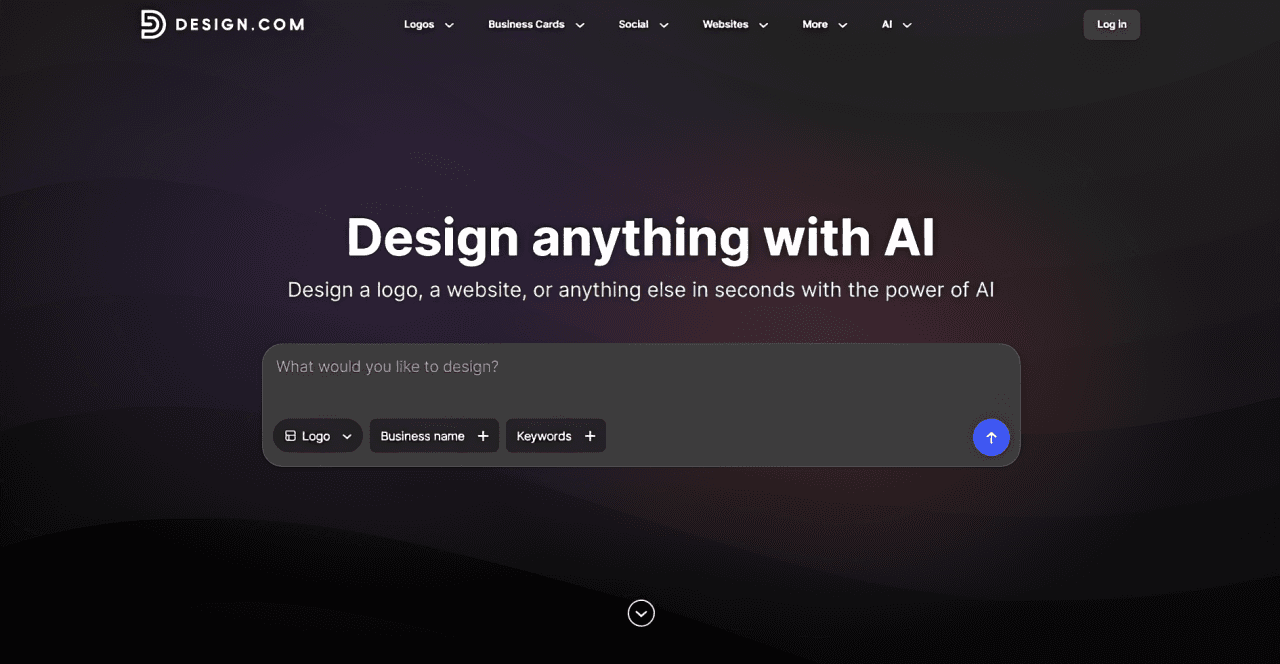
Design.com is an all-in-one online logo maker and design platform built primarily for businesses and entrepreneurs with no advanced design skills. It provides a large collection of professionally designed assets, including:
- 500,000+ logo templates.
- 1 million+ total design templates for social media, print, web, presentations, and more.
- 750+ fonts, including 525+ exclusive fonts.
- 62,000+ custom vector shapes.
Design.com also offers a growing collection of AI-powered tools, including an AI logo generator, website builder, business card generator, flyer and poster generators, presentation maker, background remover, business name generator, and one of its newest additions, an AI image generator.
The platform calls itself the #1 logo company in the world. It has a 4.7 rating on Trustpilot, based on more than 4,500 reviews. Many users highlight its user-friendly interface, creative templates, and efficient design tools.
Design.com Features Worth Knowing About
Design.com combines logo creation, AI-powered editing, automatic branding, and more than 50 design tools in one platform. Here are its notable features:
Professionally Designed and Exclusive Assets
Design.com has a large library of professionally designed logos and other exclusive creative assets.
The platform offers:
- 500,000+ professionally designed logos covering a wide range of industries, including niche categories.
- 750+ fonts, including more than 525 exclusive fonts.
- 62,000+ custom vector shapes.
- Exclusive logos, shapes, and icons available on Design.com.
- Extended licenses for eligible logos, allowing a selected template to be removed from the library for exclusive use.
AI Logo Generator
Design.com combines AI logo generation with its large design library to create logo concepts based on your prompt.
Key benefits include:
- Generate logo ideas based on your business and description.
- Explore a wide range of styles without designing from scratch.
- Save promising designs to a favorites list for easier comparison.
- Customize the selected logo using manual or AI-powered editing tools.
AI-Powered Logo Editing
Instead of relying only on manual controls, Design.com also lets you edit your logo using AI. You can describe the change you want through a chat interface. This is useful for users who know what they want to change but may not know how to make the adjustment themselves.
Other highlights include:
- AI editing for logo icons, text, colors, and layouts.
- Plain-language prompts for making changes.
- Manual editing tools remain available alongside AI.
- Uses custom-trained AI to help ensure copyright-safe editing.
Automatic Template Branding
Once you've completed your logo, Design.com can carry its branding into compatible social, print, and web templates.
This helps by:
- Automatically applying logo colors to compatible templates.
- Keeping different marketing materials visually consistent.
- Reducing the need to manually enter the same brand colors for every new design.
50+ Design and Branding Tools
Design.com includes 50+ design and branding tools for creating materials beyond the logo.
These include:
- Business cards
- Websites
- Digital business cards
- Social media posts and stories
- Flyers
- Posters
- Presentations
- QR codes
- Letterheads
- Menus
- Email signatures
There are also dedicated AI tools for websites, business cards, flyers, posters, presentations, images, background removal, and business name generation. This gives businesses one place to create different branded materials using the same visual identity.
File Formats and Downloads
Design.com supports several file formats for different uses:
- Raster: PNG, JPG
- Vector: SVG, EPS, PDF
- Animated: GIF, MP4
- Other options: Transparent-background and icon-only versions
The mix of raster and vector formats makes the logo suitable for everything from social media profiles and websites to printed materials and larger-format designs.
Putting Design.com to the Test
Design.com offers plenty of tools on paper, but the Roast Republic test shows how they work together in practice.
Creating the Roast Republic Logo
The first step was creating a logo design for Roast Republic. The process was simple: enter a prompt describing the business, browse the generated logo options, and choose a design to customize.
This is the prompt I entered: "Create a logo for Roast Republic, a small independent coffee roaster that sells freshly roasted coffee beans online and at local weekend markets. The brand should feel warm, handcrafted, and welcoming."
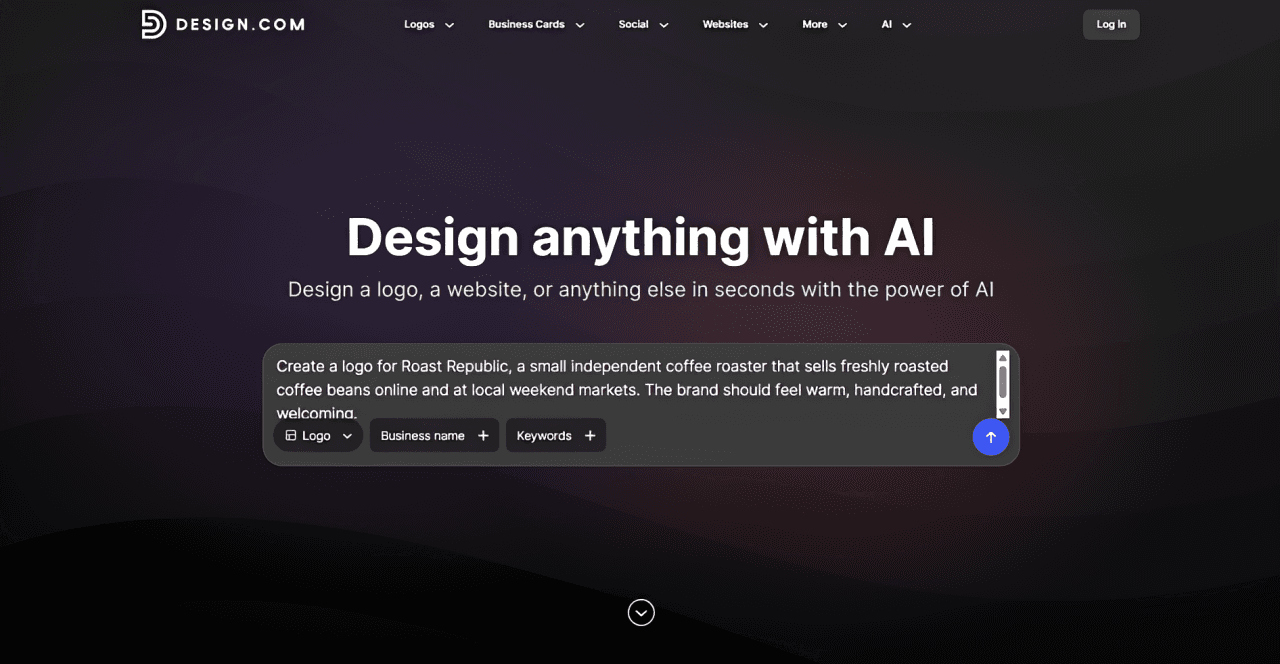
Design.com then generated thousands of results, with styles ranging from vintage badges and hand-drawn illustrations to simpler, more modern designs. Many used coffee-related imagery such as beans, cups, and grinders, while earthy browns, greens, and warm neutral tones matched the handcrafted look described in the prompt. The range made it easy to explore different approaches before choosing a logo to customize.
Here are some logos that Design.com generated for Roast Republic:
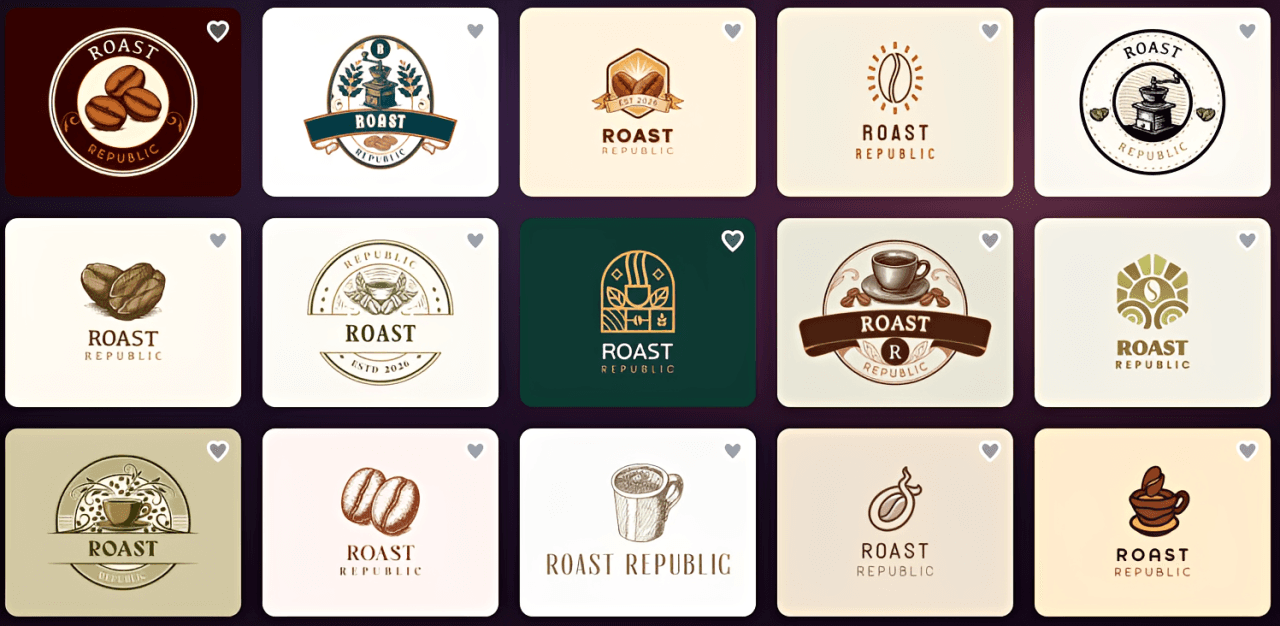
Design.com displayed the results in a visual grid, making it quick to scan and compare multiple concepts at once. The heart icon also let me save favorites, which helped narrow down the options before choosing a logo to customize.
Customizing the Logo
After reviewing the generated options, I chose this circular badge-style logo for Roast Republic. It uses three coffee beans as the main icon, paired with a dark brown, cream, and orange color palette that fits the brand's warm, handcrafted direction.
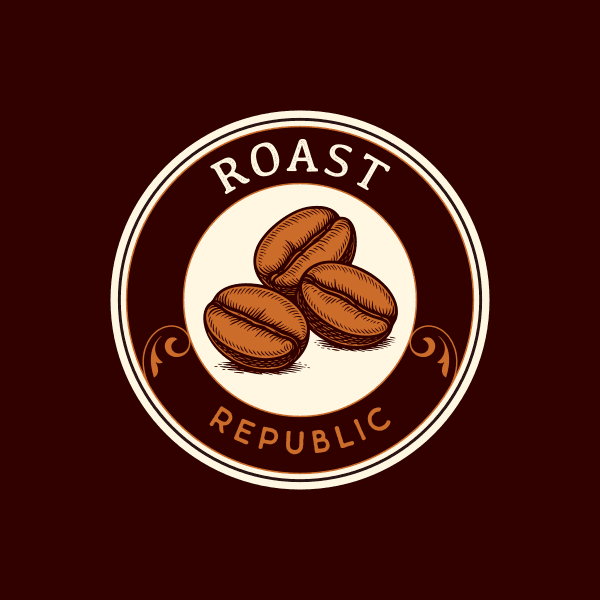
To test the customization options, I made two specific changes using Design.com's manual editor and AI chat editor.
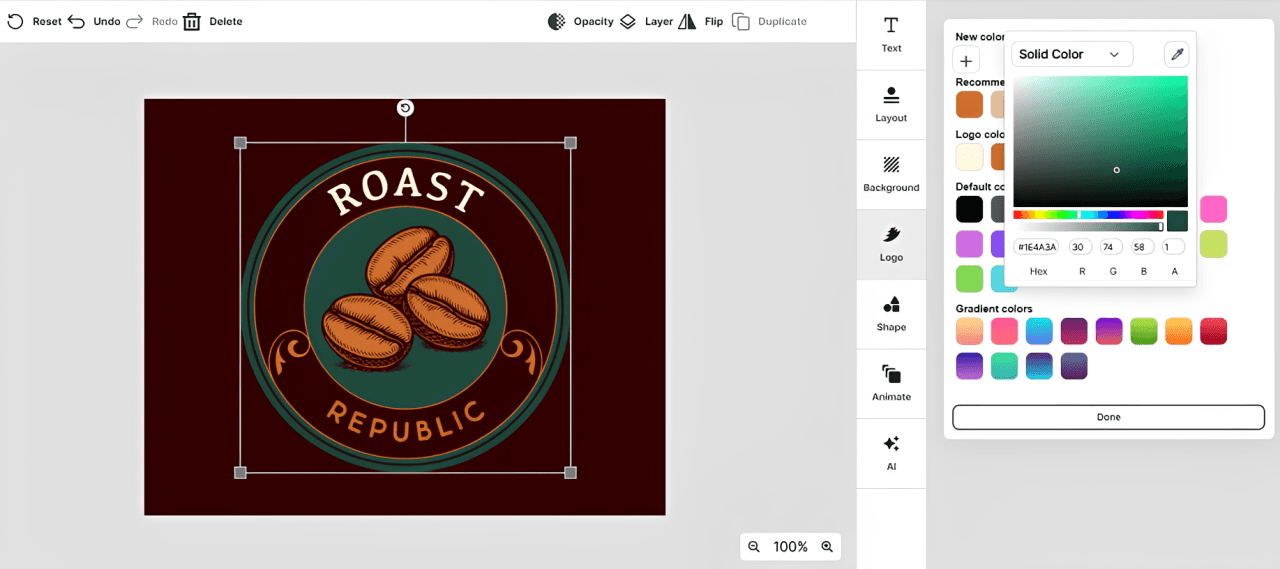
First, I tested the manual editing tools by changing the circular badge's color to a deep forest green, while keeping the rest of the logo unchanged. The change appeared immediately, while the text, coffee bean illustration, and overall layout stayed in place. It was a simple edit, but it showed that I could make a noticeable change to the logo without having to resize, reposition, or rebuild any of its elements.
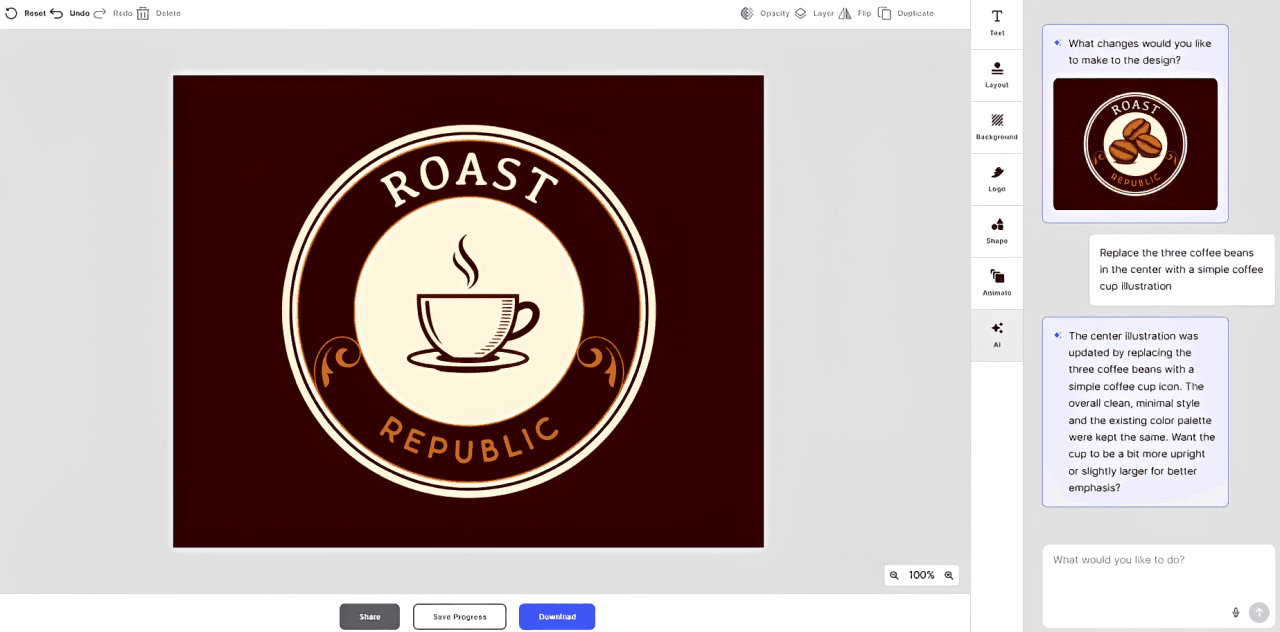
Next, I tested the AI chat editor by asking it to change the coffee bean illustration to a simple coffee cup while keeping the text, colors, and circular badge layout unchanged. The AI successfully replaced the original illustration while keeping the rest of the elements in place. The result appeared directly in the editor, so there was no need to manually remove the beans, search for a replacement icon, or reposition the surrounding elements.
Applying the Branding to Other Designs
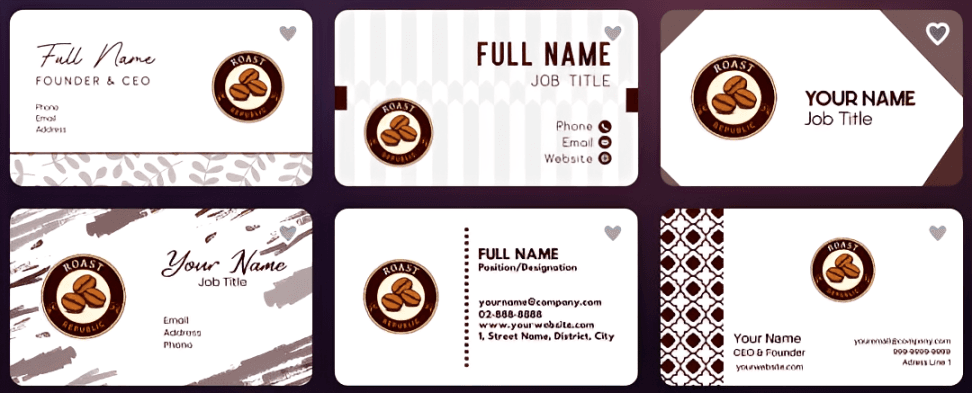
Once the Roast Republic logo was ready, it could be used across other Design.com templates, including business cards, social media posts, flyers, and websites. To show how the branding could extend beyond the logo itself, here are a few examples of the Roast Republic design applied to different marketing materials:
Business Cards: The examples show several different layout styles, from clean and minimal designs to more decorative options. Even with different templates, the same Roast Republic logo and color palette help keep the branding consistent.
Social Media Posts: The examples include both Facebook post templates and vertical Instagram Story designs. The layouts and content vary, but the Roast Republic branding remains recognizable across both formats.
Facebook posts:
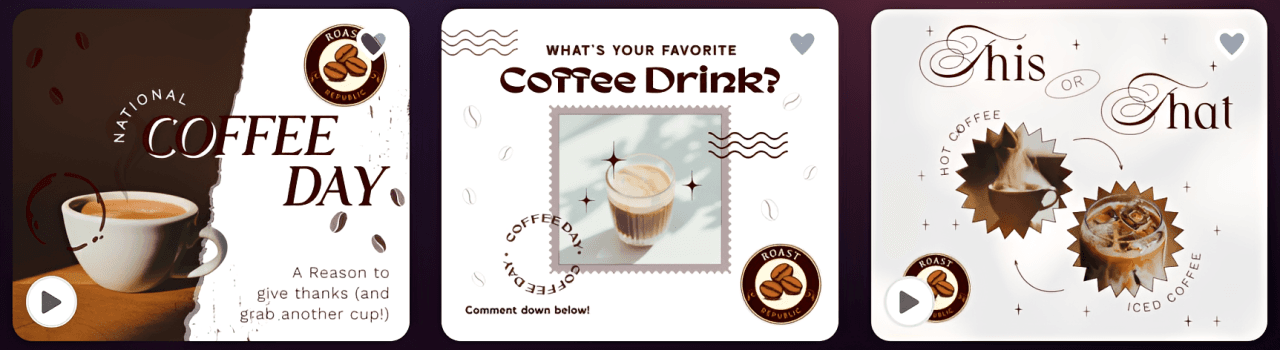
Instagram stories:
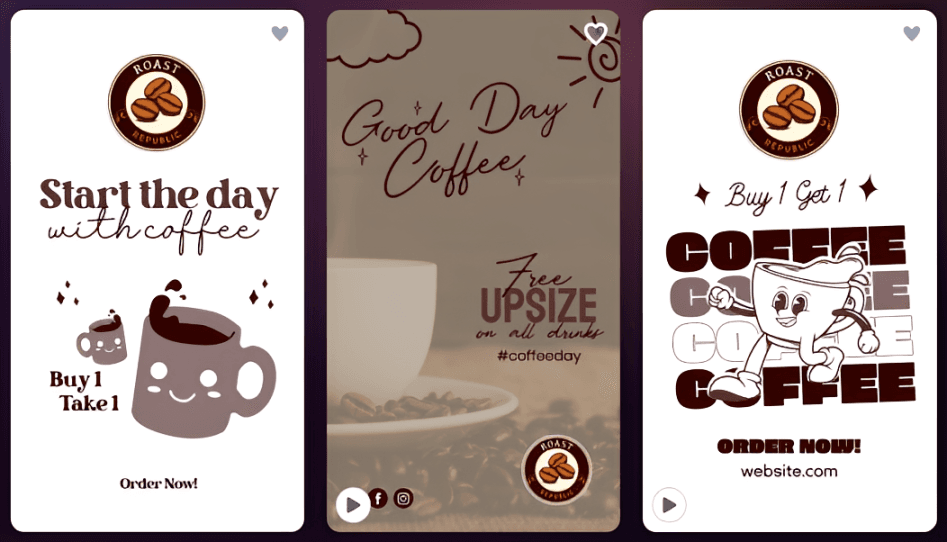
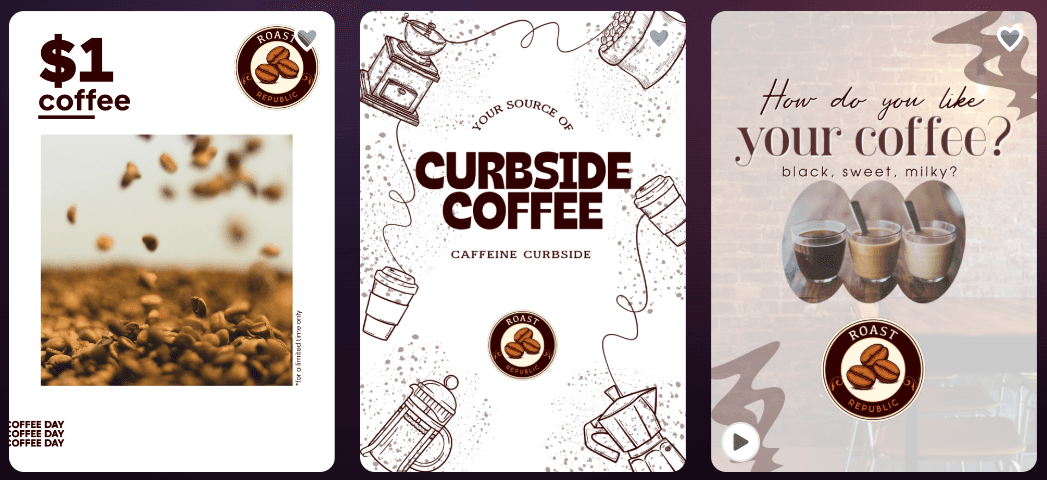
Flyers: The sample flyers range from image-based promotional layouts to more text-focused designs. Each gives the Roast Republic logo a different placement and treatment while still fitting the overall coffee brand.
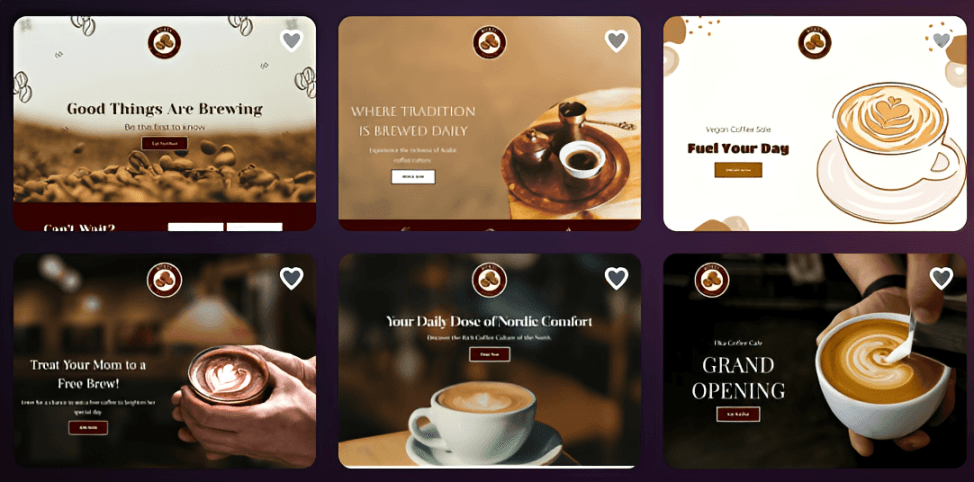
Websites: The website layouts include promotional landing pages, product-focused pages, and more image-led designs. Each offers a different way for Roast Republic to present the business online while keeping the logo integrated into the page.
How Easy Was Design.com to Use?
Overall, Design.com was easy to use throughout the Roast Republic test. The main tasks were straightforward:
- Logo creation: Entering a prompt was enough to generate thousands of logo options.
- Browsing results: The visual grid and favorites made it easy to compare and shortlist designs.
- Manual editing: Basic changes, such as changing the badge color, only required selecting the element and adjusting its settings.
- AI editing: The AI chat editor replaced the coffee beans with a coffee cup from a simple text request.
- Branding: The finished logo could be applied across a wider range of Design.com templates, including business cards, social posts, flyers, websites, and other branded materials.
The AI chat editor was the biggest time-saver. Instead of manually removing the coffee beans, finding a new icon, and repositioning it, I simply described the change I wanted.
Overall, the Roast Republic test showed that Design.com can handle the core branding process without requiring advanced design skills.
Design.com vs Canva vs Looka
Design.com isn't the only platform that combines logo creation with broader branding tools. Canva and Looka approach the same problem differently.
| Design.com | Canva | Looka | |
|---|---|---|---|
| Main focus | Logo creation + broader branding | General-purpose visual design | AI-guided logo and brand creation |
| Logo creation | AI generator + 500K+ logo templates | Templates + AI design tools | AI-guided logo generator |
| Branding | Automatic branding across compatible templates | Brand Kit | Brand Kit generated from logo |
| Branded assets | 1M+ templates across social, print, web, and more | 2M+ free templates; 3.6M+ to 4.5M+ total with paid plans | 300+ branded templates |
| Website tools | Website builder | Website builder | Website builder via Brand Kit Web |
| Pricing | Free; paid plans from $3/month billed annually or $9/month billed monthly | Free; Canva Pro from $12/month billed annually | Free to create logos; Brand Kit from $8/month billed annually |
| Best suited to | Businesses creating or expanding a brand across multiple asset types | Users creating many types of visual content | Businesses wanting an AI-guided logo-first workflow |
The biggest differences come down to how each platform handles branding after the initial design:
- Design.com: Businesses can create a new logo or upload an existing one, then use the platform's AI design tools to create social posts, business cards, websites, flyers, presentations, and other branded assets. Compatible templates can also automatically inherit existing brand colors.
- Canva: It provides the broadest general-purpose content creation workflow. Its Brand Kit helps store brand assets, while its editor and large template library support everything from social graphics to presentations and websites.
- Looka: It follows a more guided, logo-first process. After creating a logo, its Brand Kit uses the logo, colors, fonts, and business information to generate 300+ branded templates.
Design.com Pricing
Design.com has free options alongside three main paid tiers: Starter, Value, and Premium.
Free Plan - $0
Design.com lets you create a logo without a paid plan. Free users can generate, customize, and download logos using the platform's free logo templates.
One standout feature is that free logo downloads include vector and transparent-background formats, which are often limited to paid plans on other platforms. Design.com also states that its free logos are commercially safe to use.
You can also explore the platform's other design tools and create branded assets for free, although premium designs require a paid plan to download.
Starter - $3/month billed annually or $9/month billed monthly
The Starter Pack adds access to premium templates and Design.com's broader set of design tools. It also includes unlimited logo changes, and your logo remains yours even after you cancel the subscription.
Value - $4/month billed annually or $14/month billed monthly
The Value Pack includes everything in Starter and adds the website builder. This is useful for businesses that want to manage their branding and web presence from the same platform.
Premium - $5/month billed annually or $19/month billed monthly
The Premium Pack includes everything in Value and adds link-in-bio and digital business card tools.
| Plan | Annual billing | Monthly billing | What's included |
|---|---|---|---|
| Free | $0 | $0 | Selected free logos and templates |
| Starter | $3/month | $9/month | Access to premium templates and 50+ design tools |
| Value | $4/month | $14/month | Starter features + website builder |
| Premium | $5/month | $19/month | Value features + link in bio and digital business card generators |
What Stands Out About Design.com
Design.com brings together logo creation, branding, and everyday design tools in one platform. Here's what stood out most, along with a few practical things to keep in mind.
- Easy to use for non-designers, with logo generation, manual editing, and AI-powered changes through simple text prompts
- Branding goes beyond the logo: brand colors and typography carry across business cards, social posts, websites, flyers, and presentations
- Huge asset library: 500,000+ logo templates, 1 million+ total templates, 750+ fonts, and 62,000+ vector shapes
- Wide download options: PNG, JPG, SVG, EPS, PDF, GIF, MP4, and transparent-background versions
- Free logo downloads include vector and transparent-background formats, and free logos are stated to be commercially safe
- Less advanced control for professionals who prefer highly technical, granular editing
- Web-based only, with no dedicated desktop design application
- Premium designs require a paid plan to download
What We Liked
- Easy to use: The platform is designed for non-designers, with a straightforward workflow that covers logo generation, manual editing, and AI-powered changes through simple text prompts.
- Branding goes beyond the logo: Design.com automatically applies your logo's brand colors and typography across its existing templates, making it easier to create visually consistent business cards, social media posts, websites, flyers, presentations, and other branded materials without manually setting up the same brand styles each time.
- Strong design and download options: You can choose from 500,000+ logo templates, 1 million+ total templates, 750+ fonts, and 62,000+ vector shapes. Logo downloads also support PNG, JPG, SVG, EPS, PDF, GIF, MP4, and transparent-background versions.
Things to Keep in Mind
- Less advanced control for professionals: Design.com prioritizes simplicity, so experienced designers who prefer highly technical editing controls may want more granular customization options.
- Web-based only: Design.com runs in the browser and does not currently offer a dedicated desktop design application.
Who Should Use Design.com?
Design.com is for users who want professional-looking branding without creating everything from scratch. This includes:
- Small businesses: They can create a logo, then use the same branding across social media, print, websites, and other marketing assets to promote their brand.
- Startups: They can build their initial visual identity and create launch materials from the same platform.
- Entrepreneurs and freelancers: They can manage their branding and everyday marketing assets without outsourcing every design.
- Non-designers: They can use templates, AI editing, and automatic branding to create polished designs without advanced design skills.
What the Community Is Saying
Public user reviews provide another perspective on Design.com. As of September 2026, the platform has a 4.7 rating on Trustpilot, based on more than 4,500 reviews.
Positive feedback often highlights:
- Ease of use: Many reviewers describe Design.com as easy to use, even without advanced design experience.
- Logo variety: Users frequently praise the large number of logo options and customization choices.
- Broader branding tools: Some reviewers highlight being able to continue from logo creation into other design tools.
- Customer support: Reviewers also frequently mention positive experiences with Design.com's support team.
Bottom Line
Design.com is more than a logo maker. It also offers AI-powered editing, automatic branding, and 50+ design tools, making it easier to build a consistent visual identity across business cards, social media, websites, flyers, presentations, and other marketing materials.
Its biggest advantage is how connected the process feels. You can create a new logo or work with an existing one, then carry the same brand colors and typography into other templates without setting everything up again. Even free users can create and download selected logos, including vector and transparent-background versions.
For small businesses, startups, entrepreneurs, and non-designers that want to manage more of their branding from one place, Design.com is a strong choice.
FAQ: Design.com Review 2026
Is Design.com free?
Yes. Design.com offers free logos and designs that you can customize and download in high-resolution and vector formats. You can upgrade to a paid plan if you want to use premium templates.
How much does Design.com cost?
Design.com's paid plans start at $3/month billed annually or $9/month billed monthly. Value starts at $4/month annually, while Premium starts at $5/month annually.
Is Design.com good for logos?
Yes. Logo creation is one of Design.com's main specialties. It offers 500,000+ professionally designed logo templates, AI logo generation, AI-powered logo editing, and a wide range of file formats for both digital and physical uses.
Can Design.com create more than logos?
Yes. Design.com has 50+ tools to help you create different marketing materials, including business cards, websites, social posts, flyers, presentations, posters, QR codes, and other branded assets.
Does Design.com use AI?
Yes. Design.com uses AI to generate logo concepts based on your prompt and customize your chosen design. It also uses AI to create other marketing assets, generate images, and remove image backgrounds.
What file formats does Design.com provide?
Design.com provides high-resolution PNG and JPG files, as well as vector formats including SVG, EPS, and PDF. Transparent-background and icon-only versions are also available, with GIF and MP4 supported for relevant designs.
Can I use Design.com logos commercially?
Yes. Design.com states that its logos are commercially safe to use. Extended licenses are also available for eligible logos that can be removed from the library for exclusive use.
Related reviews
- AI Presentation Tools topic hub: every presentation and visual design tool we have tested.
- Best AI presentation tools 2026: Gamma, Pitch, Beautiful.ai, Canva and Prezi built the same pitch deck.
- Best AI image generators 2026: the tools to pair with Design.com when you need custom brand imagery.
- Best AI tools 2026: our top picks across every category we test.
Free interactive tool
Compare Design.com with other AI toolsSide-by-side pricing, features, and ratings — plus a recommended pick for your use case.
Independent AI tools researcher
Keep reading
Related reviews
Prezi AI Review 2026: Is It Still Worth It for Presentations?
We tested Prezi AI 3.0 in 2026. The zoom canvas is genuinely impressive but is it worth it over Gamma?

Best AI Meeting Assistant 2026: Krisp vs Wave vs Mina (Tested)
Krisp, Wave AI Note Taker, and Mina tested head-to-head. Noise cancellation, bot-free recording, live meeting AI: which one saves you time in 2026?

Best AI Project Management Tool 2026: Tested & Ranked
We tested the best AI project management tools in 2026. Taskade leads for AI agents, automation, and solo founders. Here's the honest verdict.