OpenAI retired DALL-E 3 on May 12, 2026. The model that taught half the internet to generate images is simply gone from the API, folded into ChatGPT's native GPT Image models. That single change scrambled every "best AI image generator 2026" ranking written before May, so I spent ten days running the same eight prompts through the seven tools people actually shortlist: Midjourney, DALL-E 3's replacement inside ChatGPT, Adobe Firefly, Canva AI, Leonardo AI, Ideogram, and Stable Diffusion.
This is a hands-on roundup, not a spec-sheet rewrite. Same prompts, same brand colors, same ten days of my life. Short version: Midjourney V8.1 takes the crown on pure image quality, but the more interesting story is that four of the other six are better picks for specific jobs. And one of them is quietly running on another one's engine.
How I Tested This
One honest note on the local contender: getting Stable Diffusion 3.5 running took me most of an evening. ComfyUI itself installed fine, but the model files are big, my 8GB GPU needed the medium checkpoint instead of the large one I downloaded first, and nothing about that is obvious until a generation fails.
Get the weekly AI tools digest. No hype, just honest reviews.
One short email each Friday. Unsubscribe anytime. We will never share your address.
Why this ranking looks nothing like last year's
Three things happened between January and June 2026 that reshuffled the whole category.
First, DALL-E 3 was retired. OpenAI removed DALL-E 2 and 3 from the API on May 12, 2026, and ChatGPT now generates images natively through its GPT Image models. If a comparison post still ranks "DALL-E 3" as a standalone product, it was written in the past. The replacement is genuinely better (native image generation means ChatGPT remembers what you discussed three messages ago and edits its own output without losing the plot), but it's a different product with different trade-offs.
Second, Midjourney shipped V8 in March and V8.1 on April 30. The headline isn't just quality this time: standard jobs render about 4–5x faster than before, images come out at native 2K, and text inside quotes finally renders reliably more often than not. The old "gorgeous but illiterate" criticism is mostly outdated.
Third, the Canva–Leonardo relationship matured. Canva bought Leonardo.ai back in 2024, and in 2026 the integration is the product: Canva's Dream Lab generator literally runs on Leonardo's Phoenix model. Two of the seven tools in this comparison share an engine, which makes the question "Canva or Leonardo?" really a question about which wrapper fits your workflow.
The best AI image generators at a glance
| Tool | Rating | Price | Best for | Verdict |
|---|---|---|---|---|
| Midjourney V8.1 | 4.7/5 | $10–$120/mo | Best raw image quality | Best overall in 2026 |
| ChatGPT (GPT Image) | 4.5/5 | $20/mo (Plus) | Prompt-exact results + editing | Best instruction follower |
| Adobe Firefly | 4.4/5 | Free / $9.99+/mo | Commercially safe client work | Best for business use |
| Ideogram 4.0 | 4.3/5 | Free / ~$20/mo | Text inside images | Best for posters & logos |
| Leonardo AI | 4.2/5 | Free / $12+/mo | Control, styles, game assets | Best free tier + tinkering |
| Canva AI (Dream Lab) | 4.1/5 | $15/mo (Pro) | Images inside real designs | Best for non-designers |
| Stable Diffusion 3.5 | 4.0/5 | Free (open weights) | Local, private, unlimited | Best free & open option |
| getimg.ai | 4.0/5 | From $8/mo (annual) | Many frontier models in one app | Bonus: best multi-model hub |
| What matters most to you | Best pick |
|---|---|
| The single best-looking image, most often | Midjourney V8.1 |
| Following complex instructions exactly | ChatGPT (GPT Image) |
| Readable text in posters, logos, labels | Ideogram 4.0 |
| Client work with legal indemnification | Adobe Firefly |
| Best free tier you can use daily | Leonardo AI |
| Generating images inside social/brand designs | Canva AI |
| Unlimited generations, zero subscription | Stable Diffusion 3.5 |
| Switching between frontier models in one app | getimg.ai |
1. Midjourney V8.1: best overall AI image generator in 2026
Midjourney wins this roundup the same way it has won most blind aesthetic tests for three years: when I lined up all seven outputs for the same prompt, the image I'd actually ship was a Midjourney render five times out of eight. V8.1 made the gap wider, not narrower. Generations come back in seconds instead of a minute, output is native 2K without an upscale pass, and quoted text inside prompts renders correctly often enough that I stopped flinching.
The whole product also finally lives on the web. You can still use Discord if you have Stockholm syndrome, but the web editor (with inpainting, retexturing, and a proper gallery) is where Midjourney actually happens now. My one real test frustration: there's still no free tier, so "just try it" costs $10, and the Basic plan's fast hours went faster than I expected because every variation and upscale nibbles at the same pool.
Pros:
- The best raw image quality in the category, and it's not particularly close on artistic work
- V8.1 is 4–5x faster than the V7 era, so iteration finally feels live
- Native 2K output, with HD mode replacing the old upscale dance
- Text rendering went from joke to genuinely usable in one version
- Web editor with inpainting and region edits, no Discord required
Cons:
- No free tier at all; the cheapest look costs $10
- No public API and no commercial indemnification; agencies notice both
- The "Midjourney look" is real; getting boring corporate-neutral output takes effort
- Stealth mode (private generations) is locked to the $60 Pro plan
2. ChatGPT (GPT Image): what DALL-E 3 grew up into
You asked for DALL-E 3; OpenAI discontinued it mid-test. What you get in 2026 is better: GPT Image, generation built natively into ChatGPT rather than bolted on as a tool call. The practical difference shows up the third time you say "same image, but make the jacket red and move the logo to the bottom left" and it just… does that, preserving everything else. No other tool in this list edits its own output as coherently.
It's also the best instruction-follower of the seven. My product-shot prompt specified object placement, shadow direction, and background hex; ChatGPT was the only tool that got all three on the first try. Text rendering is near-perfect, including multilingual text. So why isn't it #1? Because the absolute ceiling on beauty is lower than Midjourney's, the house style drifts warm and yellowish unless you fight it, and ChatGPT Plus rate-limited me around 50 image prompts in a three-hour window; I hit that wall twice on testing days.
Pros:
- Best prompt adherence in the comparison: it does what you said, not what's pretty
- Conversational editing that actually preserves the rest of the image
- Near-perfect text rendering, multilingual included
- $20/mo ChatGPT Plus includes it alongside everything else ChatGPT does
Cons:
- Rate limits bite during real work sessions (~50 image prompts per 3 hours on Plus)
- A recognizable warm/yellow cast that needs explicit prompting to remove
- Generations are slower per-image than Midjourney V8.1
- Content policy is the strictest here: fine for business, limiting for art
3. Adobe Firefly: best for commercial and client work
Firefly is the tool I'd hand a legal department. It's trained on Adobe Stock and licensed content, and Adobe is still the only major vendor that offers formal IP indemnification on output. If a client asks "can we get sued for this image?", Firefly is the only answer here that comes with paperwork. The 2026 pricing made it more interesting: every paid plan now includes unlimited standard image generations, with the monthly credits reserved for premium stuff like video and partner models. At $9.99/month, Firefly Standard is quietly the cheapest unlimited image plan in this entire roundup.
Quality-wise it has closed most of the gap. The latest Firefly Image Model produced clean, well-lit, agency-safe output on my product and portrait prompts: consistently good, rarely breathtaking. Where it ran ahead of everyone: the Photoshop handshake. Generative Fill on a real PSD, with layers intact, is a workflow no standalone generator can answer. And the Firefly web app now hosts partner models too, so it's slowly becoming a front-end for the whole category.
Pros:
- Commercial indemnification: the only tool here your legal team will pre-approve
- Unlimited standard image generations on every paid tier ($9.99 entry)
- Generative Fill inside Photoshop is still the best edit workflow in the industry
- Partner models inside the Firefly app make it a multi-model hub
Cons:
- Peak output beauty still trails Midjourney on artistic prompts
- The credit system (unlimited standard vs. credit-metered premium) takes a FAQ page to understand
- The best of it assumes you live in Creative Cloud
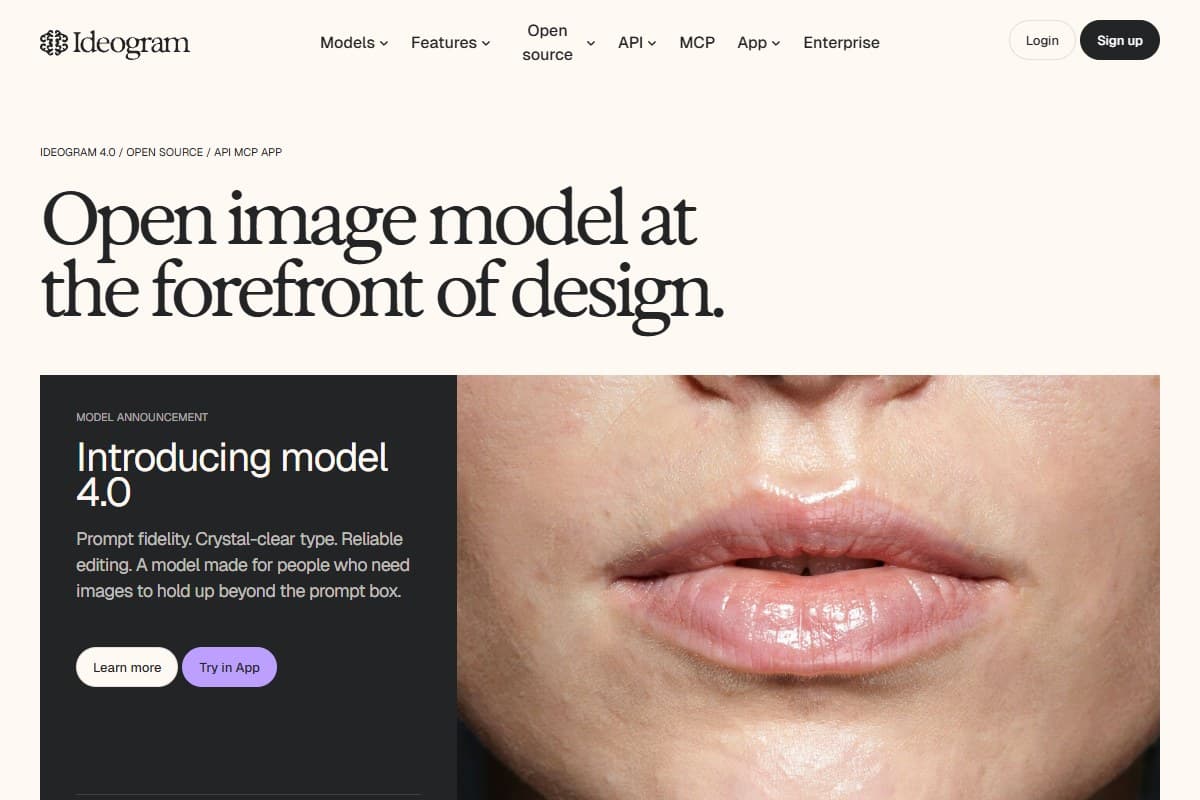
4. Ideogram 4.0: best for text inside images
Every tool in this list claims it can render text now. Ideogram is the one that actually delivered on my event-poster prompt: headline, date, venue, and a sub-line, all spelled correctly, in a layout a designer wouldn't be embarrassed by. I measured roughly nine clean text renders out of ten attempts; nothing else here came close except GPT Image, and Ideogram's typography simply looks better: it places and styles type like it understands graphic design, not just spelling. The new model 4.0 (pitched on "prompt fidelity, crystal-clear type, reliable editing") is the version I tested, and Ideogram now even publishes an open version of its model alongside the hosted app.
If your output is posters, thumbnails, logo concepts, menus, or anything where words sit inside the art, Ideogram earns a place in your stack even if something else is your daily driver. The free tier gives you a trickle of slow daily credits: enough to evaluate, with the catch that free generations are public. Paid plans run from a Basic tier up through Plus around $20/month and Pro above that, with meaningful annual discounts. The credits expire monthly with no rollover, which I felt by day nine.
Pros:
- The best text-in-image rendering in the category: ~90% clean in my testing
- Genuine layout/typography sense, not just correct spelling
- Useful free tier for evaluation
- Strong style controls and a remix culture worth browsing
Cons:
- Photorealism and cinematic output trail Midjourney clearly
- Free-tier images are public by default
- Subscription credits vanish at the end of each cycle, with no rollover
5. Leonardo AI: best free tier and best for tinkerers
Leonardo is what happens when a tool decides power users matter. The Phoenix 2.0 model is good (top-tier on stylized and game-asset work, a step behind Midjourney on photoreal), but the surrounding machinery is the point: train your own LoRA on 5 reference images, lock a style across a hundred assets, batch-generate variations, hit the API from a script. None of the tools above it in this ranking let you do all that.
It also has the most generous free tier of the seven: 150 tokens every single day, which is roughly 30–50 images, forever. For students or anyone image-curious without a budget, that's the real answer. The flip side is that Leonardo's UI greets you with about forty buttons, the token math (2–5 tokens per image depending on model and settings) requires actual thought, and since Canva owns it, the long-term question is how much of Leonardo's power keeps flowing into Canva's simpler wrapper instead.
Pros:
- Best free tier here: 150 tokens/day, every day
- LoRA training and style consistency tools no mainstream rival matches
- Apprentice plan at $12/mo is strong value with API access on higher tiers
- Excellent for game assets, concept art, and repeatable styles
Cons:
- The interface is genuinely overwhelming for the first hour
- Token accounting per model/setting is homework
- Photoreal ceiling sits below Midjourney and GPT Image
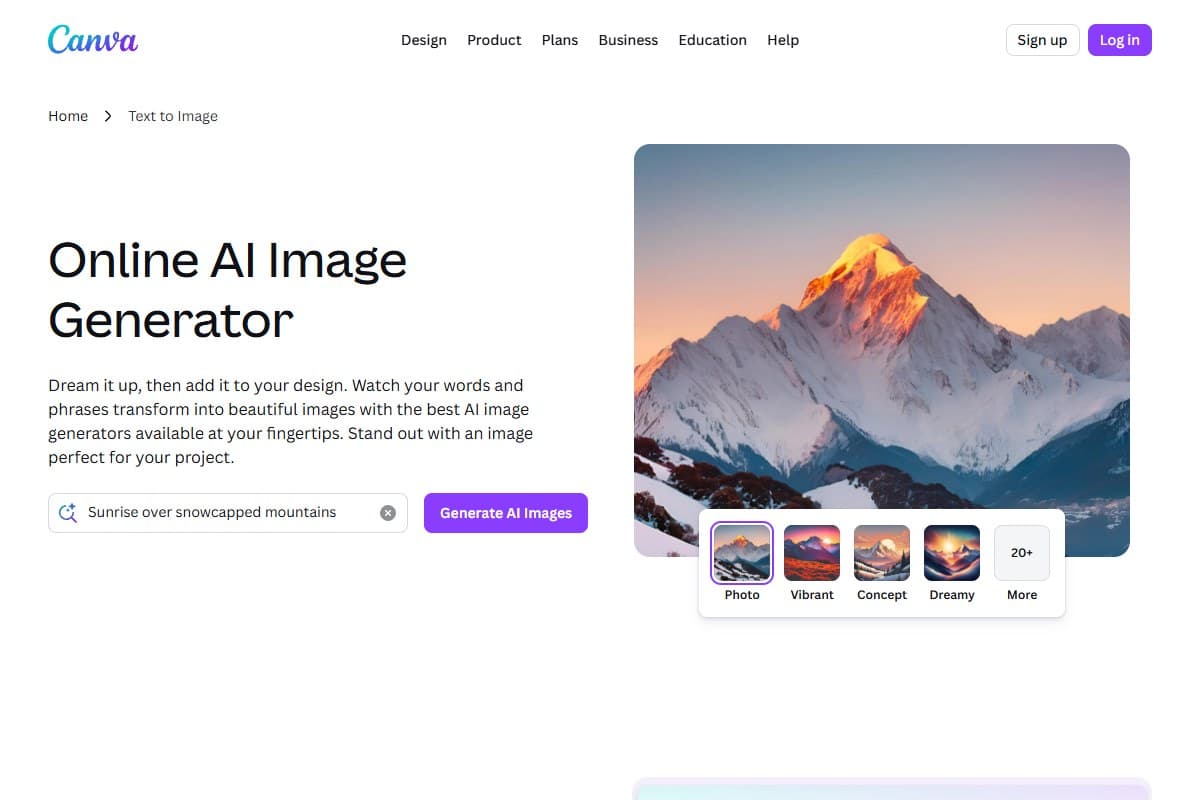
6. Canva AI (Dream Lab): best if images are part of a bigger design
Here's the open secret: Canva's Dream Lab runs on Leonardo's Phoenix engine, so raw image quality is essentially Leonardo's, which is to say good. What Canva sells is everything around the image. I generated a product visual, dropped it into a social template, matched my brand kit colors, resized it for four platforms, and scheduled the post without leaving one browser tab. For the marketer or small-business owner who needs finished designs rather than image files, that loop is worth more than another 5% of image quality.
The honest catch is the credit pool. Canva Pro at about $15/month includes 500 AI credits shared across every Magic Studio feature: Dream Lab, Magic Write, Magic Eraser, Magic Expand, all drinking from the same cup. Testing image generation seriously, I burned half the pool in four days. Casual users won't notice the ceiling; anyone generating daily will.
Pros:
- Generation-to-finished-design loop nothing else here offers
- Dream Lab quality is real Leonardo Phoenix output, not a toy model
- Brand kit integration keeps AI output on-palette automatically
- You may already be paying for it: Pro includes the whole Magic Studio suite
Cons:
- 500 shared AI credits/month evaporate fast under real use
- Not the tool for raw image quality hunting; use Leonardo directly for that
- Image controls are simplified; no seeds, no fine-grained model settings
7. Stable Diffusion 3.5: best free, local, and open option
Stable Diffusion is the only tool here you install instead of subscribe to, and that changes everything about what it's for. The 3.5 family (Large, Large Turbo, and Medium) is free to download from Hugging Face under the Stability AI Community License: free for personal use and free commercially until your organization passes $1M in annual revenue. Run it through ComfyUI and you get unlimited generations, total privacy, every community LoRA and fine-tune ever published, and zero recurring cost.
You pay in setup instead. My evening of VRAM errors is the honest price of admission, and out of the box, SD 3.5's quality lands mid-pack: below Midjourney and GPT Image, comparable to Leonardo, well above where open models were two years ago. The deeper truth is that the open-weights scene has partly moved to newer models like Flux, and SD's superpower in 2026 is the ecosystem: control over every parameter, NSFW-your-own-rules, and pipelines you own outright. If the words "the API changed its pricing" make your eye twitch, this is your tool.
Pros:
- Free, including commercial use under $1M revenue; no subscription, ever
- Unlimited generations, fully private, fully offline
- The largest ecosystem of fine-tunes, LoRAs, and tooling in AI imaging
- Total parameter control through ComfyUI for those who want it
Cons:
- Real setup cost: a capable GPU (8GB VRAM minimum, more is better) and patience
- Base output quality trails the commercial frontier
- No support, no indemnification, no one to email
- The open-model community's energy has partly shifted to newer architectures
8. Bonus pick: getimg.ai (one subscription, every frontier model)
This one joined the lineup after the original seven-tool gauntlet, and it answers a question the other seven can't: what if you don't want to marry one model? getimg.ai is a multi-model hub: Flux 2, GPT Image 1.5, Seedream, Nano Banana, and a rotating roster of other frontier models, all behind one interface, one credit pool, and one developer API. Instead of subscribing to three tools to compare their output, you switch models from a dropdown and spend credits on whichever wins.
That's also exactly who it's for: developers and power users who treat models as interchangeable parts. The API is the quiet headline: per-model endpoints without negotiating separate vendor accounts. Two honest caveats from the 2.0 platform overhaul: the old free tier is gone (it's paid-only now, entry at $10/month or $8 on annual), and the heavier models burn credits noticeably faster than the headline numbers suggest. Output quality is whatever the underlying model delivers; the wrapper adds variety, not magic. For the full breakdown (current pricing, the 2.0 overhaul, and how it holds up against Midjourney), see my in-depth getimg.ai review.
Pros:
- One subscription and one API across many current frontier models
- Cheapest entry point of the paid tools here ($10/mo, $8 annual)
- Model-switching makes side-by-side comparisons trivial
Cons:
- No free tier anymore; the 2.0 overhaul retired it
- Credits don't roll over, and premium models drain them quickly
- It's a hub, not a destination: no community, styles, or editing depth like the majors
Pricing: what each one actually costs
- Open weights, local install
- Unlimited private generations
- Commercial use under $1M revenue
- Best for: tinkerers & budget-zero
- Multi-model hub (Flux 2, GPT Image…)
- Developer API included
- Credits, no rollover
- Best for: model-hoppers & devs
- Unlimited standard image gens
- 2,000 premium credits
- Commercial indemnification
- Best for: client & business work
- ~200 fast generations/mo
- Native 2K output
- Web editor + inpainting
- Best for: testing the quality king
- 8,500 tokens/mo
- Phoenix 2.0 + LoRA features
- Free tier: 150 tokens/day
- Best for: power users & game art
- Dream Lab (Leonardo engine)
- 500 shared AI credits/mo
- Full design suite included
- Best for: marketers & non-designers
- GPT Image included
- ~50 image prompts / 3 hours
- Conversational editing
- Best for: prompt-exact work
- 15 fast GPU hours
- Unlimited relaxed generations
- 20% off on annual billing
- Best for: daily serious use
The budget read: Firefly Standard at $9.99 is the best pure value in the lineup: unlimited standard generations plus indemnification undercuts everything. Leonardo's free tier is the best $0 option that doesn't require a GPU. And if you'll generate daily and care about quality above all, Midjourney Standard at $30 with unlimited relaxed mode is what I'd actually subscribe to; it's what I kept after testing ended.
What I'd change about these tools
Every tool here left me with one wish I'd file as a feature request:
- Midjourney: ship a free tier and an official API. The quality lead is real; the moat-by-inconvenience strategy just sends agencies to Firefly.
- ChatGPT (GPT Image): raise the Plus rate limit for image work, and kill the default warm-yellow cast instead of making users prompt it away.
- Adobe Firefly: the unlimited-vs-credits split is good value wrapped in confusing packaging. One plain pricing page would convert more skeptics than the next model bump.
- Ideogram: private generations shouldn't be a paid feature in 2026. Free users' client-adjacent drafts sit in a public feed.
- Leonardo: a "simple mode" that hides 80% of the buttons would onboard the exact users currently bouncing to Canva.
- Canva: separate the Dream Lab credit pool from the rest of Magic Studio. Serious image users shouldn't ration eraser clicks against generations.
- Stable Diffusion: an official one-click installer with hardware detection would do more for adoption than any model release.
Who should pick which one
Pick Midjourney if you: want the most beautiful output per prompt and you're willing to pay from dollar one. It's the working artist's and creative director's tool.
Pick ChatGPT (GPT Image) if you: already pay for Plus, or your work needs precise instruction-following and iterative edits more than peak beauty.
Pick Adobe Firefly if you: produce commercial work for clients, need legal cover, or live in Photoshop anyway. The $9.99 unlimited tier is this roundup's value sleeper.
Pick Ideogram if you: make posters, thumbnails, logos, or anything where text in the image has to be right. Worth it as a second tool just for that.
Pick Leonardo if you: want maximum capability per dollar, repeatable custom styles, game assets, or the best free tier in the category.
Pick Canva AI if you: need finished social posts and brand designs, not image files. The generator is a means; the design suite is the product.
Pick Stable Diffusion 3.5 if you: have a GPU, value privacy and zero subscriptions, and enjoy owning your pipeline end to end.
Pick getimg.ai if you: want to ride whichever model is best this month instead of committing to one, or you're a developer who'd rather hit one API than five.
Still torn between two? Line them up in our free AI tools comparison tool: pricing and ratings side by side.
Final verdict: Midjourney wins, but check your use case
After ten days and roughly 460 images, Midjourney V8.1 is the best AI image generator of 2026: the version that fixed speed and text while keeping the aesthetic lead. It earns the 4.7, with deductions for the missing free tier, missing API, and the price of privacy.
The two results that genuinely surprised me: Firefly's $9.99 unlimited standard tier quietly being the best value in the category, and how much better GPT Image is than the DALL-E 3 it replaced (conversational editing changed how I iterate more than any quality jump). Pick the winner if you want beauty. Pick by the use-case table above if you want the right tool.
FAQ: best AI image generator 2026
What is the best AI image generator in 2026?
Midjourney V8.1 is the best AI image generator in 2026 for output quality: native 2K images, 4–5x faster generation than V7, and finally reliable text rendering, from $10/month. But the best tool depends on the job: Adobe Firefly for commercial work with legal indemnification, Ideogram for text-heavy designs, ChatGPT's GPT Image for precise instruction-following, and Stable Diffusion 3.5 if you want free and local.
What happened to DALL-E 3? Can I still use it?
No. OpenAI retired DALL-E 3 on May 12, 2026, removing it from the API along with DALL-E 2. Image generation in ChatGPT is now handled natively by the GPT Image models, which outperform DALL-E 3 on text rendering, prompt adherence, and especially iterative editing; ChatGPT can now modify its own generated images conversationally without losing the rest of the scene. If you're on ChatGPT Plus ($20/mo), you already have it.
Is there a good free AI image generator in 2026?
Yes, three real options. Leonardo AI's free tier (150 tokens daily, roughly 30–50 images per day) is the most generous ongoing free plan. Stable Diffusion 3.5 is completely free if you have a GPU with 8GB+ VRAM: unlimited, private, and licensed for commercial use under $1M annual revenue. Ideogram's free tier works for occasional use but makes your images public. Midjourney is the notable holdout: no free tier at all.
Which AI image generator is best for text in images?
Ideogram 4.0. It rendered clean, correctly-spelled text on about 9 of 10 attempts in my testing, and it styles typography like a designer rather than just spelling correctly. ChatGPT's GPT Image is the close second with near-perfect multilingual text. Midjourney V8.1 improved dramatically over earlier versions but still trails those two on dense layouts like posters and menus.
Can I use AI-generated images commercially in 2026?
Generally yes on paid plans, but the protection varies enormously. Adobe Firefly is the only tool here with formal IP indemnification: Adobe will legally stand behind your commercial use, which is why agencies and enterprises default to it. Midjourney, Leonardo, Ideogram, and Canva all grant commercial rights on paid tiers without indemnification. Stable Diffusion 3.5 allows free commercial use under the Stability AI Community License until your organization exceeds $1M annual revenue.
Is Midjourney worth it without a free tier?
If image quality is the point of your work, yes. The $10 Basic plan (~200 fast generations) is enough to know within an hour whether the quality gap matters for what you make. If you generate daily, the $30 Standard plan's unlimited relaxed mode is the real product. If you just need decent images occasionally inside documents and posts, ChatGPT Plus or Canva Pro cover that without a dedicated subscription.
Related reviews
- Best AI video generator 2026: the moving-picture version of this exact showdown.
- Grok Imagine 1.5 review: xAI's image-and-video model, tested separately.
- Best AI presentation tools 2026: where these generated images end up earning their keep.
- Top 5 free AI tools: more zero-budget picks beyond Leonardo and Stable Diffusion.
Got an AI image generator question I didn't cover, or want me to test a specific style head-to-head? Get in touch; reader questions shape the next round of reviews.
Free interactive tool
Compare AI tools side-by-sideSide-by-side pricing, features, and ratings — plus a recommended pick for your use case.
Independent AI tools researcher testing what actually works.
Keep reading
Related reviews
getimg.ai Review 2026: The Best Budget AI Image Generator?
getimg.ai bundles 20+ AI models into one affordable tool. I tested it against Midjourney to find out if it's actually worth it in 2026.
Best AI Coding Assistants 2026: I Tested 7 Tools and Ranked Them
I tested 7 of the best AI coding assistants in 2026 on the same three jobs: build, refactor, debug. Here is what each one costs and which one wins.
OpusClip Review 2026: Is It the Best AI Video Clipper?
OpusClip turns long videos into short clips automatically. I checked the clip picker, the credit math and the billing. Here is the honest verdict.