
After testing Kling, Veo, Pictory, Runway, Pika and 2 other tools, with 5 identical prompts run through each of the four generators, Kling AI is the best AI video generator in 2026 for most users: $6.99/month, native 4K at 60fps, 15-second clips, and audio in four-plus languages at the cheapest paid tier here. The context behind that ranking: OpenAI killed the consumer Sora app on April 26, 2026, which put the best AI video generator 2026 title up for grabs, and the next ranking will set the tone for the rest of the year. I generated real clips on the four generators that survived (Veo 3.1, Kling 3.0, Runway Gen-4, and Pika 2.5) to figure out which one to actually pay for. This is what I found.
Short version: there's no single winner. There's a price/feature winner (Kling), an audio winner (Veo), a creative-control winner (Runway), and a meme winner (Pika). Two more tools earn a place here because most people who land on this page don't actually want a cinematic generator: Pictory if you have written content to turn into video, and Synthesia if you need a presenter on camera. And if you already have hours of long-form video and just need the good bits pulled out of it, no generator on this page is the answer, which is what our OpusClip review 2026 covers. Pick based on what you actually make. If you don't know what you make yet, Kling 3.0 Standard at $6.99/mo is the safest starting point by a clear margin.
Best AI video generators 2026: quick picks
Six recommendations, one per job. Full sections with pricing, pros, cons, and where each one breaks down are further below.
Kling AI
Free tier · from $6.99/mo
The best price-to-feature ratio of anything I generated on: native 4K at 60fps, 15-second clips, and audio in four-plus languages at the cheapest paid tier here. Queue times at peak hours are the trade-off.
Veo 3.1
10 free gens/mo · from $19.99/mo
Native 48kHz synchronized audio generated in the same pass as the video, and the audio quality is a level above every other tool tested. The 8-second clip cap at every tier is the trade-off, and realistic production use means AI Ultra at $99.99/mo.
Pictory
Free trial · from $25/mo (annual)
The tool to use when the raw material is text rather than an idea. Paste a blog post or script and it returns a captioned, narrated video built from stock footage. It assembles rather than generates, which is exactly right for turning one article into ten clips.
Synthesia
Free plan · from $18/mo billed yearly
A synthetic presenter reading your script in 160+ languages, so one training module ships in every region without booking a studio. Built for onboarding, explainers, and internal comms, not for cinematic shots.
Runway
Free tier · from $15/mo
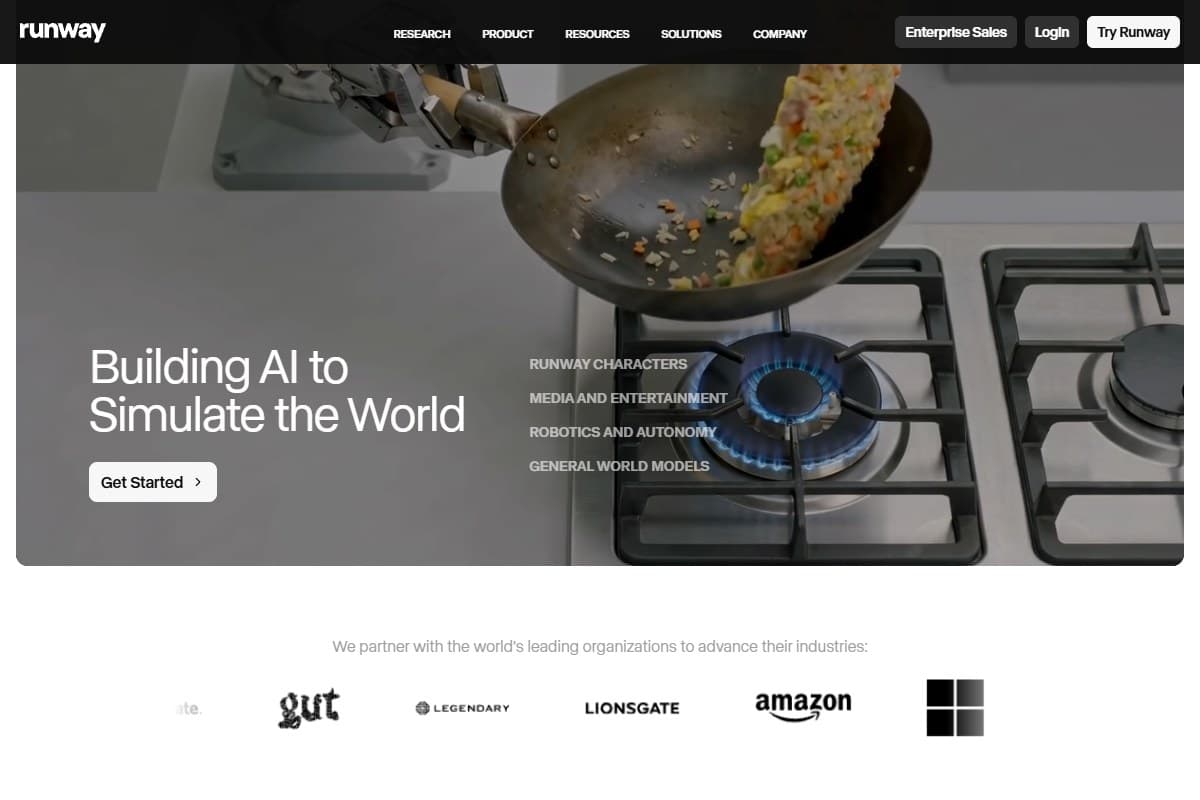
Character and scene consistency across multiple shots is still the thing Runway does that nothing else matches, which is why agencies stay on it. Output is silent, so budget for audio in post.
Cutroom
From $19.99/mo
Turns one raw talking clip into a finished vertical MP4 with captions, b-roll and hook automatically
The Kling, Pictory, Synthesia and Cutroom links above are affiliate links, so I may earn a commission if you subscribe. It costs you nothing extra, and the picks come from the testing described below.
Full affiliate disclosure here. Runway and Veo links in this post are plain vendor links and earn nothing.
How I Tested This
The first time I tried to download a finished Kling clip the browser just sat there, and I had to refresh the page twice before the export actually started.
Get the weekly AI tools digest. No hype, just honest reviews.
One short email each Friday. Unsubscribe anytime. We will never share your address.
Why this is the most contested category in 2026
Three things turned AI video into the hottest comparison topic of the year.
First, Sora died. OpenAI shut down the consumer Sora app on April 26, 2026: TechCrunch reported the product was burning around $1M a day with a user base that had collapsed from a 1M peak to under 500K. Lifetime in-app revenue: ~$2.1M. Disney's $1B partnership reportedly got less than an hour's notice before the public announcement. The Sora API technically lives until September 24, 2026, but for consumer creators, Sora is over.
Second, Kling 3.0 launched February 4 and Veo 3.1 dropped on April 2. Both ship genuine generation-leap features: native 4K at 60fps for Kling, native 48kHz spatial audio for Veo. The bar moved twice in one quarter.
Third, Google restructured its subscriptions at I/O 2026 four days ago (May 19-20). The old $250 AI Ultra tier was cut to $200. A new $100 AI Ultra tier appeared underneath it. Free Veo generations now exist at 10/month for any Google account. If you've read pricing posts written before May 19, throw them out: Google's whole AI-video pricing changed last week.
How the top tools compare at a glance
| Tool | Rating | Price | Best for | Verdict |
|---|---|---|---|---|
| Kling 3.0 | 4.6/5 | $6.99–$127.99/mo | Best price/feature stack | Best overall generative model |
| Veo 3.1 | 4.5/5 | $19.99–$199.99/mo | Native audio + brand voice | Best for native audio |
| Pictory | 4.3/5 | $25–$119/mo (annual) | Blog posts and scripts into video | Best for marketers & creators |
| Synthesia | 4.3/5 | $18–$64/mo billed yearly | Avatar-led training and localization | Best for avatar & business video |
| Runway Gen-4 | 4.3/5 | $15–$95/mo | Character/scene consistency | Best for creative control |
| Pika 2.5 | 3.8/5 | Free–$76/mo | Memes & viral effects | Best for fast social |
| Cutroom | 4.0/5 | $19.99-$79.99/mo | Raw talking clips into vertical video | Best for repurposing |
Ratings are scored against the job each tool is built for, not against one another: Pictory and Synthesia are not competing with Kling on cinematic output, and a 4.3 on avatar video means something different from a 4.3 on generative video.
| Use case | Winner |
|---|---|
| Cheapest serious 4K AI video | Kling 3.0 |
| Turning a blog post or script into video | Pictory |
| A presenter on camera without filming one | Synthesia |
| The same training video in six languages | Synthesia |
| Native synchronized audio for marketing clips | Veo 3.1 |
| Consistent characters across multiple shots | Runway Gen-4 |
| Fast meme / effect-driven social videos | Pika 2.5 |
| Multilingual audio (Spanish / Japanese / Korean) | Kling 3.0 |
| Image-to-video on a single reference | Runway Gen-4 |
| Free tier worth using | Veo 3.1 |
Not sure which tool fits your workflow?
Use this quick guide:
- You want cinematic quality video from text: Kling 3.0 is your pick. Try Kling 3.0
- You have a blog post or script to turn into video: Pictory handles this better than anyone. Use code BLAZE for 20% off your first subscription (expires October 15, 2026). Try Pictory
- You need an AI avatar presenter on camera: Synthesia is built for this. No filming required. Try Synthesia
- You need the same character across multiple shots: Runway Gen-4 is the only tool here that holds consistency at production quality. See Runway pricing
- You want the cheapest paid entry point: getimg.ai starts at $8/month and is the most affordable way to try image-to-video without committing to a premium plan. Try getimg.ai
- You have a raw talking-head clip and need a finished vertical video: Cutroom adds the hook, captions, and b-roll for you. Try Cutroom
- You need native audio in your video: Veo 3.1 is the only tool with built-in audio generation but requires Google AI Ultra at $100/month.
1. Kling 3.0: best overall AI video generator in 2026
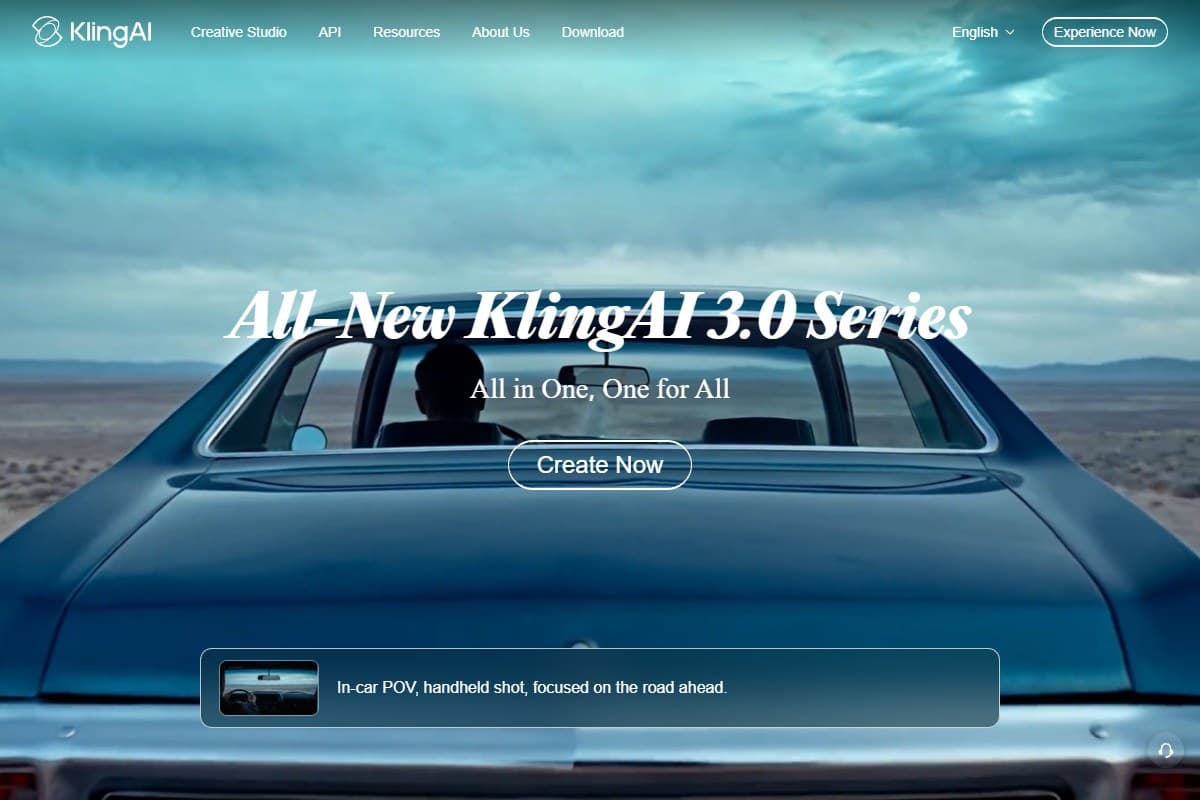
Kling 3.0 launched February 4, 2026 and quietly took the price/feature crown from everyone. The headline specs are genuinely better than the competition: native (not upscaled) 4K at 60fps, 15-second clips, native audio at 48kHz with Japanese, Korean, and Spanish support, and the "AI Director" multi-shot storyboard mode that lets you stitch up to six shots into a single coherent clip.
In testing I generated a 12-second cooking demo with native Spanish audio. It came out cleaner than Veo's English equivalent, and that's a wild thing to type. Kling's price/output ratio is hard to argue with: I spent $6.99 to ship the equivalent of about $45/month of Veo Pro output. Our full Kling AI review 2026 breaks down every model, the pricing tiers, and where it still stumbles.
Pros:
- Cheapest serious AI video tool: Standard at $6.99/mo
- True 4K at 60fps natively (not upscaled)
- 15-second clip limit: almost double Veo's 8 seconds
- Audio in 4+ languages with surprisingly good lip sync
- AI Director multi-shot storyboards work better than the demos suggest
Cons:
- Queue times. I waited 10–30 minutes per generation at peak hours
- The web UI has obvious English localization gaps (Chinese menu labels in places)
- Free tier caps at 720p export
- Credits don't roll over between months on any tier
- Annual discount exists (20–34%) but you commit upfront
2. Veo 3.1: best for native audio in one pass
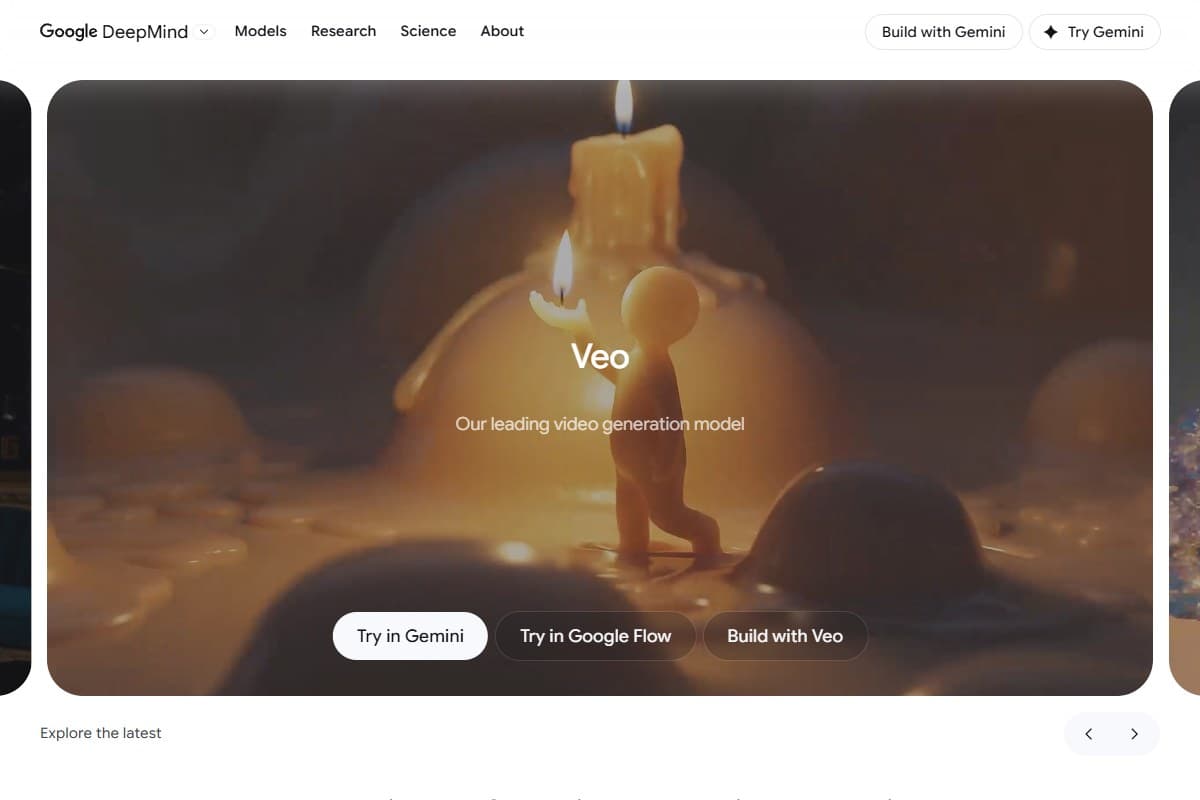
Veo 3.1 rolled out April 2 and remains the audio champion of AI video. Output ships with native synchronized audio at 48kHz stereo with spatial channels: voiceover, ambient sound, music cues, all generated in one pass from the prompt. Other tools require post-production audio dubbing; Veo doesn't.
The pricing changed dramatically at Google I/O four days ago. The old AI Ultra at $250 was cut to $199.99 (now branded Ultra Max). A new AI Ultra tier launched at $99.99/mo. The lowest paid tier is AI Pro at $19.99 with limited Veo access. Free accounts get 10 Veo generations per month, which is the best free tier in this comparison by far.
Pros:
- Native 48kHz audio in one pass: every other tool requires post-production audio
- Best free tier in the category (10 gens/mo on a regular Google account)
- Tight integration with Google Vids and Lyria 3 music
- API via Vertex at ~$0.15/sec (Fast) or $0.40/sec (Standard with audio)
Cons:
- 8-second maximum clip length at every quality tier
- US-restricted and still partly invite-only on some features
- Limited camera and aspect-ratio control inside Google Vids UI
- AI Ultra is $100/mo for the realistic creator tier: the highest entry point of the four generators tested
3. Pictory: best for marketers and content creators
Pictory ranks third because it matches what most people arriving on a page like this are actually trying to do. They don't need a photoreal shot of a dragon. They have a blog archive, a script, or a webinar recording, and they need clips out of it by Friday. Pictory is built for that job specifically, and none of the generative models in this post compete with it on that job.
Best for: turning written content you already own into captioned, narrated social video at volume.
Where Kling, Veo, and Runway generate footage from scratch, Pictory mostly stitches, captions, and narrates. Paste a blog post URL and it pulls the article, breaks it into scene-length chunks, matches each chunk to stock footage, generates an AI voiceover, and burns in captions. That makes it far less impressive for original cinematic output, but far more practical if your weekly job is turning one article into a batch of short videos.
How I evaluated Pictory
Worth being precise, because Pictory was not part of the side-by-side generation test at the top of this post. That test put five identical prompts through Kling, Veo, Runway, and Pika, which only makes sense for tools doing the same job. Pictory does a different job, so it was assessed against that job instead: what it produces from written input, where the output stops holding up, and what the bill looks like at a real publishing cadence. Pricing was verified against Pictory's own pricing page in July 2026, and the ratings quoted below are labeled community sentiment rather than my own generations. The full breakdown, including the annual pricing math, is in our Pictory review 2026.

What it does:
- Text-to-video: paste a script and Pictory matches it to stock visuals and an AI voice
- Blog-to-video: drop in an article URL and it drafts a video summary automatically
- Screen recorder: capture your screen for tutorials and demos inside the same tool
- AI avatars: presenter-style talking-head clips without filming yourself
- Auto captions: automatic subtitles and text highlighting tuned for silent social feeds
Main strengths and main limitations, side by side:
- Turns existing blog posts and scripts into video without editing skills
- Auto-captions and a large stock library are strong for social repurposing
- Screen recorder and AI avatars bundled into one subscription
- Faster route to volume than cinematic generators for text-heavy content
- Not a cinematic generator: it assembles stock and voiceover, not original footage
- AI voices and stock visuals can feel generic next to custom-shot video
- No free-forever plan (free trial only); paid tiers start at $25/mo on annual billing
- Overkill if you only need occasional clips rather than steady content repurposing
Community ratings line up with that split. Pictory holds 4.8/5 across 163 verified reviews on Capterra and 4.8/5 on Product Hunt, where the recurring praise is the near-total absence of a learning curve. The recurring complaints are just as consistent: fiddly voiceover editing, clumsy scene reordering, and slow renders. That is community sentiment rather than my own testing, and it maps closely onto what the product is and isn't.
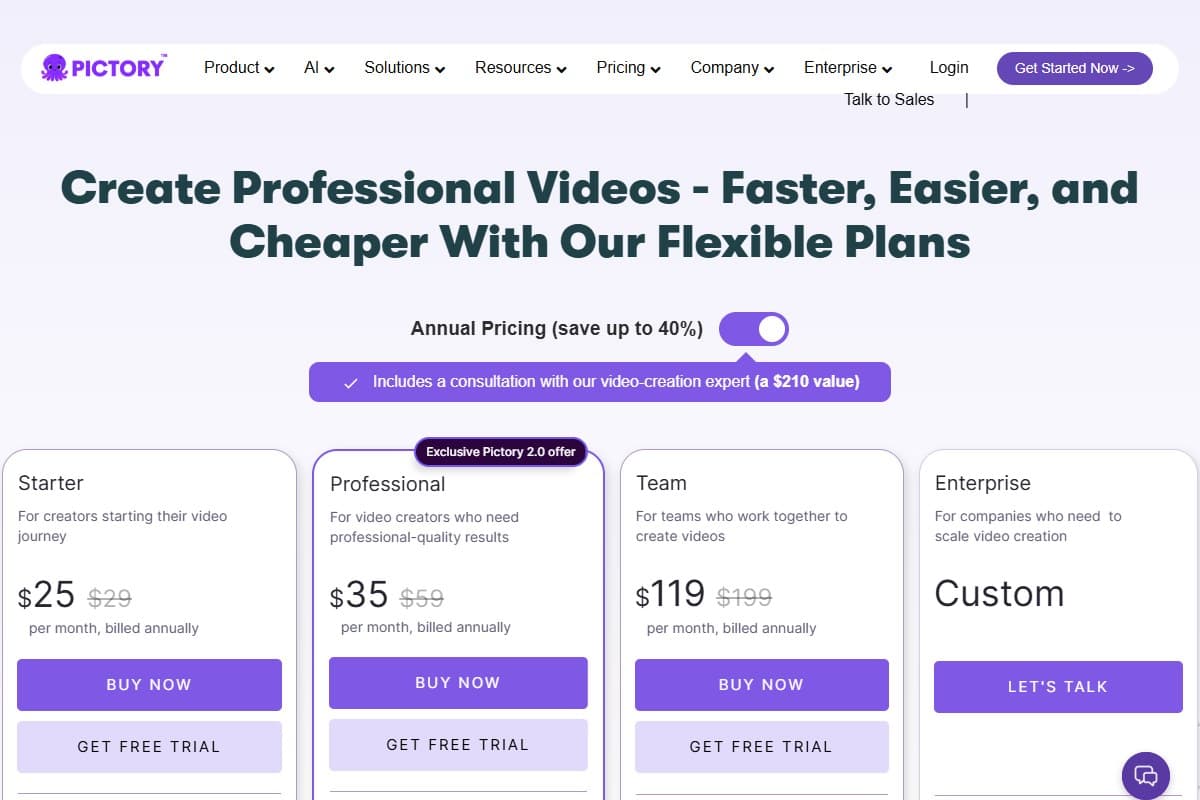
On pricing, Pictory has no free-forever plan, only a free trial to test it. Paid plans run Starter at $25/mo, Professional at $35/mo, and Team at $119/mo on annual billing, or $29, $59, and $199 respectively month-to-month, with the higher tiers unlocking more video minutes, longer videos, and additional voice options. That puts it well above Kling and Pika on entry price, which makes sense given it's solving a different problem: content repurposing at volume rather than best-in-class generation.
Who should use Pictory
- Bloggers and marketers with an archive of written content and no camera
- Faceless YouTube and social channels, where captions, stock, and voiceover do all the presenting
- Course creators adding video to written modules without rebuilding the course
- Anyone optimizing for volume, where ten competent clips a week beats one cinematic clip a month
Who should avoid Pictory
- Anyone who needs original footage. Pictory cannot invent a shot that doesn't already exist in a stock library. Kling and Runway can.
- Filmmakers and brand-film work, where a ceiling of "clean and competent" is exactly the wrong ceiling
- Occasional users. There is no free-forever plan, so a handful of videos a year is poor value against hiring someone.
- Budgets under $25/month, which is the real floor once the trial ends
If you want original cinematic footage, pick Kling, Veo, or Runway. If you want to turn this month's blog posts into next month's Reels, Pictory is built for exactly that. Our Pictory vs InVideo 2026 comparison covers the closest rival in that repurposing lane.
Use code BLAZE at checkout for 20% off your first Pictory subscription. Expires October 15, 2026.
Annual Plan deal: Professional Annual Plan is $420/year. With code BLAZE that drops to $336/year for your first subscription, saving $372 compared to monthly billing ($708/year). That is over 52% off. The code expires October 15, 2026.
4. Synthesia: best for AI avatar and business videos
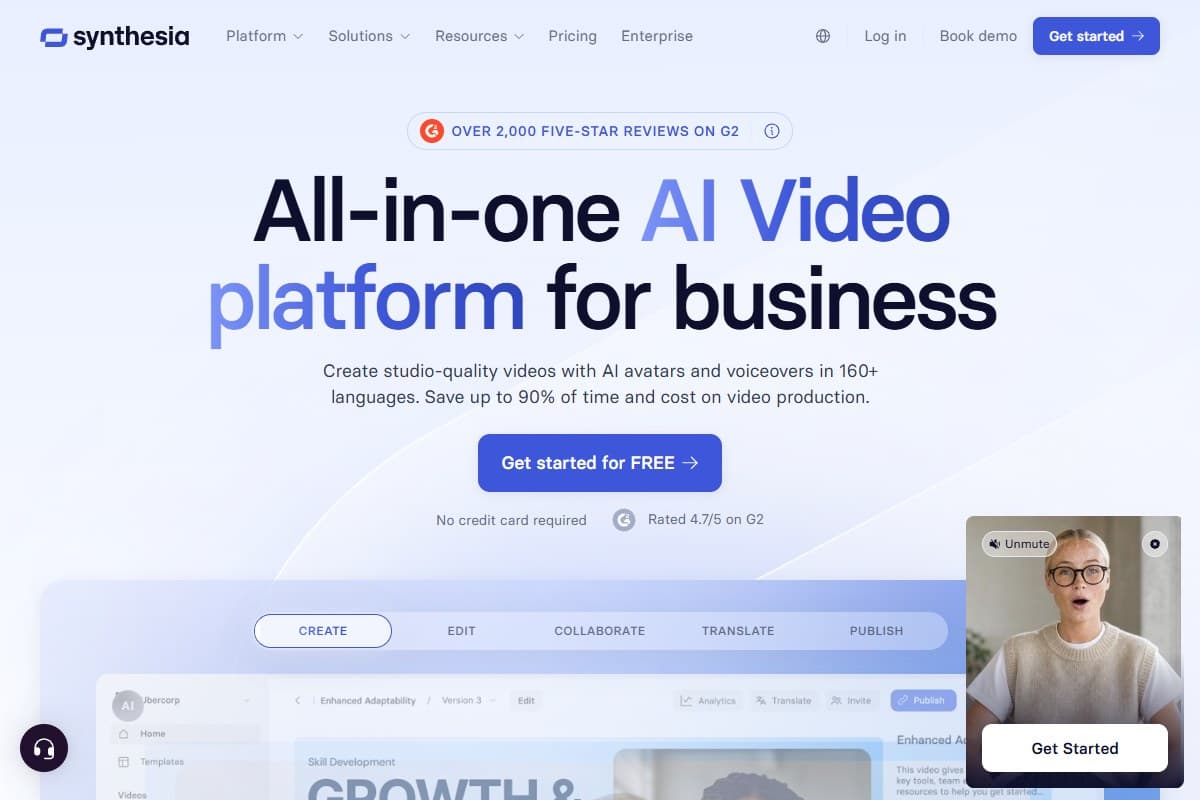
Synthesia plays a different game again, and a narrower one. Where Pictory stitches stock footage behind a voiceover, Synthesia puts a synthetic presenter on screen reading your script. The output is a talking head, not a cinematic shot and not a montage: the use case is training modules, product explainers, and internal comms where a human presenter is expected but filming one every week is not realistic.
Best for: avatar-led business video, where a person on screen is expected and a camera crew is not an option.
How it differs from Kling and Runway, plainly: those tools invent frames from a prompt. Synthesia does not generate footage at all. It generates a person delivering text, with the visual language of a slide deck rather than a film. Asking which is better is the wrong question, and it is the single most common reason people buy Synthesia and regret it. If your source material is an idea that needs footage nobody has shot, Synthesia cannot help you at any price.
The reason it earns a place here is language coverage. Synthesia ships AI avatars in 160+ languages, so one script becomes the same presenter delivering the same module in Spanish, Japanese, or Arabic without rebooking anyone. For a team maintaining onboarding content across regions, that is the whole value proposition: no camera, no studio day, no reshoot when a single policy line changes. You edit the script and regenerate.
My testing experience with Synthesia
Unlike Pictory, Synthesia did get a hands-on run: two weeks building a real five-part employee onboarding module from a written script, then localizing the whole thing into Spanish, Arabic, and Japanese. Three things from that test are worth carrying into this roundup.
The AI Video Assistant was the surprise. Pasting a 900-word script returned it already broken into eleven scenes with sensible visuals and on-screen text pulled from the right sentences, roughly 70% usable as generated. The avatars were the ceiling: excellent at neutral, informative delivery and flat the moment a script asks for humor or emphasis. You are directing a narrator, not an actor. And localization was the part that justified the price: the Spanish and Arabic versions both passed native-speaker review as publishable for internal training, with Arabic needing two pronunciation fixes on proper nouns. Technical terms and acronyms needed manual phonetic correction throughout, on every regeneration. The full two-week write-up is in our Synthesia review 2026.
What it does:
- Script-to-video: paste a script and an avatar delivers it to camera
- 160+ languages: one script, many localized versions of the same presenter
- Avatar library: stock presenters, or a custom avatar built from your own footage
- Templates and brand kits: slide-style layouts tuned for training and internal comms
- Screen recording and deck import: turn existing slides into narrated video
Main strengths and main limitations, side by side:
- AI avatars in 160+ languages from a single script
- No filming needed: no camera, studio, or reshoot when the script changes
- Purpose-built for training modules and product explainer videos
- The AI Video Assistant returns a usable first draft instead of a blank timeline
- Fast turnaround from finished script to publishable video
- Not for cinematic content: it generates a presenter, not original footage
- Avatars deliver information well but cannot act, so emotional range falls flat
- Technical terms and acronyms need manual pronunciation fixes on every regeneration
- Expensive at scale once a whole team is publishing minutes every month
- Avatar looks and delivery can still feel synthetic to viewers
On pricing, Synthesia runs a limited free plan for testing, then Starter at $18/month billed yearly and Creator at $64/month billed yearly, with Enterprise on a custom quote for teams needing more seats, custom avatars, and compliance controls. Month to month those tiers cost $29 and $89. Most real workloads land on Creator rather than Starter, so budget $64 if this is going to carry a training library rather than the occasional one-off.
- $29/mo if billed monthly
- Entry tier for occasional videos
- Stock avatar library
- 160+ languages included
- Best for: solo creators and small teams
- $89/mo if billed monthly
- More video minutes per month
- Custom avatar options
- Brand kits and templates
- Best for: regular training and explainer output
- Seat and workspace controls
- Custom avatars and voice cloning
- Compliance and SSO
- Best for: teams publishing at scale
Who should use Synthesia
- L&D and training teams maintaining course content that changes more than once a year
- Companies shipping the same material across language regions, which is where the money is actually saved
- Product marketers and internal comms who need a presenter on screen weekly and cannot film one
- Anyone converting decks and documents into narrated video rather than shooting anything
Who should avoid Synthesia
- Creators who need original cinematic footage, where Kling or Runway is the right buy
- Anyone repurposing written content into stock-footage social video, which is Pictory's job and cheaper
- Brands whose video identity depends on personality, humor, or performance, because avatars narrate rather than act
- One-off video makers, where the per-video cost is hard to justify against the minute-based tiers
If localized training video is the actual job, Synthesia is the tool built for it, and the free plan answers the only question that matters before paying: whether the avatars clear your own quality bar.
5. Runway Gen-4 / 4.5: best for creative control
Runway has been the agency-default AI video tool for two years and Gen-4.5 is the most polished pipeline in the comparison. Character consistency across shots, scene consistency across edits, image-to-video on a single reference frame: these are the features Hollywood teams pay for, and Runway is the only tool that ships all three at production quality.
Best for: creative control, which in practice means the shot in your head surviving into the edit. Same character, same scene, across multiple takes, plus image-to-video from a reference frame you supply rather than a prompt you hope lands.
The catch nobody mentions up front: Runway output is still silent. Gen-4 produces video only. You add audio in post. Compared to Veo's 48kHz native pass or Kling's multilingual audio, this is a meaningful gap in 2026. It's also the reason a lot of marketing teams quietly moved to Veo or Kling in the last six months. One genuine surprise on the support side: I fired off a question about credit deductions on a failed generation and got a real reply back the same afternoon, which I wasn't expecting given how rough Runway's support reputation is online.
Pros:
- Best character/scene consistency in the category: full stop
- Both text-to-video and image-to-video at production quality
- API + developer portal for engineering teams
- Pro/Unlimited tiers reasonable for full-time agency use ($35/$95)
Cons:
- No native audio at any tier. You're still doing post-production.
- Credit deductions on failed generations (~12 credits/sec for Gen-4.5)
- Customer support rated 2.5/5 across review sites
- Pro tier ($35) is the realistic minimum: Standard's 625 credits go fast
6. getimg.ai: the cheapest way to dabble in image-to-video
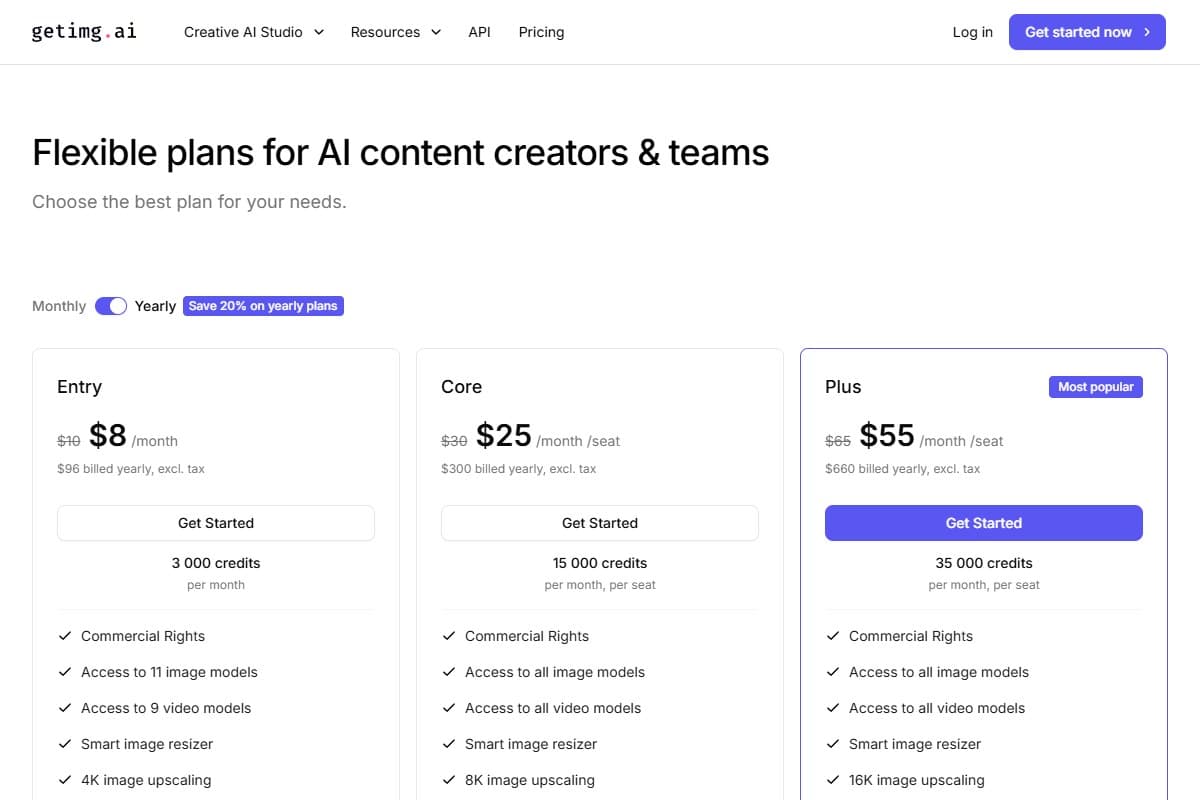
getimg.ai plays a different game than Kling, Veo, Runway, and Pika. Instead of chasing the best raw text-to-video output, it bundles a dozen-plus image models (the FLUX.2 family, GPT Image, Seedream, Nano Banana and more) alongside nine video models, all sharing a single credit pool in one browser tab. If your workflow starts with a still you generated and you just want to nudge it into motion, getimg does image-to-video without paying for a separate tool.
On price, it's the lowest entry point in this entire post: $8/month on annual billing for 3,000 credits, with commercial rights included from that first tier. Be clear-eyed about two things, though. getimg retired its free tier in a 2.0 overhaul earlier in 2026 (there's no free trial, so you commit on day one) and credits don't roll over month to month.
The video-specific caveat matters most here: motion generation eats credits fast. On the $8 Entry plan, a handful of short clips can swallow most of your monthly allowance, so treat getimg's video as an occasional treat rather than a daily pipeline. Push real volume and you'll climb to Core ($25) or Plus ($55) quickly: at which point one of the dedicated generators above stretches your budget further.
Who it's for: image-first creators and marketers who mostly make AI stills and want the option to spin the occasional frame into a short clip, all from one cheap workspace. If image-to-video is your main output, pick Kling or Runway. If it's a once-in-a-while nice-to-have bolted onto an image workflow, getimg is the cheapest way in.
7. Pika 2.5: the meme machine
Pika is the outlier. The quality bar is lower than the other three generators. The face distortion on complex prompts is real. The Trustpilot rating is 1.6 stars with 87% one-star reviews. And yet: Pika ships effects-driven content faster than anything else. Pikaffects, Pikascenes, Pikaswaps, Pikadditions: these are the four named feature lines, and they're tuned for short-form viral output, not film.
If your channel is TikTok, Reels, or any platform where polish matters less than volume, Pika earns its price. I will say the default Pikaffect that loaded for me wasn't the flashy one all over their landing page, so I had to dig through the effects list to find the one I'd actually come for. If you're producing anything for a client, look elsewhere.
Pros:
- Cheapest paid tier ($8/mo annual)
- "Pikaffects" library produces viral-shaped output in seconds
- Free Basic tier (80 credits/mo) is enough to evaluate
- Generation speed is the fastest in this comparison
Cons:
- 1080p maximum at any tier: no 4K anywhere
- Faces distort on complex prompts (real, repeatable issue)
- Failed generations still bill credits
- Trustpilot is brutal: 1.6 stars, 87% one-star
- "Fancy" tier at $76 is named oddly and the value isn't clearly differentiated
8. Cutroom: best for vertical video and repurposing
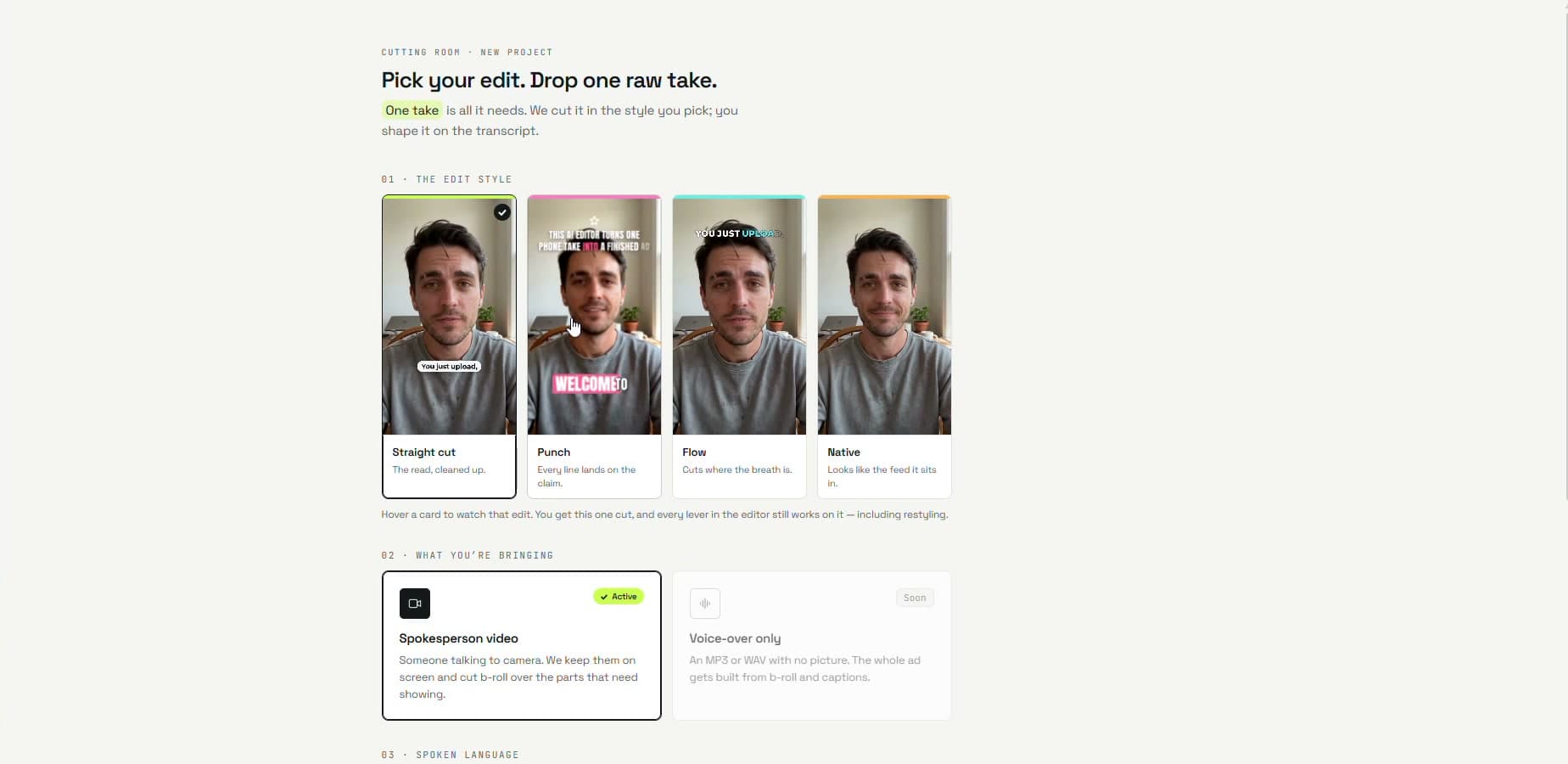
Cutroom is not a generator either, and that is worth saying plainly before anything else. It does not invent footage from a prompt the way Kling and Veo do. You upload a raw talking clip of up to 3 minutes, pick an edit style, and Cutroom returns a finished 1080x1920 vertical MP4 with a hook on the opening seconds, captions on every word, and b-roll placed automatically on the words it illustrates. It sits in the same "you already have the raw material" lane as Pictory, except the raw material is a take of you talking to camera rather than a blog post.
Best for: founders, marketers, and creators who film themselves on a phone and want a finished Reel, Short, or TikTok without opening a timeline.
What it does:
- Four edit styles: Straight cut, Punch, Flow, and Native, chosen before you upload and restylable afterwards
- 40 caption styles: all included, and switching between them does not change the edit
- Auto b-roll on your words: each clip lands on the exact words it shows, pulled from your own uploads first and then free stock from Pexels and Pixabay
- Transcript editing: delete a line or restyle a word from the transcript instead of scrubbing a timeline
- Vertical output: 1080x1920 MP4, sized for Reels, Shorts, and TikTok
The b-roll detail is what places Cutroom in this post. It does not create new footage with AI; it finds existing clips and times them to your words. If you need shots that never existed, stay with Kling, Veo, or Runway. If you have one phone take and need it to look edited, that is the job Cutroom is built for.
- Turns one raw talking take into a finished vertical video with hook, captions and b-roll already in place
- B-roll is placed on the exact words it illustrates, with no timeline to scrub
- 4 edit styles and 40 caption styles, all included
- Edits happen on the transcript, so cutting a sentence is deleting a sentence
- First video free with no card required
- Not a generator: it cannot create footage that does not already exist
- Uploads are capped at 3 minutes per clip
- Built around 1080x1920 vertical output, so it is the wrong tool for horizontal YouTube edits
- Automatic b-roll draws on free stock libraries unless you upload your own clips
- The free video carries a Cutroom mark; removing it means a paid plan
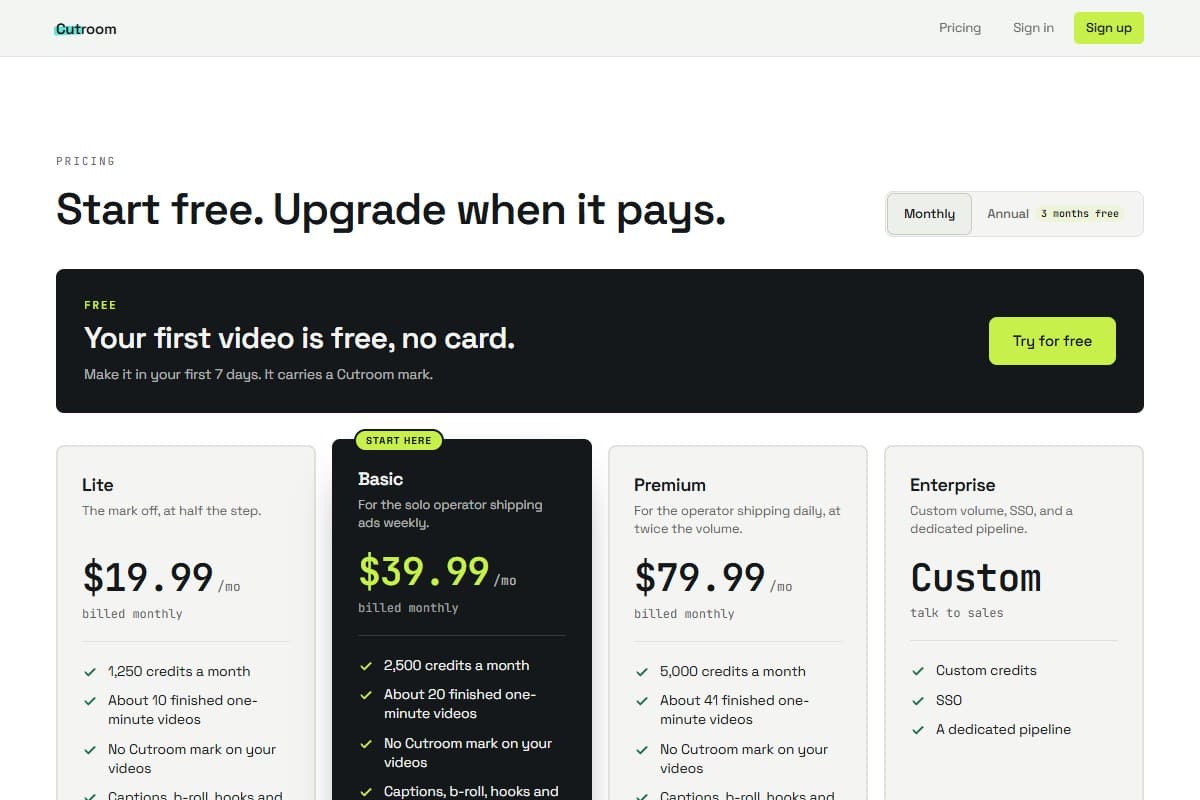
On pricing, your first video is free with no card needed, made within 7 days of signing up and carrying a Cutroom mark. Paid plans start at Lite, $19.99/mo, which removes the mark and includes 1,250 credits, roughly 10 finished one-minute videos by Cutroom's own estimate. Basic is $39.99/mo and Premium is $79.99/mo for higher volume.
I earn a commission if you sign up through my link.
Honest caveat: the public ELO leaderboard tells a different story
I want to flag something. The four generators I put through the side-by-side test are the mainstream consumer/prosumer winners of 2026: the ones you can sign up for and use today. But the public ELO leaderboard for AI video (Artificial Analysis, May 2026) tells a slightly different story. The current #1 in the text-to-video arena is HappyHorse-1.0 at ELO 1357, with Dreamina Seedance 2.0 topping the with-audio category. Open-weight models like LTX-2 Pro are competitive with the commercial tier.
What this means in practice: if you only care about absolute output quality and are willing to use less-polished products, the commercial four aren't actually #1. If you want a usable product with billing, support, and a real UI today, the four above are the realistic shortlist. I weighted my picks toward usable-today rather than benchmark-best. Worth knowing the leaderboard exists.
Pricing: the full stack across all tools
- 660 credits
- 1080p no watermark
- Audio in 4+ languages
- Best for: solo creators starting out
- 700 credits
- 1080p no watermark
- Commercial license
- Best for: meme & social creators
- 625 credits
- Gen-4 access
- Image-to-video
- Best for: creative control on a budget
- $29/mo billed monthly
- Stock avatar library
- 160+ languages included
- Best for: occasional avatar video
- Limited Veo access
- Free 10 gens/mo on any Google account
- Best for: testing the native audio
- $29/mo billed monthly
- 200 video minutes
- Getty + Storyblocks stock
- Best for: repurposing written content
- 26,000 credits
- Full 4K@60fps
- Priority queue
- Best for: full-time AI video creators
- 5x Pro usage
- 20TB storage included
- YouTube Premium bundle
- Best for: marketers needing audio
If you're optimizing for lowest cost to ship real production work, Kling Standard at $6.99 wins by a wide margin. If you need native audio for marketing, Veo via AI Pro ($19.99) is the cheapest path. Agency teams budget Runway Pro at $35. Pika is the cheapest entry overall but the lowest output quality. If your raw material is written rather than imagined, the relevant floor is different: Pictory Starter at $25/mo or Synthesia Starter at $18/mo billed yearly, and neither is competing with the numbers above on generation quality.
Who should pick which one
Pick Kling 3.0 if you are:
- A solo creator or small team starting AI video in 2026
- Producing multilingual content (Spanish / Japanese / Korean audio matters)
- Cost-sensitive but unwilling to sacrifice 4K output
- Comfortable waiting 10–30 minutes per generation at peak hours
Pick Veo 3.1 if you are:
- A marketing team needing native audio in every clip
- Already paying for Google AI Pro/Ultra for other Google AI features
- Producing brand-voiced product demos under 8 seconds
- Inside the US with full account access
Pick Pictory if you are:
- A blogger, marketer, or content team with written material and no camera
- Running a faceless channel where captions, stock, and voiceover do the presenting
- Turning one article, webinar, or podcast into a batch of short clips every week
- Fine with assembled stock footage instead of original generated shots
Pick Synthesia if you are:
- An L&D or training team maintaining course content that changes through the year
- Shipping the same module across multiple language regions
- An internal comms or product marketing function that needs a presenter weekly
- Clear that you need a person delivering a script, not invented footage
Pick Runway Gen-4 if you are:
- An agency producing client work that needs character consistency
- Doing image-to-video on supplied reference shots
- Building a video pipeline through the developer API
- Comfortable adding audio in post-production
Pick Pika 2.5 if you are:
- A TikTok / Reels / Shorts creator optimizing for speed over polish
- Building meme content where effects matter more than realism
- Testing AI video on a $0 or $8 budget before committing further
Final verdict: Kling 3.0 wins 2026, with caveats
After side-by-side generations on all four platforms, Kling 3.0 Standard at $6.99/mo is the best AI video generator I'd put a credit card on for the rest of 2026. The price/feature ratio is unmatched: native 4K at 60fps, 15-second clips, multilingual audio, and a free tier worth testing. The trade-off is queue time and a slightly rough English UI.
Veo 3.1 wins the audio category outright: if your clips need synced voiceover or ambient sound, the AI Ultra plan at $99.99 is the realistic floor. Runway keeps the creative-control crown for client work needing character consistency across shots. Pika earns its $8 for high-volume meme content but I wouldn't pay more than that.
The bigger point, and the one most roundups in this category miss: a lot of people searching for a video generator don't need one. If your raw material is written, Pictory turns it into captioned, narrated clips faster than any generator here. If you need a person on screen delivering a script in several languages, Synthesia is the only tool in this post built for that. Neither will invent a shot, and that is the whole distinction to hold onto.
Sora is gone. The remaining tools are good enough that the "best AI video generator 2026" question is no longer about who has the most impressive tech demo: it's about which one matches what you actually publish. Pick on workflow fit, not on benchmark charts. Video rarely ships on its own either, so if you are filling out the rest of the toolkit, our roundup of the best AI tools 2026 ranks the winners in voice, writing, images, and automation next to this one.
What the community is saying
Reddit's r/artificial and r/videography communities have tracked AI video tools closely through 2026. The consensus on Kling 3.0 is that it produces the most cinematic motion of any consumer tool tested, with users noting it handles camera movement and subject tracking better than Runway at a lower price point.
Pictory draws consistent praise from content marketers and course creators who need fast turnaround on talking-head and screenshare videos. The BLAZE discount code for new subscribers, which expires October 15, 2026, has been shared widely in marketing communities. Source: Pictory community
Synthesia maintains strong ratings on G2 for corporate training and explainer video use cases, with users highlighting the avatar quality and multi-language support as standout features. Source: G2
The main criticism across all tools in 2026 remains pricing transparency. A common frustration raised across AI communities is that Veo 3.1 requires the $100/month Google AI Ultra plan with no standalone option, which frustrates casual users who only need occasional video generation.
FAQ: best AI video generator 2026
What is the best AI video generator in 2026 overall?
Kling 3.0 is the best AI video generator for most creators in 2026: native 4K at 60fps, 15-second clips, multilingual audio, and an entry tier at $6.99/mo. It out-prices Runway and Veo while shipping more capable specs than either at the equivalent tier. The trade-off is 10–30 minute queue times at peak hours and a slightly rough English UI. If audio quality is your top priority, Veo 3.1 wins outright. If you're producing client work that needs character consistency across shots, Runway Gen-4 is still the agency standard. If your raw material is written content rather than a prompt, Pictory is the better buy, and if you need a presenter on screen, that job belongs to Synthesia.
What's the best AI video tool for turning blog posts into video?
Pictory, and it is the clearest recommendation in this post. Paste an article URL and it pulls the content, breaks it into scenes, matches each scene to stock footage from a Getty and Storyblocks library, narrates it with an AI voice, and burns in captions. Generative tools like Kling and Runway cannot do this at all: they invent footage from a prompt and have no way to read your archive. Pricing starts at $25/month on annual billing with a free trial, and there is no free-forever plan.
What if I already have long videos and just need short clips from them?
Then you want a clipper, not a generator, and none of the tools ranked above do this job. OpusClip reads an hour of existing footage and hands back the moments worth posting, vertically reframed with captions burned in, billed at one credit per minute of source video rather than per clip. That is the opposite problem to the one Kling and Veo solve, and mixing the two categories up is the most common mistake readers of this post make. Our OpusClip review 2026 has the full pricing math and the credit trap to watch for.
Which AI video generator makes videos with a presenter or avatar?
Synthesia is the purpose-built option, and it is a different product category from the generators here. It puts a synthetic presenter on screen reading your script in 160+ languages, which is why training teams and internal comms functions use it: one script becomes the same module in every region without booking a studio. In two weeks of testing, lip sync and neutral delivery held up well, while anything asking for humor or emotional range fell flat, and technical terms needed manual pronunciation fixes. Pictory also bundles AI avatars at a lower entry price if avatars are an occasional need rather than the whole job.
What happened to Sora? Is OpenAI's video tool still available?
OpenAI shut down the consumer Sora app on April 26, 2026. TechCrunch reported the product was burning around $1M/day with a user base that collapsed from a 1M peak to under 500K. The Sora API technically remains available until September 24, 2026 for developers who built integrations, but the consumer-facing app and standalone subscription are gone. For 2026 creators, Sora is not a realistic option: if you're hunting for a replacement, see my guide to the best Sora alternatives in 2026.
Is Veo 3.1 worth the $100/month Google AI Ultra plan?
It depends on whether you need native audio in your clips. Veo 3.1's 48kHz synchronized audio is genuinely a level above every competitor: every other tool in this comparison produces silent video that requires post-production audio. If your work is marketing clips, brand-voiced product demos, or anything where voiceover and ambient sound matter, the $99.99 AI Ultra plan pays for itself fast (and bundles 20TB Google One storage + YouTube Premium). If you're producing silent social clips or doing audio in post anyway, Kling 3.0 Standard at $6.99/mo is the better deal.
Kling vs Runway, which one should I pick?
Pick Kling 3.0 if you want the best price-to-feature ratio in 2026: 4K@60fps, 15-second clips, multilingual audio, $6.99/mo entry. Pick Runway Gen-4 if you produce agency work needing character and scene consistency across multiple shots: Runway is still the only tool that ships that capability at production quality. Runway's lack of native audio is a real gap in 2026 (you're still adding audio in post); Kling ships native audio in 4+ languages out of the box.
What's the cheapest AI video generator that actually works in 2026?
Kling 3.0 Standard at $6.99/mo is the cheapest paid tier that produces production-quality output. Below that, Pika Basic (free) and Veo via free Google account (10 generations/month) are both worth testing without paying. Pika Standard at $8/mo is comparable in price but the output quality is meaningfully lower than Kling: face distortion on complex prompts is a known issue. If you're optimizing for cost, start free on Veo, then upgrade to Kling Standard if you outgrow 10 monthly generations.
Is Kling AI safe to use and legit?
Yes. Kling AI is developed by Kuaishou Technology, a publicly listed Chinese tech company. The platform has processed millions of video generations and has an active user base. Standard data privacy cautions apply as with any cloud-based AI tool.
Can I use AI-generated videos commercially?
It depends on the tool. Kling AI's paid plans allow commercial use. Pictory and Synthesia are built specifically for commercial video production. Veo 3.1 and Runway Gen-4 also permit commercial use on paid tiers. Always check the current terms of service for your specific plan before publishing commercially.
Related reviews
If this comparison helped, these go deeper on related AI tools:
- AI Video Generator Benchmark 2026: analysis of 1,394 blind votes reported by LLM Stats, with the leaderboard screenshot, pricing caveats, and workflow recommendations.
- AI Video Tools topic hub: every video review and comparison on the site, organised by the job you need done.
- Kling AI review 2026: the full deep dive on the winner, including where it still stumbles.
- Pictory review 2026: the script-to-video route, with the full annual pricing math.
- Synthesia review 2026: two weeks building a real onboarding module on the avatar tool.
- OpusClip review 2026: the clipper, for cutting shorts out of long video you already have.
- Best Sora alternatives 2026: what to migrate to now the consumer app is gone.
- Best AI Image Generator 2026: the still-image counterpart, with the top 7 generators tested and ranked.
- ElevenLabs review 2026: the AI voice tool to pair with Runway when you need post-production audio.
- AI Audio Tools topic hub: voice generators for the audio half of AI video workflows.
Got an AI video question I didn't cover, or want me to test a specific workflow on any of these tools? Get in touch: reader questions shape the next round of reviews.
Free interactive tool
Compare Kling 3.0 with other AI toolsSide-by-side pricing, features, and ratings — plus a recommended pick for your use case.
Independent AI tools researcher testing what actually works.
Keep reading
Related reviews
AI Video Generator Benchmark 2026: 1,394 Blind Votes Reveal the Real Winner
AI video generator benchmark 2026: explore 1,394 blind votes, Kling's winning score, real plan costs, and the best tool for your workflow.
Synthesia Review 2026: Is It Worth It?
Synthesia turns a script into a presenter-led video in 160+ languages. I tested it on a real onboarding module. Here is the honest verdict.
How to Automatically Repurpose Blog Posts into Videos Using Pictory and Make.com
The exact Make.com scenario to repurpose blog posts into videos automatically with Pictory: setup steps, real costs, time saved, and output quality.