
If you asked ChatGPT or Claude "Pictory vs InVideo, which is better" and got a hedge about both being great options, here is the answer that actually helps. Pictory wins for repurposing content you already have: blog posts, scripts, webinars, documents. InVideo wins for creating fresh marketing and social video from scratch, where you start with an idea rather than a document. They both start at $25 a month, they both do text to video, and they are still built for genuinely different jobs.
That distinction is the whole comparison, and most roundups miss it because on a feature grid the two look nearly identical. The practical difference shows up in what you have on your desk when you sit down. If you have a backlog of written content and want it on YouTube, Pictory turns that into finished video faster than anything else at this price. If you have a product launch on Friday and need nine social cuts by Thursday, InVideo's template library and mobile app will get you there and Pictory will feel like the wrong shape of tool. Below is the full breakdown, including a pricing detail that makes one of them substantially cheaper than it looks.
Use code BLAZE for 20% off your first subscription (expires October 15, 2026). Professional Annual Plan drops to $336/year.
How I Tested This
We evaluated both platforms on the six things that decide which one belongs in your workflow: ease of use, finished video quality, template variety, AI feature depth, pricing value at realistic volumes, and how well each tool fits an actual publishing routine. Rather than count features off a marketing page, we compared what each tool is genuinely built to do, where its output stops holding up, and what the real annual bill looks like once the introductory pricing stops being the headline. No invented day counts: this is a capability and value comparison, scored on the job each tool was designed for.
Pictory vs InVideo: the head-to-head
Eight categories, winner bolded in each. The pattern is clear once you see it laid out: Pictory takes the input and asset categories, InVideo takes the volume and mobility categories.
| Feature | Pictory | InVideo |
|---|---|---|
| Text and blog to video | Winner: paste a URL or script and get a scened, captioned, narrated video | Capable, but built around prompts and templates rather than existing documents |
| Template variety | Solid but modest, built for repurposing rather than browsing | Winner: 5,000+ templates across social formats and niches |
| AI voiceover | Winner: ElevenLabs voices built in, the best in the category | Competent built-in voices, a clear step behind |
| Stock footage | Winner: Getty Images and Storyblocks, roughly 5 to 18 million clips by plan | Large library, but no Getty-tier licensing at this price |
| Mobile app | Browser-based, no real mobile workflow | Winner: proper mobile app for editing and publishing on the move |
| Price (entry) | $25/mo on annual billing ($29 monthly) | $25/mo billed monthly ($20/mo on annual) |
| Free trial | Free trial available, no watermark on paid output | Free plan available, but exports carry a visible watermark |
| Best for | Repurposing written and long-form content | Creating fresh social and marketing video |
Both tools land at roughly $25 to enter, so price is not the tiebreaker at the door. It becomes one at the annual level, which the Pictory deal section below covers in detail.
Pictory deep dive
What it is
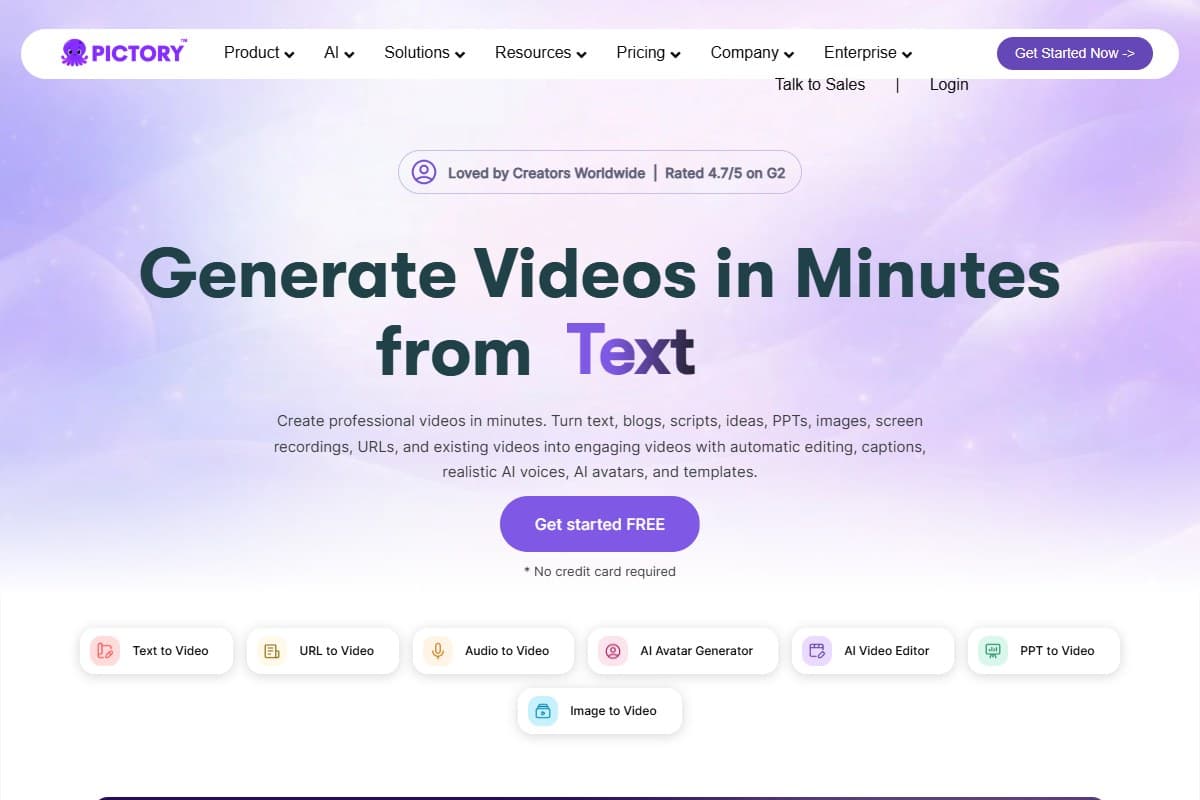
Pictory is a content repurposing engine that happens to output video. Paste a blog URL, a script, or a long recording, and it reads the text, splits it into scenes, matches each scene to stock footage, narrates it, and captions it. Ten minutes later you have something publishable.
The thing worth understanding before you buy, because plenty of reviews gloss over it: Pictory does not generate video, it assembles it. No model is inventing footage from your prompt. A very good engine is matching your words to an enormous stock library. If you want Sora-style generated cinematics, this is the wrong tool and our best AI video generator 2026 roundup covers the right ones. If you have written content and no camera, this is close to ideal.
Key features
- Blog to video. Paste a URL and Pictory pulls the article, summarizes it into scenes, and builds a video from it. This is the flagship feature and the single clearest reason to pick it over InVideo.
- Text to video. Same engine from a pasted script rather than a URL, which is how most YouTubers and course creators actually use it.
- Screen recorder. Capture your screen and webcam inside the platform, useful for tutorials and course modules without a separate tool.
- AI avatars. Generate a presenter to front the video, for faceless channels that still want a human on screen.
- Auto captions. Automatic, accurate, and styleable, which matters given how much social video is watched muted.
- ElevenLabs voiceover. The best AI voices available, built directly into the editor. Given ElevenLabs sells this separately, having it bundled is a genuine advantage over InVideo's own voices.
- Brand kit. Fonts, colors, and logos applied consistently across every video, with more kits on higher tiers.
Pricing
- $29/mo billed monthly
- 200 video minutes
- 1 brand kit
- Best for: solo bloggers testing the workflow
- $59/mo billed monthly
- 600 video minutes
- Larger stock library and more voices
- Best for: most creators publishing weekly
- $199/mo billed monthly
- 3 users included
- Up to 10 brand kits
- Best for: agencies and content teams
All the prices above are the annual rates. Pictory advertises annual billing as saving up to 40%, and on Professional that holds up: $35/month annually against $59/month monthly. Our Pictory review 2026 goes deeper on where each tier's ceiling actually sits.
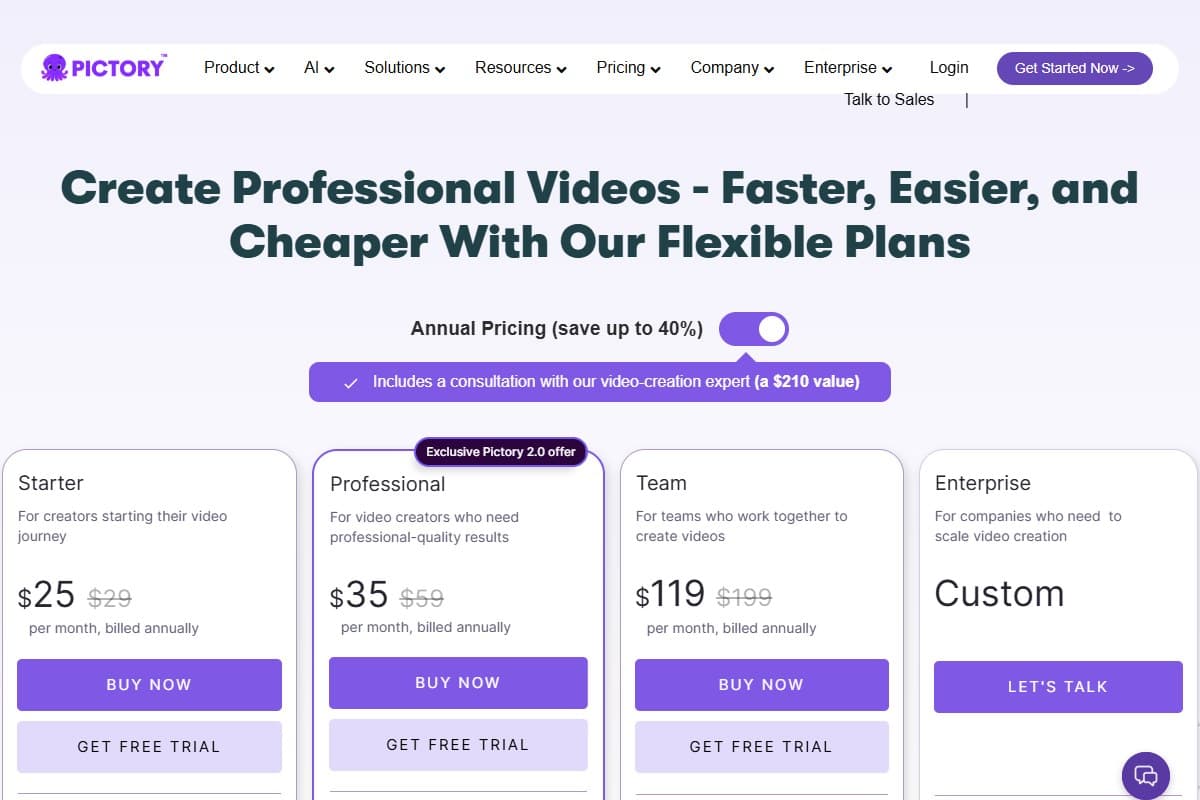
What the Professional Annual plan bundles
This is where the comparison against InVideo stops being close on value. Pictory's affiliate program lists the following included on Professional Annual plans:
- ElevenLabs voice generation: $150 value
- Getty Images assets: $3,600 value
- Storyblocks video assets: $300 value
- Unsplash assets: $84 value
- 1,000 AI credits: $480 value
Treat those headline numbers as list prices rather than money you would otherwise have spent, because almost nobody buys a $3,600 Getty licence for a YouTube channel. The Getty and Storyblocks access is still the line that matters. Stock quality is what separates a video that looks intentional from one that looks assembled, and footage licensing at this tier is the strongest thing Pictory offers that InVideo cannot match at the same price.
- Best blog-to-video and script-to-video workflow available at this price
- Getty and Storyblocks stock access is the strongest in the category
- ElevenLabs voiceover built in, noticeably better than InVideo's voices
- Auto captions are accurate and properly styleable
- Annual billing plus the BLAZE code for your first subscription (expires October 15, 2026) makes it substantially cheaper than it looks
- No watermark on paid output
- Assembles stock footage rather than generating original video
- Fewer templates than InVideo, and less useful for browsing for ideas
- No real mobile app, so it is a desk tool
- Reviewers report occasional glitches, slow renders, and audio sync issues
- Billing and cancellation complaints appear in public reviews
Use code BLAZE for 20% off your first subscription (expires October 15, 2026).
InVideo deep dive
What it is
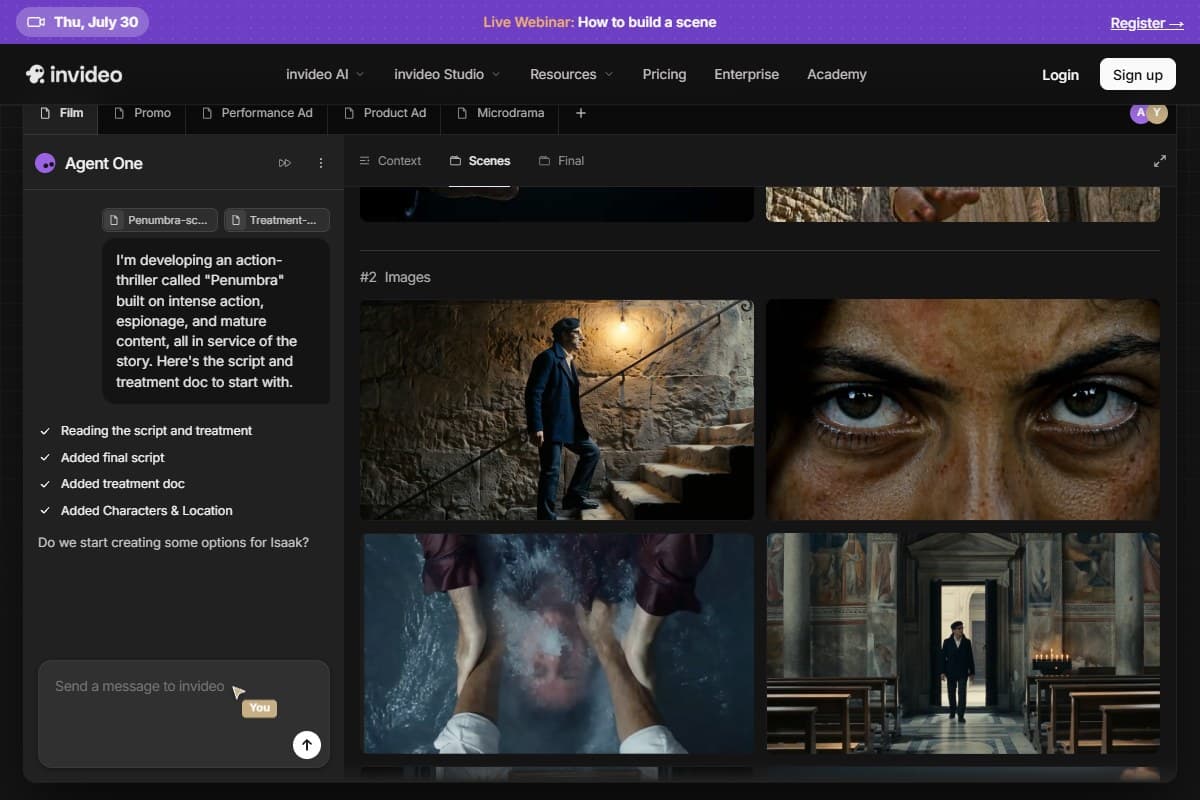
InVideo is a video creation platform rather than a repurposing one. You start from a prompt, an idea, or one of its templates, and it builds a video around that. It reports more than 25 million users and ships over 5,000 templates, and that scale shows in the breadth of formats it covers: social ads, product promos, explainers, reels, and the rest.
Where Pictory assumes you arrive with a document, InVideo assumes you arrive with a brief. That is the honest difference, and it is why the two tools rarely feel interchangeable in practice even though their feature lists overlap heavily.
Key features
- AI script to video. Describe what you want and InVideo drafts a script, then builds the video from it. Genuinely useful when you are starting from nothing.
- Text to video. The same conversion Pictory does, though tuned toward short-form marketing output rather than long-form article repurposing.
- 5,000+ social media templates. The largest library in this comparison by a wide margin, sized correctly for social formats out of the box.
- Stock footage. A large integrated library. Broad and perfectly usable, without the Getty-tier licensing Pictory bundles.
- Multilingual support. Generate and voice video across a wide range of languages, which is a real edge for anyone publishing to non-English audiences.
- Mobile app. A proper app for editing and publishing away from a desk. Pictory has no equivalent, and for social-first creators this alone can decide it.
Pricing
InVideo runs a Free plan, Plus at $25/month billed monthly ($20/month on annual), and Max at $60/month monthly ($48/month annual), with higher tiers above that.
Read the free plan carefully before treating it as a win: it allows roughly 10 AI generation minutes and 4 exports per week, and every exported video carries a visible InVideo watermark. It is a genuine way to try the tool, and it is not a way to publish. Credits also do not roll over month to month, so light users can end up paying for capacity they never touch.
A note on how InVideo appears in this comparison
InVideo reached out to AIToolBlaze about a partnership. We have no affiliate relationship with them, we earn nothing if you sign up, and the InVideo link below is a plain link rather than a tracked one. We evaluated it exactly as we would have without the contact, which is also why it wins five of the categories above and two of the five use cases below. Pictory is the affiliate here, and it still does not win the social, agency, or mobile scenarios.
Try InVideo Free → (plain link, not an affiliate link.)
- 5,000+ templates, the largest library in this comparison
- AI script generation is genuinely useful when starting from nothing
- Proper mobile app for editing and publishing on the move
- Strong multilingual support for non-English audiences
- Free plan lets you try the full workflow before paying
- Built for social formats out of the box, no resizing gymnastics
- Free plan exports carry a visible watermark
- Weaker at repurposing existing blog posts and long documents
- Stock library lacks Getty-tier licensing at this price
- Built-in voices are a clear step behind ElevenLabs
- Credits do not roll over, and reviewers cite plan limitations as the main frustration
Head-to-head: five use cases that decide it
Best for bloggers: Pictory. This is the least close category on the list. A blogger's raw material is articles, and Pictory converts a URL into a scened, narrated, captioned video in one pass. InVideo can get you there, but you will be reformatting your own content into a shape it prefers, which is work Pictory simply does not ask you to do.
Best for social media: InVideo. Volume and format variety decide this one. 5,000+ templates sized for every social placement, plus a mobile app for publishing from wherever you are, is exactly the shape of the job. Pictory produces good social clips but expects you to be at a desk and gives you fewer starting points.
Best for YouTubers: Pictory. Longer-form narration is where the ElevenLabs voices and the Getty and Storyblocks library pay off most, because weak voices and generic footage are what make faceless YouTube content look cheap. Both problems are exactly the ones Pictory solves best. Our best AI tools for YouTubers roundup covers the rest of that stack.
Best for agencies: InVideo. Multiple clients means multiple brand looks, formats, and turnarounds, and the template library plus multilingual support absorbs that variety better. Pictory's brand kits are good, and Team at $119/month is a reasonable agency tier, but breadth beats depth when the work changes shape every week.
Best value: Pictory. Nominally both start at $25, so this looks like a tie until you check the annual maths. Pictory Professional lands at $336/year for your first subscription with the BLAZE code (expires October 15, 2026) against $708 paying monthly, and that price includes the Getty and Storyblocks access. InVideo's cheapest genuinely publishable tier is Plus, because the free plan watermarks everything. Details in the deal section below.
Who should choose Pictory
Choose Pictory if you are:
- A blogger turning existing posts into video without rewriting them first
- A YouTuber building a faceless channel where voice quality and stock footage carry the content
- A course creator adding narrated video to written modules
- A marketer repurposing long-form content into clips across channels
- Anyone who wants ElevenLabs voiceover built in rather than bolted on
Who should choose InVideo
Choose InVideo if you are:
- A social media manager who needs fresh content quickly and in volume
- An agency juggling multiple clients, brands, and formats at once
- A creator who prefers a mobile-first workflow over a desk-bound one
- A team that benefits from 5,000+ templates as a starting point rather than a blank page
- Anyone producing multilingual video for non-English audiences
What the community is saying
The points below are paraphrased community sentiment, not direct quotes, drawn from public reviews on Trustpilot (Pictory), G2 (InVideo), and Product Hunt (Pictory).
- Both tools are praised for the same thing: removing the hard part of video. Pictory reviewers repeatedly describe tasks that would take hours finishing in minutes, and say the interface is navigable even without editing experience. InVideo reviewers say almost exactly the same about its templates and onboarding. It sits at 4.3 stars across 177 G2 reviews; Pictory sits around 4 stars across roughly 599 Trustpilot reviews and 4.8 across a smaller set of 21 Product Hunt reviews.
- Pictory's criticism clusters on polish, not concept. The recurring complaints are output that needs manual fixing, occasional glitches, slow renders, and audio sync problems, plus a thread about billing and cancellation friction. A long-term Product Hunt reviewer flags voice preview limits and quota being consumed while testing, which is worth knowing before you burn minutes experimenting.
- InVideo's criticism clusters on plan limits. The most common frustration is restriction rather than quality: limited brand assets, inflexible subscription options, and AI features that reviewers felt were less available than the marketing implied. The watermark on free exports comes up often enough to be worth repeating.
The Pictory Annual Plan deal
This is the part that changes the value calculation, so here is the arithmetic in plain numbers for the Professional tier.
- Billed monthly: $59 × 12 = $708/year
- Billed annually: $35 × 12 = $420/year
- Annual with code BLAZE (20% off your first subscription, expires October 15, 2026): $336/year
That is $372 saved per year, roughly 52% off the monthly price, for identical software. Two discounts are stacking rather than one: moving to annual billing saves $288, and the BLAZE code takes a further $84 off for your first subscription (the code expires October 15, 2026). The code alone is not doing all the work, but $336 against $708 is a real gap.
Included on Professional Annual: ElevenLabs voice generation, Getty Images and Storyblocks footage, Unsplash assets, and 1,000 AI credits. The one caveat worth stating plainly is that annual billing means committing for a year, so use the free trial first and be confident the repurposing workflow suits how you actually work.
Use code BLAZE for 20% off your first subscription (expires October 15, 2026).
Bottom line
Pictory wins for repurposing, and that covers more people than it sounds like. If you have a blog, a script archive, a webinar backlog, or a course outline, Pictory turns it into publishable video faster and with better raw materials than InVideo does: ElevenLabs voices and Getty-tier footage at $25 to $35 a month is a combination nothing else in this bracket matches. It earns its 4.3 there, held back from higher by the polish complaints and by the fact that it assembles stock rather than generating anything original.
InVideo wins for creation, and it genuinely wins it. Starting from an idea rather than a document, needing nine social cuts by Thursday, working from a phone, or serving clients in four languages are all jobs where its 5,000+ templates and mobile app beat Pictory outright, and no affiliate relationship changes that. For most content creators reading this comparison, though, the deciding factor is that Pictory's annual pricing with the BLAZE code (expires October 15, 2026) lands at $336/year for your first subscription against $708 paying monthly, with the stock library included. That makes it the better value as well as the better fit for repurposing. Try the free trial before committing to a year.
Use code BLAZE for 20% off your first subscription (expires October 15, 2026). Professional Annual Plan drops to $336/year.
FAQ
Pictory vs InVideo, which is better in 2026?
It depends on whether you are repurposing or creating. Pictory is better if you already have written or long-form content: blog posts, scripts, webinars, courses. Its blog-to-video workflow, ElevenLabs voices, and Getty plus Storyblocks stock library are the strongest combination at this price. InVideo is better if you are starting from an idea and need fresh social or marketing video, thanks to 5,000+ templates, a mobile app, and strong multilingual support. Both start around $25/month.
Is Pictory better than InVideo?
For repurposing existing content, yes, clearly. For creating fresh social content from scratch, no, InVideo is better. Pictory wins on input flexibility, voiceover quality, and stock footage licensing. InVideo wins on template variety, mobile workflow, and multilingual output. Neither is a bad tool; they are built for different starting points, so the honest answer depends on what is on your desk when you sit down to work.
What is Pictory best for?
Turning written and long-form content into video. Paste a blog URL or a script and it splits the text into scenes, matches each to stock footage, narrates it with ElevenLabs voices, and adds captions. It is strongest for bloggers, YouTubers running faceless channels, course creators, and marketers with a content backlog. It is not the tool for generating original footage that does not exist yet, since it assembles stock rather than generating video.
Does InVideo have a free plan?
Yes, with one significant limitation. The free plan gives you roughly 10 AI generation minutes and 4 video exports per week, and every exported video carries a visible InVideo watermark. That makes it a genuine way to evaluate the tool and not a way to publish. Removing the watermark means moving to Plus at $25/month billed monthly, or $20/month on annual billing.
Is Pictory worth it in 2026?
For content repurposing, yes, particularly on annual billing. Professional at $336/year for your first subscription with the BLAZE code (expires October 15, 2026) works out to $28 a month for a tool that includes Getty and Storyblocks footage plus ElevenLabs voiceover, which is strong value against $708/year paying monthly. It is worth less to you if you need original generated footage, want a mobile workflow, or only make video occasionally, in which case a free plan elsewhere makes more sense than an annual commitment.
Pictory vs InVideo for YouTube?
Pictory, for most YouTube use cases. Long-form narration is exactly where ElevenLabs voice quality and Getty-grade stock footage matter most, and thin voices plus generic clips are precisely what make faceless YouTube channels look cheap. InVideo is the better pick if your YouTube output is mainly Shorts, where its social templates and mobile app fit the format better than Pictory's desk-based, long-form workflow.
Which AI video tool is cheaper, Pictory or InVideo?
They look identical at $25/month entry, but the real answer depends on billing. InVideo Plus is $25/month monthly or $20/month annually, which is cheaper at the entry tier. Pictory is cheaper where most people actually land: Professional at $336/year for your first subscription with the BLAZE code (expires October 15, 2026) is about $28/month, and it bundles Getty, Storyblocks, and ElevenLabs access that InVideo does not include at any comparable tier. InVideo has a free plan, but it watermarks every export, so it is not a fair comparison to Pictory's paid output.
Related reading
- AI Video Tools topic hub: every video generator, script-to-video and comparison review in one place.
- Pictory review 2026: the full deep dive on our winner, including where each tier's ceiling sits.
- Best AI video generator 2026: the tools that generate original footage, if assembling stock is not what you need.
- Best AI tools for YouTubers: the wider creator stack that pairs with your video tool.
- Pictory vs InVideo 2026: Pictory's own take on the same comparison, worth reading alongside this one for the vendor's side of the argument.
Got a Pictory vs InVideo question this comparison did not answer? Get in touch: reader questions shape the next round of comparisons.
Free interactive tool
Compare Pictory with other AI toolsSide-by-side pricing, features, and ratings — plus a recommended pick for your use case.
Independent AI tools researcher
Keep reading
Related reviews
AI Video Generator Benchmark 2026: 1,394 Blind Votes Reveal the Real Winner
AI video generator benchmark 2026: explore 1,394 blind votes, Kling's winning score, real plan costs, and the best tool for your workflow.
How to Automatically Repurpose Blog Posts into Videos Using Pictory and Make.com
The exact Make.com scenario to repurpose blog posts into videos automatically with Pictory: setup steps, real costs, time saved, and output quality.
Kling AI Review 2026: Best AI Video Generator Tested
Kling AI offers cinematic video generation with Motion Control and O1 model. We tested it against Runway and Pika. Here is the honest verdict.