
getimg.ai used to be the tool you recommended to anyone who wanted to try AI image generation for free. In 2026, that free tier is gone, deleted in a "2.0" overhaul that also retired custom model training and scrubbed the complaints off its own feedback page. That's the first thing you need to know before this getimg.ai review talks you into anything, because most of the reviews ranking above this one still quote a "100 free images a month" plan that no longer exists.
Here's what this post actually is: a hands-on look at what getimg.ai is today, weighed honestly against Midjourney, with the pricing checked against getimg's own live page rather than a press kit from 2024. The tool is still genuinely good value: a dozen-plus image models and real editing in one browser tab for $8 a month is a real deal. It just isn't the generous freebie it used to be. Worth it for the right person. With two real caveats.
Source check: getimg.ai is a real, established AI image-generation platform (not a fly-by-night wrapper) operating since 2022 and used by a large base of creators and developers. The event this review turns on is its "2.0" overhaul: custom model training (the old DreamBooth/LoRA workflow) was formally retired on March 1, 2026 and replaced by the reference-based Elements system, alongside a rebuilt, auto-piloted interface. Official site: getimg.ai. All pricing, credit, and model-count figures below are checked against getimg's own pricing page; independent user ratings are linked in What the Community Is Saying.
How I Tested This
One thing worth flagging up front: I'm reviewing the current, post-overhaul getimg.ai. If you used it a year ago and loved training your own models, that product doesn't exist anymore, and that's a big part of the story below.
Why getimg.ai is trending right now
getimg.ai is in the conversation this year for two opposite reasons, and you should know both.
The good reason: model access. getimg has become one of the few places you can run FLUX.2, GPT Image 1.5, Seedream 4/4.5/5.0, Nano Banana, Grok Imagine, Qwen Image, and a handful of others from a single login, with editing, upscaling, and video models attached. When a new flagship model drops, getimg tends to add it fast. For anyone tired of paying four separate subscriptions to chase whichever model is best this month, that's a real pitch. (If you're still deciding which model to build around, my best AI image generator 2026 breakdown ranks them head to head.)
The bad reason: the 2.0 overhaul. In its 2025 rewrite (with custom model training formally retired on March 1, 2026), getimg swapped a power-user playground for a simplified, auto-piloted interface. It removed custom model training, manual parameter controls, and a library of 65+ niche community models. It replaced LoRA-style training with a reference-based feature called Elements. And it did all of this with communication bad enough that long-time users publicly accused the company of deleting complaints from its own feedback blog. The product got cleaner for newcomers and poorer for the people who built their workflows on it. That tension is the whole story of getimg.ai in 2026.
What getimg.ai actually is
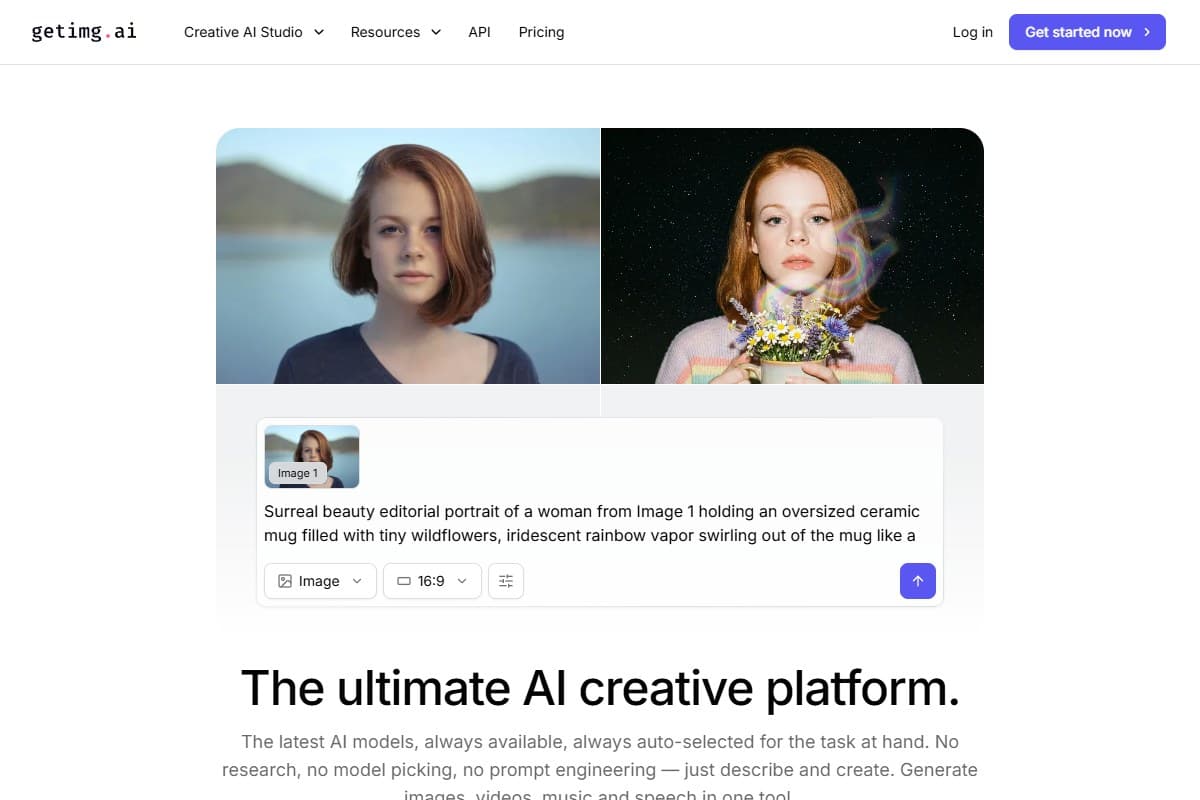
getimg.ai is a browser-based AI visual suite: not just a text-to-image box, but a bundle of tools around it. In plain terms, it's a workspace where you generate an image with one of many models, then edit, expand, clean up, and upscale it without leaving the tab.
- Text-to-image across many models: FLUX.2, GPT Image 1.5, Seedream, Nano Banana, Qwen and more, roughly a dozen image models under one prompt box.
- AI editor: inpainting (repaint a selected area), outpainting (extend beyond the borders), background removal, and style transfer across a batch.
- Upscaling: push output to 4K on the entry plan, up to 8K–16K higher up.
- Elements: reference-based guidance that replaced custom model training; you feed it example images to steer style and subjects instead of training your own model.
- Video + audio models: nine video models plus music/speech generation, all sharing the same credit pool.
- API access: a developer API, but note it needs a separate account and isn't bundled into your subscription.
For most people reading this, the relevant pieces are text-to-image, the editor, and upscaling. The video and audio models are real but eat credits fast enough to be a separate discussion.
What the Community Is Saying
Here's where getimg.ai gets genuinely interesting: it's one of the most divided tools I've reviewed, and the public ratings prove it. My hands-on take (great value, real rough edges) lands almost exactly on the fault line between two very different user camps.
The scores don't agree, and that's the story. getimg holds roughly 4.7/5 on G2 but only about 2.7/5 on Trustpilot. That's a wide gap for the same product in the same year, and it isn't random noise; it tracks the 2.0 overhaul cleanly.
Why the two camps disagree. New users arriving after the overhaul meet a clean, auto-piloted interface with a current model roster, and they rate it highly; the G2 reviews skew toward "powerful models, easy to use." Long-time users are the ones leaving the 1- and 2-star reviews: they paid to train custom models that were then retired, watched credit costs on legacy features climb, and hit the issues that recur across complaint threads, including "black generations" that fail but still burn credits, an overzealous content filter that flags fully-clothed images, and support that was accused of deleting feedback rather than fixing it. Both experiences are real. Which one you'll have depends almost entirely on whether you're coming to getimg fresh or from the version you used to love.
The honest consensus: a capable, well-priced multi-model suite that's a great deal for newcomers, and a genuine sore spot for the power users it left behind.
My honest testing experience
The moment getimg earned its rating was running one prompt (a moody, cinematic blog hero) across three models side by side.
FLUX.2 gave me the detail and lighting I wanted. GPT Image 1.5 nailed a piece of on-image text that FLUX mangled. Seedream came in third for that specific prompt but would've won a different one. Being able to A/B them in the same tab, with the same seed and settings, and then send the winner straight into the editor: that's the getimg pitch working exactly as advertised. No other tool at this price makes model-shopping this frictionless.
Running FLUX.2, GPT Image 1.5, and Seedream on the same prompt in one workspace let me pick the best output in about two minutes, then inpaint and 4K-upscale it without switching tools. The multi-model workflow is the real reason to pay.
Then the rough edges showed up, and they're worth being blunt about.
Credits vanish faster than the math implies. The entry plan's 3,000 credits sounds like a lot until you learn a single FLUX generation can cost a chunk of it and higher-quality models cost more. In practice that plan is closer to 30–60 finished images a month, not the hundreds a beginner might assume. Credits also don't roll over; unused ones are gone at month's end.
"Black generations" still burn credits. More than once a generation came back as a black or blank frame, and the credits were still deducted. When the tool fails, you pay for the failure. That's the single most-cited complaint in the community, and it's real.
The content filter is overzealous. I had a completely ordinary, fully-clothed portrait prompt get blocked. Other users report the same: the moderation swings hard enough to catch prompts that aren't remotely NSFW, which is maddening when each blocked attempt can still cost you.
What I liked
After real use, the honest list:
- Genuinely broad model access. FLUX.2, GPT Image 1.5, Seedream, Nano Banana, Qwen and more in one place. This is the core value and it delivers.
- The editor is actually good. Inpainting and outpainting worked cleanly on my product shot, and background removal was one click. Midjourney still doesn't bundle editing this deep.
- Upscaling that holds up. The 4K upscaler added detail without the smeary artifacts I expected, and higher tiers go to 8K–16K.
- One workspace, no tab-juggling. Generate, edit, upscale, and export without switching products or logins. This is the workflow that justifies the subscription.
- Cheap entry point. $8/month on annual billing undercuts almost every serious competitor, Midjourney included, on raw price.
- Commercial rights on every paid plan. Unlike some rivals' free tiers, everything you make on getimg is yours to use commercially from the entry plan up.
What frustrated me
The honest list of gripes:
- The free tier is gone. There's no free trial, no free credits, no way to test before paying. The "100 free images" every stale review still cites was removed in the overhaul. You commit money on day one.
- Custom model training was retired. DreamBooth-style training and 65+ community models were removed on March 1, 2026. Elements is a decent replacement for style reference, but it is not the same as training a model on your own subject, and power users who paid to build those models lost them.
- Failed generations still cost credits. Black frames and filter blocks deduct credits anyway. Effective cost-per-usable-image runs meaningfully higher than the sticker.
- Video is punishingly expensive. On the entry plan, a few short video generations can wipe out most of your monthly credits. Treat video as a treat, not a workflow.
- The content filter over-blocks. Fully-clothed, non-explicit prompts get caught. For professional work that's friction you didn't sign up for.
- Mixed trust signals. getimg holds ~4.7/5 on G2 but only ~2.7/5 on Trustpilot, a gap that tracks exactly with how the overhaul split its user base.
Pricing: is it worth it?
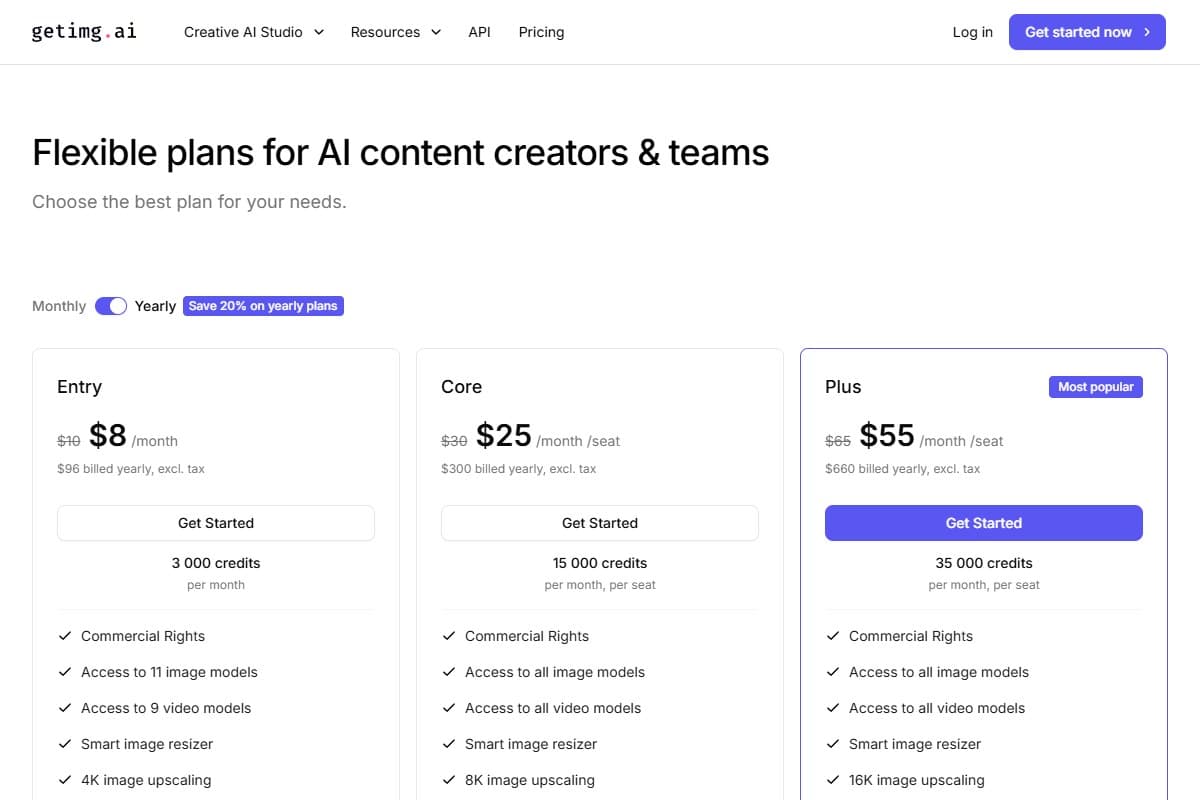
Here's the actual money, checked against getimg.ai's live pricing page in July 2026. Four tiers, all per seat, annual billing saving about 20%. There is no free tier, and credits do not roll over.
- 3,000 credits/mo
- 11 image + 9 video models
- 4K upscaling
- Commercial rights
- Best for: solo creators
- 15,000 credits/mo
- 8K upscaling
- 4 simultaneous generations
- 2 teams
- Best for: freelancers & small teams
- 35,000 credits/mo
- 16K upscaling
- 8 simultaneous generations
- Top-up credits
- Best for: agencies & heavy users
- 100,000 credits/mo
- 16K upscaling
- 10 simultaneous generations
- 10 teams
- Best for: studios & pros
The honest verdict on Entry at $8/month: it's the best-value on-ramp in the category, as long as you're a light-to-moderate user. That 3,000-credit allowance realistically buys 30–60 finished images a month once you account for higher-cost models and the occasional failed generation you still pay for. For a blogger making a few hero images and thumbnails, that's plenty. For anyone doing daily volume or touching video, you'll be on Core ($25) or Plus ($55) quickly.
The monthly (non-annual) prices are higher: Entry is $10, Core $30, Plus $65, Ultra $175. Annual billing is where the value actually lives. And remember the API is billed separately, so don't buy a subscription expecting programmatic access to come with it.
Who should use getimg.ai
Buy it if you are:
- A content creator or marketer who wants many AI models plus editing in one affordable tab (see how it fits a creator workflow)
- A blogger making hero images and social thumbnails on a real budget
- A YouTuber testing thumbnail variations across different models to see which style clicks
- Someone who values model variety and built-in editing over squeezing out the single best artistic frame
Who should avoid getimg.ai
Skip it (try alternatives) if you are:
- A power user who relied on training custom models: that's gone, and Elements isn't a full replacement
- Chasing the absolute best artistic quality for hero art: Midjourney still wins on that specific axis
- Doing heavy AI video: the credit cost here will bleed you dry
- Someone who needs to try before you pay: there's no free tier, so budget for at least one month
How getimg.ai compares to the alternatives
| Tool | Rating | Price | Best for | Verdict |
|---|---|---|---|---|
| getimg.ai | 3.9/5 | $8+/mo | Many models + editing, cheap | Best value; overhaul cut features |
| Midjourney | 4.5/5 | $10+/mo | Top-tier artistic quality | Best-looking output, no editor |
| GPT Image 2 / DALL·E | 4.3/5 | In ChatGPT Plus $20/mo | Prompt adherence & text | Best for accuracy & on-image text |
| Use case | Winner |
|---|---|
| Most models in one workspace | getimg.ai |
| Cheapest serious entry price | getimg.ai |
| Built-in inpainting / outpainting / upscale | getimg.ai |
| Best artistic / cinematic hero art | Midjourney |
| On-image text & strict prompt adherence | GPT Image 2 |
| Training a model on your own subject | Neither now (self-host) |
The short version: getimg wins on breadth, editing, and price. Midjourney wins on pure output beauty. Midjourney v8.1 still produces the most film-like, art-directed frames in the business, but it bundles no editor, no upscaler beyond its own, and, like getimg, has no free tier (Basic is $10/month, Standard $30, Pro $60). DALL·E's successor, GPT Image 2, leads on prompt accuracy and on-image text; amusingly, you can run its slightly older sibling GPT Image 1.5 inside getimg. If you want the fuller landscape of image and video tools, my Grok Imagine 1.5 review covers the model getimg also hosts, and the comparison tool lets you line these up side by side.
Final verdict: 3.9 out of 5
Here's the reasoning, and I'm going to be precise about it.
On value and versatility, getimg.ai is a 4.5. Running FLUX.2, GPT Image, Seedream, and a dozen more models in one workspace (with genuinely capable inpainting, outpainting, and upscaling attached) for $8 a month is the best budget deal in AI imaging. Nothing else gives you this much model breadth this cheaply.
I dock the score for what the 2.0 overhaul took away and what it does badly. Removing the free tier means you can't try before you buy, a real strike against a "budget" tool. Retiring custom model training gutted the workflow of the exact power users who championed it. And failed generations that still cost credits, plus an over-eager content filter, mean your effective cost is higher and your experience rougher than the price implies. The split ratings (4.7 on G2, 2.7 on Trustpilot) reflect a tool that's great for newcomers and a betrayal to veterans.
That nets out to 3.9 out of 5. getimg.ai is the AI image tool I'd recommend to a budget-conscious creator who wants model variety and editing in one place, as long as they go in knowing the free tier is dead, video is expensive, and some generations will cost you nothing but credits. It's a strong value buy. It's not the generous, do-anything playground it used to be.
Bottom Line
getimg.ai scores 3.9 out of 5 as the best-value multi-model AI image tool I've tested: a dozen-plus image models (FLUX.2, GPT Image 1.5, Seedream and more) plus real inpainting, outpainting, and 4K upscaling in one workspace from $8/month on annual billing. The catch is what its 2.0 overhaul removed: the free tier is gone, custom model training was retired March 1, 2026, and failed "black generations" plus an aggressive content filter still burn credits. Buy it if you're a creator or marketer who wants model variety and editing cheaply and can live without a free trial; skip it if you need top-tier artistic output (Midjourney), heavy AI video, or the ability to train your own model.
FAQ: getimg.ai review
Does getimg.ai have a free tier in 2026?
No, and this is the biggest change most reviews get wrong. getimg.ai eliminated its free tier in its 2.0 overhaul. There's no free trial and no free credits; you pay from day one, starting at $8/month on annual billing (3,000 credits). Older articles still citing "100 free images a month" are out of date.
How much does getimg.ai cost, and is it worth it?
Four tiers on annual billing: Entry $8/mo (3,000 credits), Core $25/mo (15,000), Plus $55/mo (35,000), and Ultra $150/mo (100,000 credits). Monthly billing runs about 20% higher. Entry realistically covers 30–60 finished images a month once you account for pricier models and failed generations that still cost credits. It's worth it for light-to-moderate creators who want model variety; heavier users move up fast.
getimg.ai vs Midjourney: which should I pick?
Pick getimg.ai if you want many models, built-in editing, and the lowest price: a dozen-plus models plus inpainting and upscaling from $8/month. Pick Midjourney if pure artistic quality is the priority; its v8.1 output is still the most cinematic and art-directed in the category, though it includes no editor and starts at $10/month with no free tier. getimg is the value and flexibility play; Midjourney is the beauty play.
Can I still train custom models (DreamBooth) on getimg.ai?
No. Custom model training was retired on March 1, 2026 as part of the overhaul, along with 65+ community models. getimg replaced it with Elements, a reference-based system where you feed it example images to steer style and subjects. It's useful for style consistency, but it is not a substitute for training a model on your own specific subject. If that's core to your work, you'll need a self-hosted setup.
Why are getimg.ai's reviews so mixed?
Because the 2.0 overhaul split the user base. New users get a clean interface and a current model roster and rate it highly (~4.7/5 on G2). Long-time users lost custom model training and hit issues like credit-burning failed generations and an aggressive content filter, and rate it much lower (~2.7/5 on Trustpilot). Both experiences are real; which one you'll have depends largely on whether you're coming to it fresh or from the old version.
Is getimg.ai legit and safe to use?
Yes. getimg.ai is a legitimate, established AI image platform that's operated since 2022, with a real company, a public API, and commercial-use rights on every paid plan. The valid concerns aren't about scams; they're about product decisions: the removed free tier means no way to test before paying, failed "black generations" still cost credits, and the content filter can be overzealous. Legit and safe, but go in knowing those trade-offs.
What AI models does getimg.ai include in 2026?
getimg.ai bundles roughly a dozen image models plus nine video models under one credit pool. The image roster includes the FLUX.2 family, GPT Image 1.5, Seedream (4/4.5/5.0), Nano Banana, Qwen Image, and Grok Imagine, among others; the exact list rotates as new flagship models launch. That breadth is the core reason to pick getimg over a single-model tool: you switch models from a dropdown instead of paying for several separate subscriptions.
Related reviews
- Best AI image generator 2026: every top model and tool ranked head to head.
- Grok Imagine 1.5 review: the image/video model getimg also hosts, reviewed on its own.
- Best AI tools for content creators: where getimg fits in a full creator stack.
- Best AI tools for YouTubers: thumbnail and channel-art tools worth pairing with it.
Got a getimg.ai question I didn't cover, or a model you want me to pit against Midjourney? Get in touch; reader questions shape the next round of reviews.
Free interactive tool
Compare getimg.ai with other AI toolsSide-by-side pricing, features, and ratings — plus a recommended pick for your use case.
Independent AI tools researcher testing what actually works.
Keep reading
Related reviews
Best AI Image Generator 2026: I Tested 7 Tools, Here's the Honest Ranking
DALL-E 3 is gone, Midjourney V8.1 is 5x faster, and Canva now owns Leonardo. I tested 7 AI image generators head-to-head: the honest 2026 ranking.

Undetectable AI Review 2026: Does It Actually Beat AI Detectors?
Undetectable AI claims to humanize AI text so it passes detectors. I tested those claims against real detection tools. Here's the honest verdict.
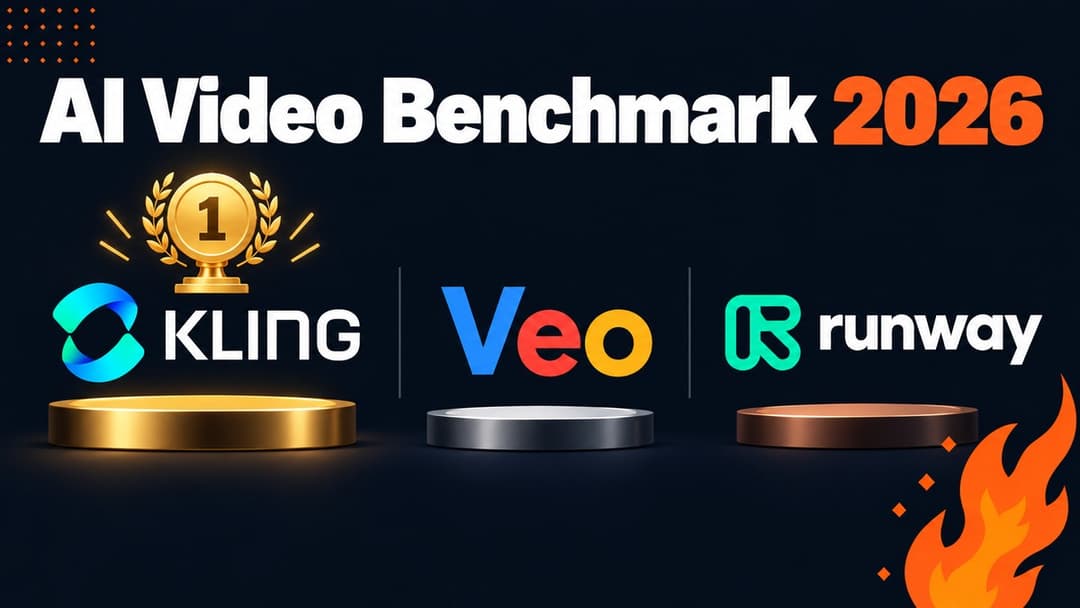
AI Video Generator Benchmark 2026: 1,394 Blind Votes Reveal the Real Winner
AI video generator benchmark 2026: explore 1,394 blind votes, Kling's winning score, real plan costs, and the best tool for your workflow.