
Every business eventually hits the same wall: they need a logo, but hiring a designer feels like overkill for a project that used to take an afternoon. At the same time, the DIY tools of a few years ago produced logos that all looked the same: generic icon, generic font, done.
In 2026, AI-powered logo platforms generate a complete, industry-appropriate mark from a business name and a few style preferences, often bundling in the color palette, fonts, and matching brand assets that used to require a separate designer altogether.
We tested five of the most widely used logo design tools this year. To keep the comparison fair, we ran the same input across every platform: "Fresh Bloom Flower Shop." Here's how each one handled it.
How We Tested Each Tool
Every platform was scored against the same criteria:
- Logo quality: Does the output look market-ready, or does it need significant rework
- Speed: How long from entering a business name to a usable logo
- Brand extension: Whether the logo connects to matching business cards, social templates, or a website
- Free plan availability: Whether you can preview real designs before paying
- Starting price: The lowest tier that gets you full ownership and high-res files
- Ease of use: How much of a learning curve the editor has for someone with no design background.
Logo Software Comparison Table
| Software | Best For | Brand Kit Included | Free Plan | Starting Price | Ease of Use |
|---|---|---|---|---|---|
| Design.com (Sponsored) | Complete brand from one prompt | Yes | Yes | $3/mo billed annually | Very easy |
| BrandCrowd | Community-vetted, designer-made templates | Yes | Yes | $3/mo billed annually | Very easy |
| Canva | Quick logo alongside general design work | Partial | Yes | $14.99/mo | Very easy |
| Adobe | Full creative control for trained designers | No | Limited trial | $22.99/mo (Illustrator) | Steep |
| Wix | Logo built alongside a Wix website | No | Yes, limited | Free (logo maker); Wix site plans from $17/mo | Moderate |
The Best Logo Design Software in 2026, Ranked
1. Design.com (Sponsored): Best Overall Logo Maker
Featured Sponsor
Want a logo that looks like it came from an agency without an agency price tag? Design.com is where to start.
Design.com's logo maker asks for a business name, industry, and style preferences, then produces a set of logo options built around that input immediately. No blank canvas, no starting from scratch. The platform draws from a library of hundreds of thousands of exclusive, professionally designed templates, so results stay industry-appropriate rather than generic.
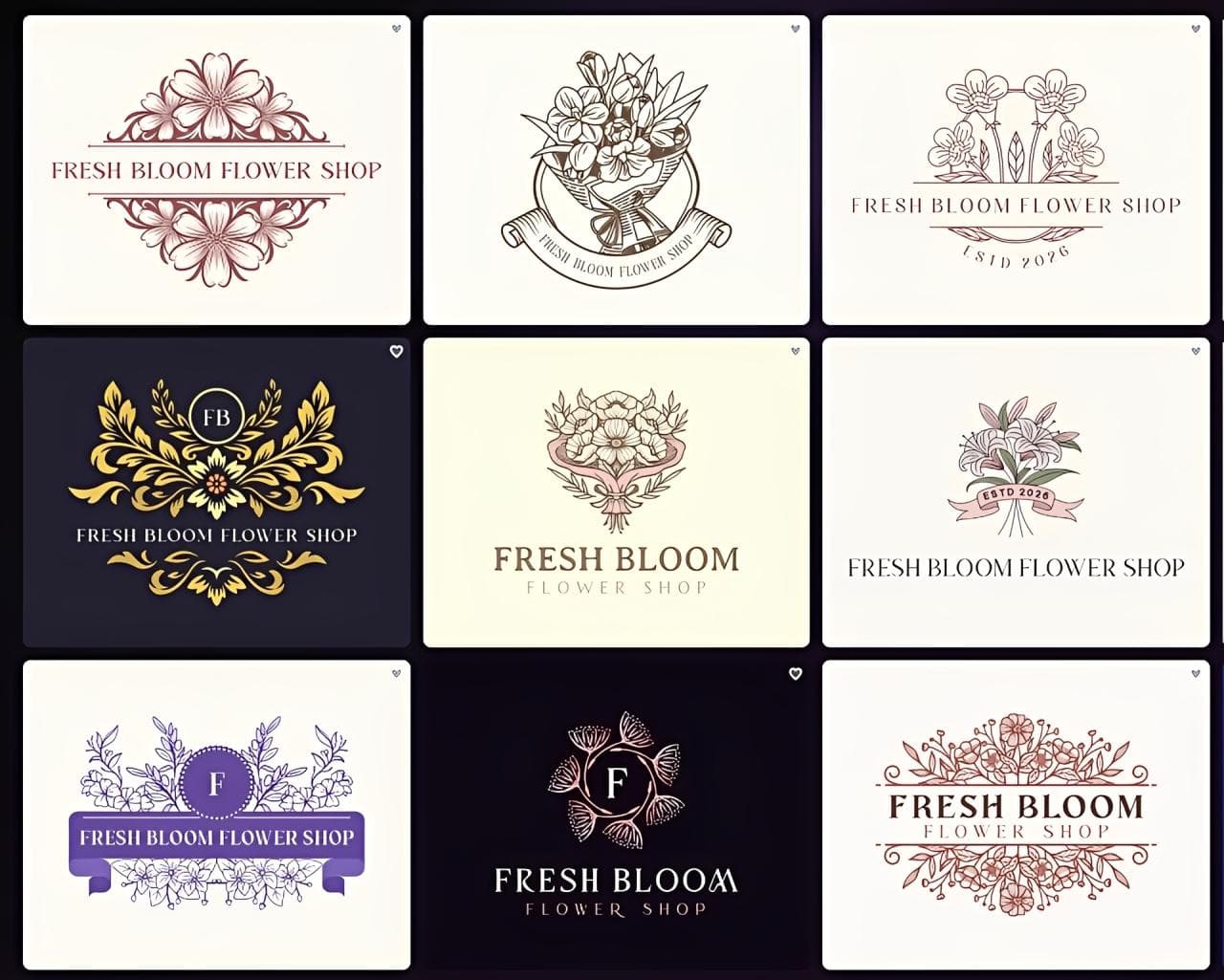
We typed in "Fresh Bloom Flower Shop" for example, and the generator immediately produced a wide set of full logo and site options for that niche, with a palette suited to a soft, botanical brand.
Key features
- AI generator that builds a full set of options from a business name, industry, and style quiz, rather than starting from a blank template
- Library of 500,000+ exclusive logo templates, all created by in-house designers rather than scraped or generic clipart
- Full editor for adjusting fonts, colors, icon style, and layout after the initial generation, so results can be fine-tuned rather than just picked as-is
- 50+ additional branding tools bundled in, including business cards, presentations, QR codes, letterheads, and a website builder
- Automatically extends the logo's colors and fonts into a matching brand kit across every one of those tools
- Exports in every major format (PNG, JPG, SVG, EPS, PDF, and even animated MP4 versions), including the vector files needed for professional printing
- Every design comes with full commercial usage rights and lifetime ownership once purchased.
Full verdict
For the least effort, least expensive, and the most complete result, Design.com is the strongest pick tested this year. It's the only platform here that turns one prompt into a logo, a brand kit, and a website without extra design work on your part.
Pricing
The free plan includes three pages, a contact form, video embedding, and map integration. Paid tiers are billed at the lowest rate annually.
- Starter ($3/mo, regularly $9/mo): logo ownership and the core design toolkit
- Value ($4/mo, regularly $14/mo): everything in Starter, plus the full website builder
- Premium ($5/mo, regularly $19/mo): everything in Value, plus a digital business card and link-in-bio page.
- Turns one prompt into a logo, a matching brand kit, and a website
- 500,000+ exclusive logo templates created by in-house designers
- Exports PNG, JPG, SVG, EPS, PDF, and animated MP4, including print-ready vectors
- Full commercial usage rights and lifetime ownership once purchased
- Paid plans from $3/mo billed annually
- The lowest prices require annual billing (Starter is $9/mo billed monthly)
- Prioritizes simplicity, so trained designers may want more granular controls
- Web-based only, with no dedicated desktop app
Full hands-on test in our Design.com review 2026, where we built a complete coffee brand with its AI logo editor and automatic template branding.
2. BrandCrowd: Best for Community-Validated Design Quality
For business owners or freelancers who value reassurance before committing, BrandCrowd offers the confidence of a platform already vetted by thousands of users.
BrandCrowd pairs a large library of designer-made templates with a logo maker that suggests layouts based on your industry and keywords, then connects the result to matching business cards and social graphics.
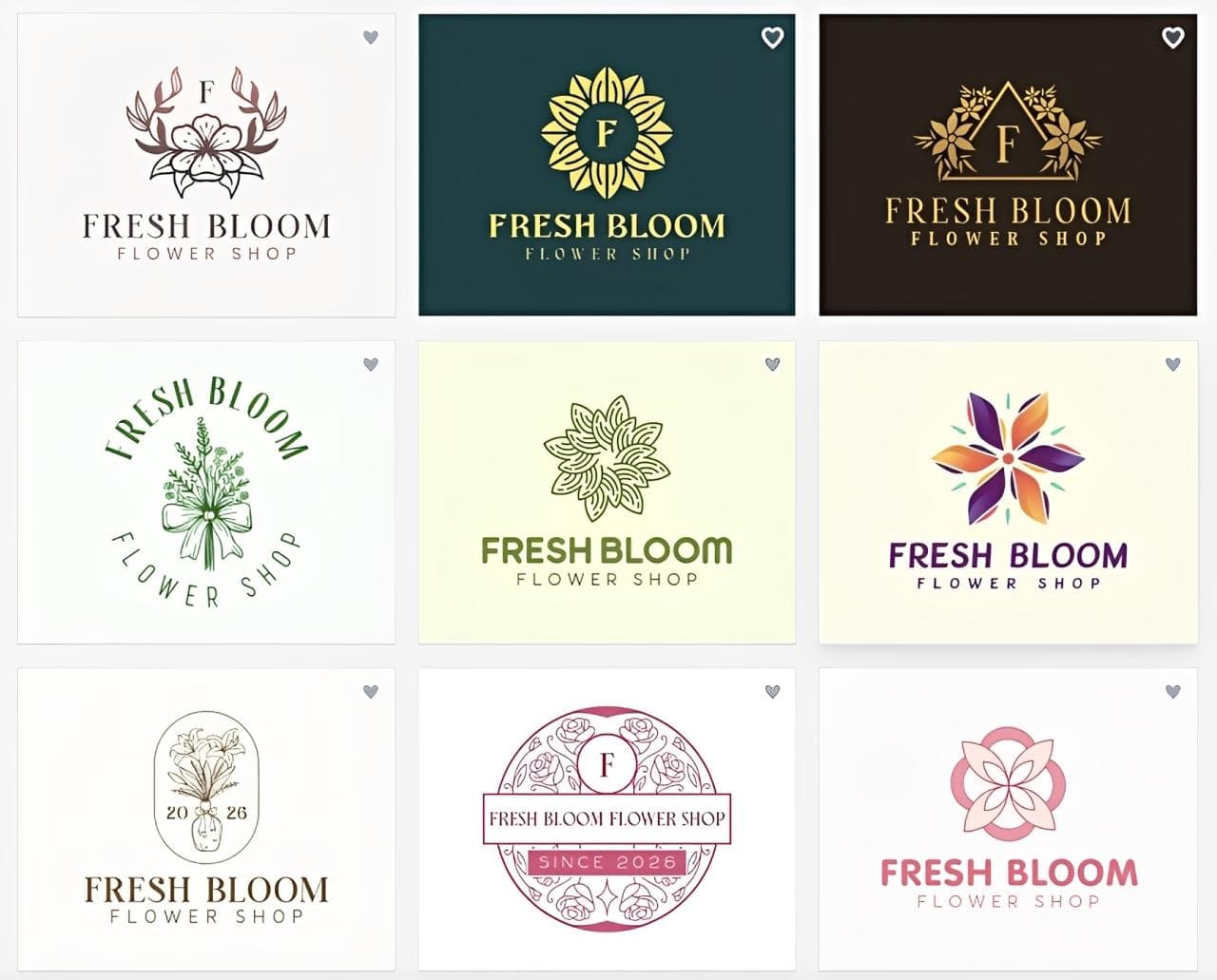
Here are the results: entering "Fresh Bloom Flower Shop" returned a strong set of floral-industry templates within seconds, with a wide range of icon styles to browse.
Key features
- Catalog of 380,000+ designer-made templates organized by industry, so suggestions feel curated rather than randomly assembled
- Over 750+ fonts available across the editor, including 525+ exclusive fonts not found elsewhere
- Over 62,000 custom vector shapes and icons to swap into a design
- AI-assisted suggestions based on business name and keywords, layered on top of the browsable template library
- Automatic syncing of logo colors and fonts across other assets made on the platform, including business cards and social templates
- Connects to a broader design ecosystem, including BrandCrowd's other branding tools, for a more unified setup
- Simple, browser-based editor that lets non-designers adjust text, color, and icon placement without any technical skill.
Full verdict
BrandCrowd reaches a similarly polished result to Design.com, backed by one of the strongest community track records in the category. It's an especially good fit if peer validation matters to you before committing to a tool.
Pricing
The free plan lets you download great designs. Paid tiers are billed at the lowest rate annually.
- Starter ($3/mo, regularly $9/mo): logo ownership and the core design toolkit
- Value ($4/mo, regularly $14/mo): everything in Starter, plus the full website builder
- Premium ($5/mo, regularly $19/mo): everything in Value, plus a digital business card and link-in-bio page.
- 380,000+ designer-made templates organized by industry
- 750+ fonts, including 525+ exclusive fonts, plus 62,000+ vector shapes
- Logo colors and fonts sync automatically to business cards and social templates
- Strong community track record for peer validation
- Paid plans from $3/mo billed annually
- Smaller template catalog than Design.com (380,000+ vs 500,000+)
- The lowest prices require annual billing
- Suggestions lean on the template library more than a full prompt-to-brand workflow
3. Canva: Best for Quick Logos Alongside General Design Work
Canva's logo maker benefits from the platform's broader design simplicity. It isn't a logo-first tool, but for someone already using Canva for other graphics, it's a convenient option for creating a logo. The tradeoff is that its logo tools lack some of the deeper logo-specific editing and variety found on dedicated logo platforms.
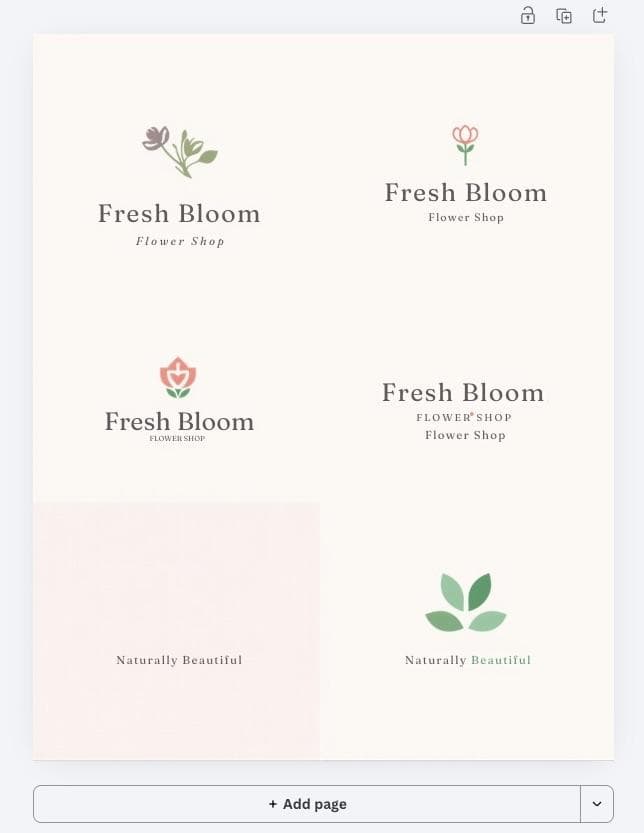
Here are the results: the same "Fresh Bloom Flower Shop" input returned a handful of generic floral templates to browse and customize manually rather than a large set of options.
Key features
- Drag-and-drop editor shared with the rest of Canva's design tools, so there's no separate interface to learn
- Large general-purpose font and icon libraries, though not curated specifically for logo work
- Templates designed to be usable with minimal adjustment, good for a fast, rough result
- SVG export support for scalability, though logo-specific file variations, like reversed or single-color versions, have to be created manually
- Useful if you're already producing other marketing materials in Canva and want basic visual consistency without switching tools
Full verdict
Canva is a practical choice for users who already create other graphics on the platform and want their logo in the same workspace. Its simple editor makes the process approachable, though dedicated logo makers offer more logo-specific options and deeper editing tools.
Pricing
- Free: basic logo creation with limited templates and export options
- Canva Pro ($14.99/mo, billed monthly; lower if billed annually): full template library, brand kit tools, and premium exports.
- Same drag-and-drop editor as the rest of Canva, with nothing new to learn
- Free plan for basic logo creation
- SVG export support for scalable files
- Keeps your logo in the same workspace as your other marketing materials
- Not a logo-first tool, with less logo-specific editing and variety
- Returned only a handful of generic floral templates in our test
- Reversed and single-color logo versions have to be made manually
- Brand kit tools require Canva Pro at $14.99/mo
4. Adobe: Best for Trained Designers Who Want Full Control
Adobe (via Illustrator and its broader Creative Cloud suite) isn't an AI logo generator in the same sense as the others on this list. It's the professional toolkit designers use to build a logo from scratch, with full control over every curve and vector point.
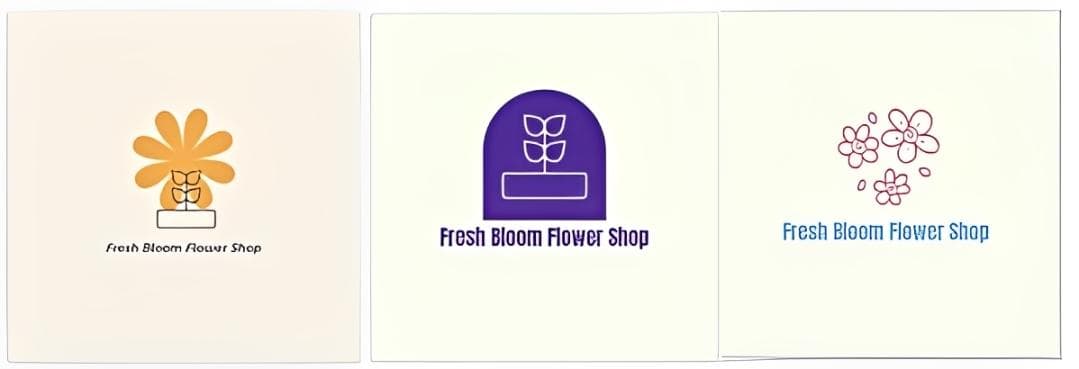
Adobe Express was harder to use during our test, with the logo creation process feeling less straightforward than some of the other tools we tried. Here are the results for Fresh Bloom Flower Shop.
Key features
- Full vector illustration toolkit with precise control over paths, curves, and typography
- Industry-standard file compatibility (.ai, .eps) expected by print shops, agencies, and other designers
- No template ceiling: anything you can draw can be built, unconstrained by a generator's suggestions
- Deep integration with the rest of Adobe Creative Cloud, useful if a business already produces other design work in Photoshop or InDesign
- Requires design skill, or a hired designer, to reach a finished, professional result. There's no guided generator to lean on.
Full verdict
The right tool if you're a trained designer or hiring one, but not a fit for a business owner who wants a fast, guided result without design experience.
Pricing
- Free: short trial only, no ongoing free tier
- Illustrator ($22.99/mo standalone): full vector design toolkit
- Creative Cloud All Apps (higher monthly cost): Illustrator plus the full Adobe suite
- Full vector control over every path, curve, and letterform
- Industry-standard .ai and .eps files that print shops and agencies expect
- No template ceiling: anything you can draw can be built
- Deep integration with Photoshop, InDesign, and the rest of Creative Cloud
- Requires design skill, or a hired designer, to reach a professional result
- No ongoing free tier, only a short trial
- Most expensive starting price here at $22.99/mo for Illustrator
- Adobe Express felt harder to use than the other tools in our test
5. Wix: Best for a Logo Bundled Into a Website Build
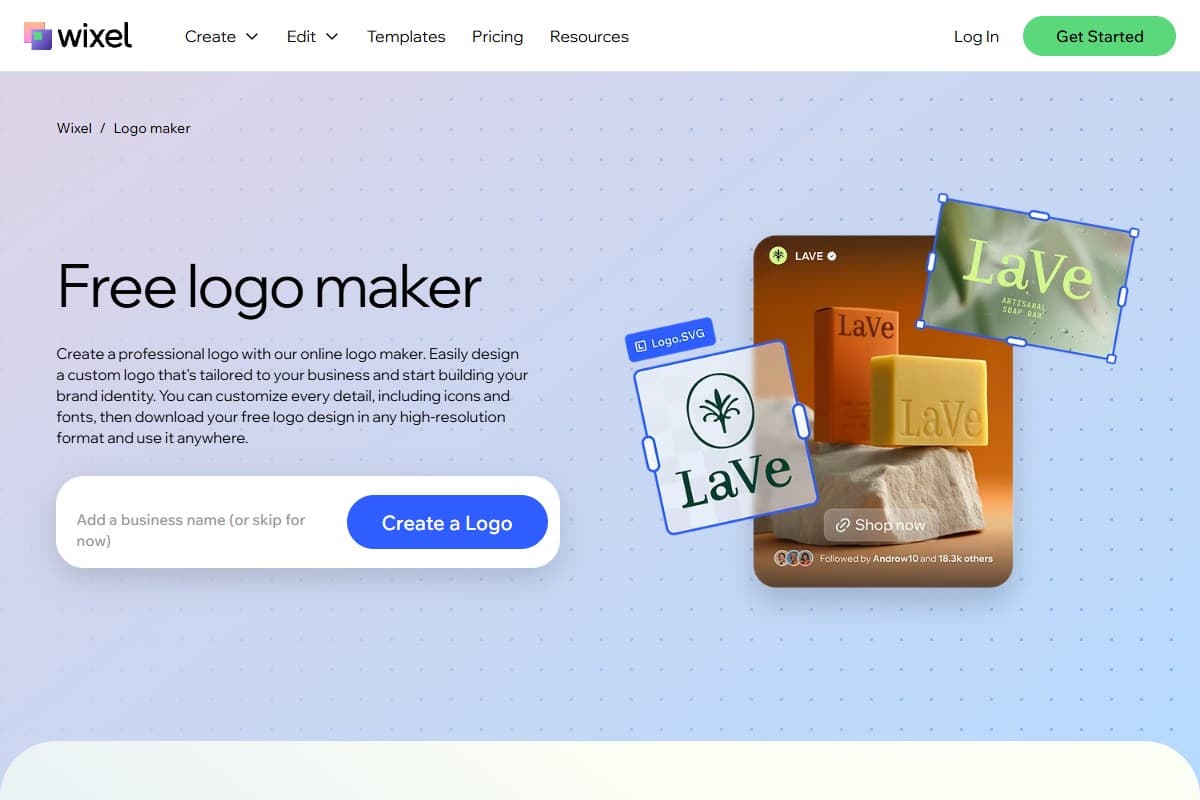
Wix's logo maker isn't really sold as a standalone product. It exists mainly to give you a matching mark while you build a site on Wix.
Putting "Fresh Bloom Flower Shop" through Wix's built-in generator turned up a small set of simple icon-and-text combinations, serviceable but noticeably more basic than the dedicated logo platforms.
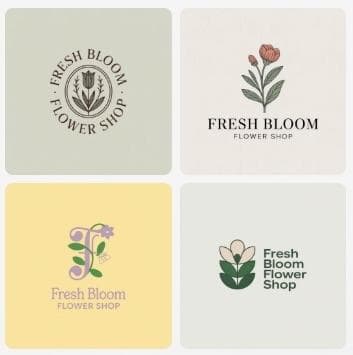
Key features
- Logo generator built directly into the Wix website editor, so branding and site design happen in the same place
- Simple questionnaire (business name, industry, style) that produces a small set of icon-and-text combinations
- No separate account or tool needed if you're already building a site on Wix
- Basic customization of color and font, though the template range is narrower than dedicated logo platforms
- No standalone brand kit. Assets outside the logo itself need to be built manually elsewhere
Full verdict
Fine as a bonus while building a Wix site, but the limited template range and lack of a brand kit make it a weak reason to choose Wix on its own.
Pricing
- Free: logo maker itself, usable within the Wix editor
- Light ($17/mo, billed annually): removes Wix branding, adds a custom domain
- Core ($29/mo): adds ecommerce, booking, and marketing tools
- Business ($39/mo) and Elite ($159/mo): higher tiers for larger stores.
- Free logo maker built into the Wix website editor
- Simple questionnaire: business name, industry, and style
- No separate account needed if you already build on Wix
- Only a small set of basic icon-and-text combinations in our test
- Narrower template range than dedicated logo platforms
- No standalone brand kit, so other assets must be built elsewhere
- A weak reason to choose Wix on its own
Which Logo Software Should You Choose?
For a professional-looking logo with minimal manual effort, Design.com stands out for turning a single prompt into a complete, matching brand kit without requiring much additional design work. BrandCrowd delivers a similarly polished experience, with a large selection of logo options and a strong record of customer reviews.
Other platforms can still make sense depending on how much control you want, the tools you already use, and how involved you want to be in the design process. Some offer simpler editors, while others give you more room to build and refine the logo yourself.
Whichever platform you choose, focus on finding a logo maker that fits your workflow and gives you enough freedom to create something that represents your business.
What the Community Is Saying
Public reviews add a useful second opinion on the two most widely used tools in this roundup. Figures below are as of October 2026.
Design.com (Sponsored) holds a 4.7 out of 5 TrustScore on Trustpilot, based on more than 4,500 reviews.
- Ease of use and speed: Reviewers regularly describe the platform as fast and simple, with no design experience needed.
- Logo variety and quality: Many praise the wide range of professional design options.
- Support: Plenty of reviewers mention helpful, prompt responses from the support team.
- Watch out for: A recurring minority of reviews report unexpected subscription charges and recurring billing they did not expect, so check the renewal terms before you buy.
Canva holds a 4.0 out of 5 TrustScore on Trustpilot, based on more than 7,600 reviews.
- Ease of use: Reviewers call it easy and fun to use, and many say the free plan is surprisingly capable.
- Versatility: Users like that one tool covers business cards, flyers, presentations, posters, and social graphics.
- Paywall and support: Common complaints are features locked behind Canva Pro, slow customer support, and billing or refund frustrations.
The pattern matches our test: both are easy for non-designers, with Design.com more focused on logos and brand kits and Canva stronger as a general-purpose design tool.
Bottom Line
Design.com (Sponsored) is the best logo design software for most business owners in 2026: it turned one "Fresh Bloom Flower Shop" prompt into a wide set of market-ready options, then carried the chosen logo into a brand kit and website, from $3/mo billed annually. Pick BrandCrowd if you want a similarly polished, template-led experience backed by a large review history. Pick Canva if you already make your other graphics there and want your logo in the same workspace. Pick Adobe Illustrator only if you are a trained designer, or hiring one, and need full vector control. Use Wix's logo maker as a free bonus if you are already building your site on Wix, but not as a reason to choose Wix.
FAQ: Best Logo Design Software 2026
What is the best logo design software in 2026?
Design.com (Sponsored) ranked first in our test. It turned a single "Fresh Bloom Flower Shop" prompt into a wide set of logo options, then extended the chosen logo into a matching brand kit and website. BrandCrowd came second with a similarly polished result.
What is the cheapest logo design software?
Design.com and BrandCrowd both start at $3/mo billed annually ($9/mo billed monthly), and both have free plans. Wix's logo maker is free inside the Wix editor, though Wix site plans start at $17/mo. Canva Pro is $14.99/mo and Adobe Illustrator is $22.99/mo.
Can I make a logo for free?
Yes. Design.com, BrandCrowd, Canva, and Wix all offer a free way to create a logo. Adobe offers only a short trial with no ongoing free tier.
Which logo maker includes a brand kit?
Design.com and BrandCrowd both include a brand kit that carries your logo's colors and fonts into other assets. Canva includes brand kit tools on Canva Pro. Adobe and Wix do not include a standalone brand kit.
Is Canva good for logo design?
Canva is a practical choice if you already make other graphics there and want your logo in the same workspace. In our test it returned only a handful of generic floral templates, and logo-specific variations like reversed or single-color versions have to be created manually.
Should I use Adobe Illustrator to design a logo?
Only if you're a trained designer or hiring one. Illustrator gives full vector control and industry-standard .ai and .eps files, but there's no guided generator, so non-designers will find it a steep learning curve.
Is the Wix logo maker worth using?
It's fine as a bonus while you build a Wix site, since it lives inside the Wix editor and is free. It produced a small, basic set of options in our test and has no standalone brand kit, so it's a weak reason to choose Wix on its own.
Related reviews
- Design.com review 2026 (Sponsored): our full hands-on test of Design.com's AI logo maker, AI editor, and automatic branding.
- Best AI presentation tools 2026: turn your new brand into on-brand decks.
- Best AI tools 2026: our top picks across every category we test.
- Design.com vs Looka vs Adobe Express vs Canva (Sponsored): which AI logo maker captured a full brand identity from the same brief.
- AI Presentation Tools topic hub: every presentation and visual design tool we have tested.
Free interactive tool
Compare AI tools side-by-sideSide-by-side pricing, features, and ratings — plus a recommended pick for your use case.
Independent AI tools researcher
Keep reading
Related reviews
Design.com vs Looka vs Adobe Express vs Canva: Which Is Best for Creating a Brand Identity?
Design.com vs Looka vs Adobe Express vs Canva: we gave all four AI logo makers the same brand brief. See which captured a real brand identity.
Design.com Review 2026: Is It Worth It for Logos and Branding?
Design.com review 2026: we built a full coffee brand with its AI logo maker, AI editor and 50+ design tools. Pricing, pros, cons and who it suits.
Prezi AI Review 2026: Is It Still Worth It for Presentations?
We tested Prezi AI 3.0 in 2026. The zoom canvas is genuinely impressive but is it worth it over Gamma?