I dictated this entire review with Wispr Flow, and that's the most honest test I can give a voice tool. This Wispr Flow review comes a few weeks after the company raised another $25 million (over $81M total) to build what it's calling a "Voice OS," with reports of a $2 billion valuation on the table. The hype is loud. The question I care about is narrower: is this the rare dictation app that doesn't make you want to throw your keyboard, or just a better-funded version of the same disappointment?
I've tried voice dictation roughly every two years for a decade, and every time I've crawled back to typing within a week. So I went in skeptical. This isn't a press-release rewrite: it's a week of talking to my computer in real apps, with the speed wins and the genuinely weird privacy trade-off both laid out. Short version: it's the best dictation I've used, and I still have one big reservation.
How I Tested This
Why Wispr Flow is trending right now
Two reasons, and they feed each other. The first is money: in May 2026 Wispr announced a $25M raise that brought its total to over $81M, explicitly to build voice-first foundation models: a "Voice OS" where speech becomes the primary way you operate a computer. Reports followed of a potential $260M round at a $2 billion valuation. When a dictation app is suddenly valued like an infrastructure company, people pay attention.
The second is that the product got good enough to back the ambition. Wispr is posting roughly 40% month-over-month growth in users and revenue, the iOS app sits at 4.8 stars across 8,500+ ratings, and it landed a year-long partnership with The Diary of a CEO: one of the biggest podcasts on the planet. The narrative is that typing is on its way out. I'm not sure I buy the full thesis yet, but the tool underneath it is real, which is exactly why it's worth a careful look right now.
What Wispr Flow actually is
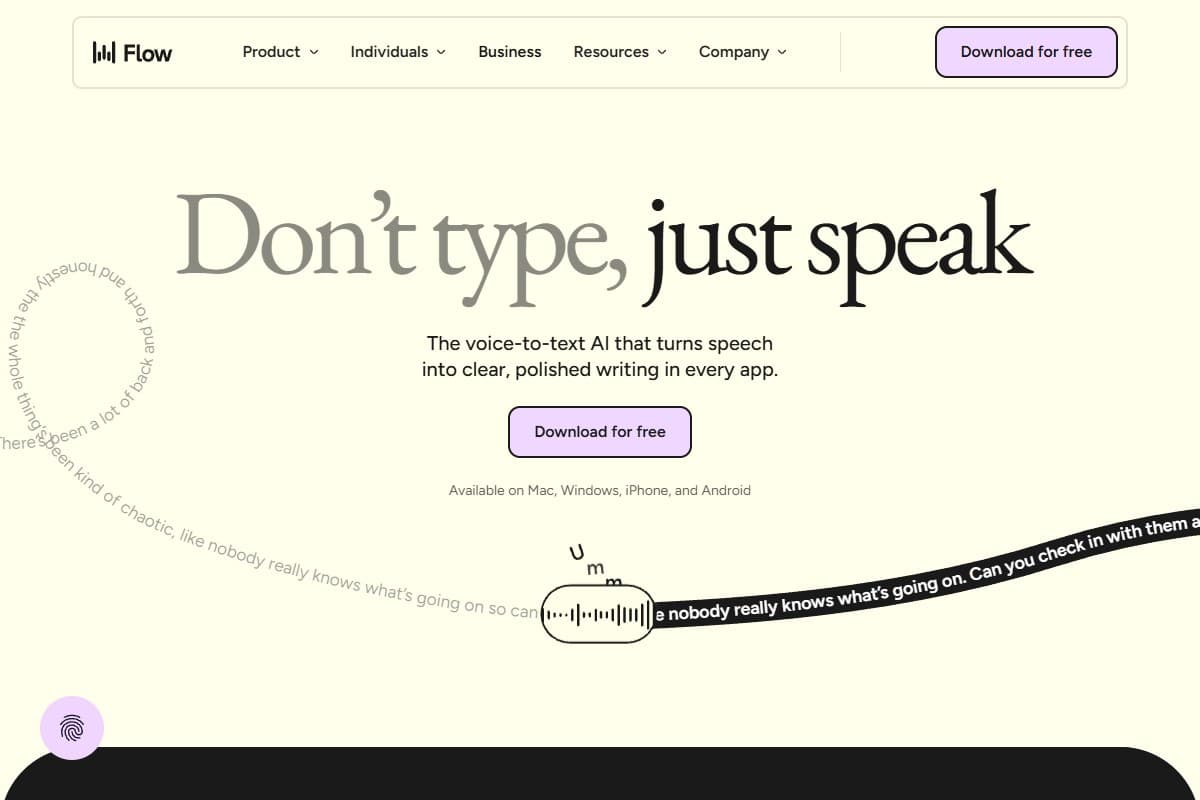
Wispr Flow is a system-wide voice dictation app that turns messy speech into polished, formatted text in any application. You hold a hotkey, talk, release, and clean text appears wherever your cursor is. It's not a transcription tool you copy out of later; it types for you, live, in Slack, Gmail, your IDE, anywhere.
- AI auto-edit: strips filler words ("um," "you know"), fixes grammar, and applies formatting without you asking
- Command mode: speak edits ("make that a bullet list," "delete the last sentence") instead of just dictating
- Personal dictionary + snippets: teaches it your jargon and lets you trigger canned phrases by voice
- 100+ languages with auto-detect: including mid-sentence code-switching, which it handles unusually well
- Cross-platform sync (macOS, Windows, iPhone; Android in early access) with settings following you across devices

My honest testing experience
The moment it won me over was an email. I rambled a three-sentence reply, full of "uh" and a restarted sentence, and what landed in Gmail was a tidy, grammatical paragraph I'd have been happy to send as-is. No cleanup pass. That's the trick every other dictation tool fumbles: they transcribe your mess faithfully, so you spend the time you saved editing. Wispr edits for you.
In a quiet room it's genuinely fast. I clocked a sustained 150–180 words a minute of usable output, which is roughly three to four times my typing, and the company's "220 wpm vs 45 wpm typing" claim suddenly felt less like marketing. The code-switching surprised me too: I slipped into Spanish for a phrase mid-sentence and it just followed, no setting toggled.
Then I took it to a café. Accuracy fell off a cliff. Background chatter, exactly the environment where talking to your laptop is most awkward anyway, produced noticeably more errors, and I found myself self-conscious and re-dictating. This is a quiet-room tool. The second thing that nagged at me: to be this context-aware, Flow captures screenshots of your active window every few seconds and sends them to the cloud. Disable that, and you lose much of what makes it smart. More on that below, because it's the crux of the whole review.
150–180 words/minute: roughly 3–4x my typing speed, with auto-edit doing the cleanup live
What I liked
- The auto-edit is the whole game: it removes filler and fixes grammar live, so you don't spend the saved time editing the way you do with every other dictation tool
- Real speed: 150–180 wpm of usable text in a quiet room genuinely changed how I drafted emails and Slack messages
- It works everywhere: same dictation in Gmail, Slack, Google Docs, and VS Code; it's not trapped in its own notes window
- Multilingual + code-switching: slipping between English and Spanish mid-sentence just worked, which is rare
- Command mode: being able to say "make that a list" instead of reaching for the mouse is the feature I missed most when I stopped using it
- Polished onboarding: the hotkey setup and first-run flow are the most frictionless I've seen in this category
What frustrated me
- The screenshot privacy model: Flow periodically captures your active window and sends it to cloud servers (reportedly running on OpenAI/Meta infrastructure) to stay context-aware; turning it off noticeably degrades quality, so privacy and accuracy are in direct tension
- Windows is the weak platform: Windows users report freezes and uneven reliability; this currently feels like a Mac-first app with a Windows port
- It's heavy: Reddit benchmarks show ~800MB RAM and ~8% CPU even when idle on a 2021 MacBook Pro, which is a lot for a menu-bar dictation tool
- Noisy rooms break it: accuracy drops sharply with background chatter, which limits where you can actually use it
- Cloud-only, no offline: unlike SuperWhisper, there's no local mode, so no dictation without a connection and nothing stays purely on-device
What I'd change about Wispr Flow
If I could push three changes to the roadmap:
- Make context-awareness work without screen capture. The screenshot model is the single thing that'll stop privacy-conscious professionals (lawyers, doctors, anyone under NDA) from adopting this. Wispr is building its own foundation models; lean on selected-text and app-name context instead of full-window screenshots so the smart features don't require shipping pictures of my screen to the cloud.
- Add a real local/offline mode. SuperWhisper proves on-device dictation is viable. A local tier would fix the privacy story, the offline gap, and the "what happens to my data" question in one move, even if accuracy is slightly lower.
- Fix Windows before chasing the Voice OS. The vision is huge, but a chunk of paying users are on Windows hitting freezes today. Stabilize the core app on every platform before expanding the ambition, or the $2B narrative outruns the product people actually pay for.
The auto-edit engine is already excellent. These are trust-and-reliability fixes, and they're the difference between a 4.0 and a tool I'd recommend without an asterisk.
Pricing: is it worth it?
- 2,000 words/wk on Mac/Windows
- 1,000 words/wk on iPhone
- 100+ languages, custom dictionary
- Best for: light dictation & trying it
- Unlimited words on all platforms
- Command mode + snippets
- Priority support, early access
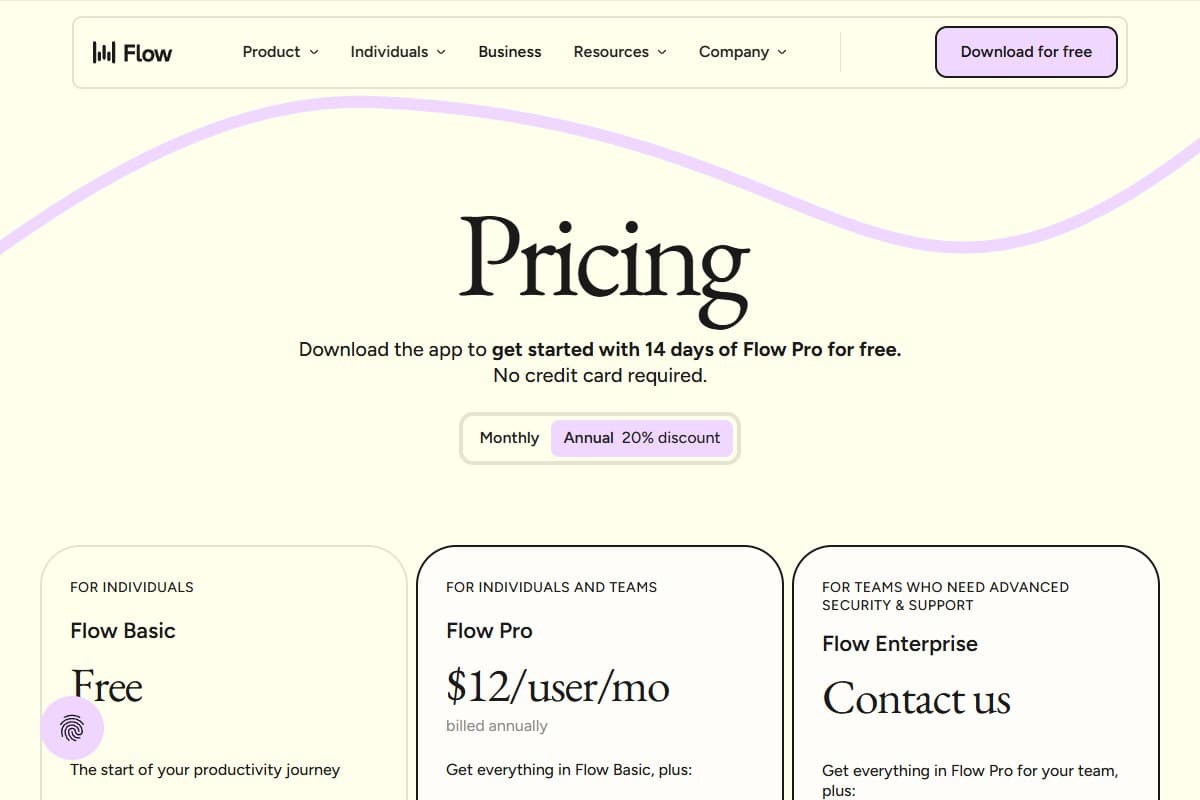
- $12/mo annual or $15/mo monthly
- Best for: daily heavy writers
- SOC 2 Type II + ISO 27001
- Enforced HIPAA, SSO/SAML
- Admin dashboards & bulk seats
- Best for: regulated teams
Pro at $12/month billed annually (or $15 monthly) is fair for what amounts to unlimited fast, clean dictation if you write all day, but note there's no lifetime option, so over time it costs more than SuperWhisper's one-time $249.99. The 14-day Pro trial with no credit card is the right way to judge it. One honest flag: several reviewers report quality dipping after the trial ends, so use those two weeks to test it hard, not casually.
Who should use Wispr Flow
Buy it if you are:
- A Mac-based knowledge worker who writes constantly (emails, Slack, docs, code comments) and wants to talk instead of type
- Someone who works in a quiet home office where dictation is actually practical
- Multilingual, or you regularly switch languages mid-sentence and other tools choke on it
Who should avoid Wispr Flow
Skip it (try alternatives) if you are:
- Privacy-sensitive or under NDA/compliance rules where periodic screen capture to the cloud is a non-starter
- A primarily Windows user: reliability isn't there yet
- Someone who wants offline dictation or a one-time purchase instead of a subscription (look at SuperWhisper)
How Wispr Flow compares to the alternatives
| Tool | Rating | Price | Best for | Verdict |
|---|---|---|---|---|
| Wispr Flow | 4.0/5 | $12–15/mo | Fast, auto-edited dictation in any app on Mac | Best cleanup and speed; cloud-only with a screen-capture privacy trade-off |
| SuperWhisper | 4.2/5 | $8.49/mo or $249 lifetime | Local, offline, private dictation | Best for privacy & one-time cost; less polished AI cleanup |
| Otter.ai | 4.2/5 | Free / $16.99/mo | Meeting transcription & notes | Different job: transcribes meetings, not live dictation into apps |
| Use case | Winner |
|---|---|
| Live dictation into any app | Wispr Flow |
| AI cleanup of messy speech | Wispr Flow |
| Offline / fully private dictation | SuperWhisper |
| One-time purchase instead of subscription | SuperWhisper |
| Transcribing & summarizing meetings | Otter.ai |
Final verdict: 4.0 out of 5
Wispr Flow is the first voice dictation tool I've tested that I didn't quietly uninstall after a week. The auto-edit engine is the real innovation: it turns rambling speech into clean text live, so you keep the speed instead of donating it back to editing. In a quiet room on a Mac, it's genuinely 3–4x faster than typing. I'm deducting a full point for three things: the screen-capture-to-cloud privacy model that makes it a hard no for regulated work, shaky Windows reliability, and the lack of any offline or one-time-purchase option. If you write all day on a Mac in a quiet space and the privacy trade-off doesn't bother you, it's worth the $12/month: just use the free trial to confirm it works on your voice and your setup first. If privacy or a one-time price matters more, SuperWhisper is the smarter buy.
FAQ: Wispr Flow review
Is Wispr Flow worth it in 2026?
If you're a heavy writer on a Mac, yes: Pro at $12/month (annual) buys unlimited dictation that's genuinely 3–4x faster than typing, with AI cleanup that means little editing afterward. The value drops if you're on Windows (reliability issues), work in noisy environments, or need offline/private dictation, in which case SuperWhisper is a better fit. Use the 14-day no-card trial before committing.
How accurate is Wispr Flow's dictation?
In a quiet room it's excellent: I sustained 150–180 words per minute of clean, usable output, and its auto-edit handles filler words and punctuation better than anything else I've tried. Accuracy drops noticeably with background noise, so an open office or café will produce more errors than a silent home office. Its context-awareness (which boosts accuracy) depends on the screen-capture feature being enabled.
What's the privacy concern with Wispr Flow?
To stay context-aware, Wispr Flow periodically captures screenshots of your active window and sends them to cloud servers (reportedly on OpenAI/Meta infrastructure). If you disable screenshot access you lose a meaningful chunk of its accuracy. There's a privacy mode and HIPAA-ready/Enterprise options, but if periodic screen capture to the cloud is a dealbreaker for your work, this is the thing to weigh most carefully.
Wispr Flow vs SuperWhisper, which should I pick?
Pick Wispr Flow for the best AI cleanup, speed, and cross-app polish if you're online and on a Mac. Pick SuperWhisper if you want local, offline, fully private dictation or prefer a one-time $249.99 lifetime purchase over a subscription. SuperWhisper's lifetime option also beats Wispr's subscription on total cost after about 21 months. For the full breakdown, see Wispr Flow vs SuperWhisper 2026.
Does Wispr Flow work on Windows?
It runs on Windows, but it's currently the weaker platform: users report freezes, uneven reliability, and heavy resource use. Wispr clearly built Mac-first. If you're a primarily Windows user, trial it carefully (or lean toward an alternative) until the Windows app matures.
Related reviews
- Cluster hub: AI Audio Tools
- Wave AI Note Taker Review 2026
- Best AI meeting assistant roundup
- ElevenLabs Review 2026
Got a Wispr Flow question I didn't cover, like how it handles a specific accent or app? Get in touch, reader questions shape the next round of reviews.
Free interactive tool
Compare Wispr Flow with other AI toolsSide-by-side pricing, features, and ratings — plus a recommended pick for your use case.
Independent AI tools researcher testing what actually works.
Keep reading
Related reviews

Best AI Presentation Tools 2026: Gamma vs Pitch vs Beautiful.ai vs Canva (Tested)
I built the same pitch deck in Gamma, Pitch, Beautiful.ai, and Canva to find the best AI presentation tool in 2026, and which to skip.
Prezi AI Review 2026: Is It Still Worth It for Presentations?
We tested Prezi AI 3.0 in 2026. The zoom canvas is genuinely impressive but is it worth it over Gamma?

Best AI Project Management Tool 2026: Tested & Ranked
We tested the best AI project management tools in 2026. Taskade leads for AI agents, automation, and solo founders. Here's the honest verdict.