
OpusClip has run video for more than 10 million creators and businesses, raised $68 million, and was last valued at $215 million, and none of that answers the only question that matters: can it find the right 40 seconds inside your 60-minute podcast. That is the whole job. Everything else an AI clipper does, captions, resizing, scheduling, is commodity work that half a dozen tools handle competently. This OpusClip review starts with the part that is actually hard, because most reviews of this tool skip it on the way to a feature list.
What follows is not a walkthrough of the marketing site. I looked at how the clip selection behaves on different genres of source video, worked out what the credit system really costs once you publish on a schedule, and read through the negative reviews rather than the testimonials, because the complaints about this product cluster in a very specific place and it is not where you would expect. Worth paying for. With one number you need to run first.
How I Tested This
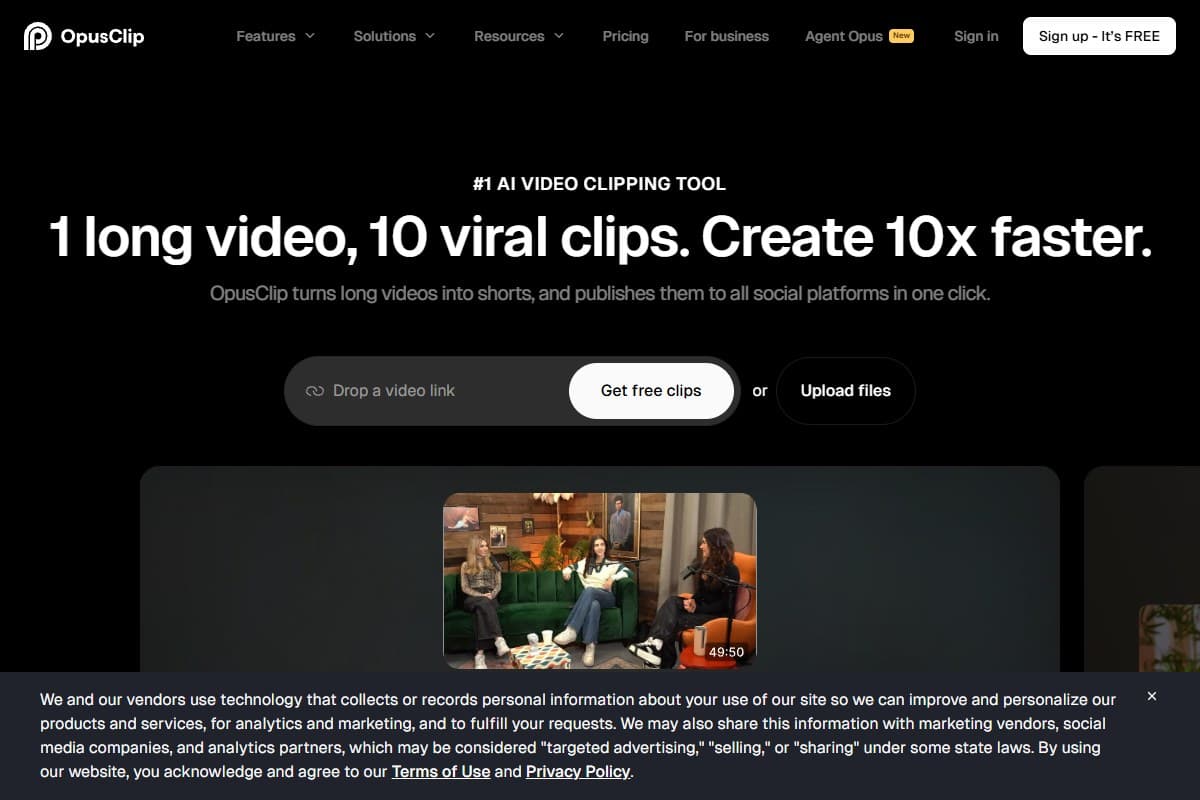
What OpusClip actually is
OpusClip is a repurposing engine, not a video generator. It does not invent footage. It takes video you already have, decides which parts of it are worth posting, and hands back vertical clips with captions burned in. If you want a tool that creates footage from a prompt, that is a completely different category and our best AI video generator 2026 roundup covers it properly.
The platform is built on a handful of named primitives:
- ClipAnything: the clip selection model. It reads visual, audio and sentiment cues to find moments worth posting, and it works across genres, so vlogs, gaming, sports, interviews and explainers all go through the same pipeline rather than needing a specialist tool each.
- ReframeAnything: automatic resizing with object tracking, so a horizontal 16:9 recording becomes a 9:16 vertical clip with the subject kept in frame instead of half cropped out.
- Virality Score: a 0 to 100 rating attached to each returned clip, which is the feature people either love or roll their eyes at. Treat it as a sorting mechanism, not a prediction.
- Animated captions: word-level captions with styling, in a long list of languages, accurate enough on clean speech to publish without a manual pass.
- AI editor: text-based and timeline editing on the Pro tier, plus AI B-roll, AI generated images and AI voice-over, so you can finish a clip without exporting to another editor.
- Publishing and workflow: direct posting to YouTube, TikTok and Instagram, a scheduler, brand templates, team workspaces, and API access on the Business tier including a Zapier integration and an MCP connector.
The company itself is worth a sentence of context. OpusClip was founded in January 2022 by Young Zhao and Grace Wang, has raised roughly $68 million including a round led by SoftBank Vision Fund 2, and was last valued at around $215 million. That matters for one practical reason: this is a funded company with a real engineering team, not a wrapper that will vanish in six months, which is a genuine risk in this category.
Why OpusClip matters more in 2026 than it did in 2024
Two things changed, and only one of them is about the AI.
The first is that clip selection stopped being a gimmick. Early clippers were transcript slicers: they looked for keyword density or a pause and cut there. The output was technically a clip and rarely a good one. ClipAnything is trained on an enormous volume of long-form video across genres, and the difference shows up most clearly on content that has no obvious verbal hook, like gameplay or sports, where a transcript-based tool has nothing to work with. It is now genuinely finding moments rather than finding sentence boundaries.
The second is that the whole category commoditised around it. Captions, auto-reframe, scheduling and templates are table stakes in 2026, and a dozen competitors offer them at aggressive prices. That collapses the OpusClip pitch down to one defensible claim: it picks better moments than the cheap alternatives. If that claim holds for your content, the price premium is easy to justify. If your source video is straightforward talking-head material where almost any tool would find the same moments, you are paying for something you do not need.
There is a third development worth knowing about before you compare prices, because it causes real confusion. In 2026 OpusClip launched Agent Opus, a separate end-to-end video agent that takes a prompt, script, outline or blog URL and produces a finished social video, complete with scripting, voiceover, motion graphics and editing. That is a generation product, not a clipping product, and it has its own plans. Everything in this review concerns the clipping tool at opus.pro, and if you find yourself comparing a $19 figure against the numbers below, you are probably looking at Agent Opus rather than a clipping plan.
My honest testing experience
The pattern that showed up fastest is the one every experienced clipper user already knows: you do not publish what the tool hands you. You publish a subset. On clean interview and podcast footage, a majority of returned clips were either publishable or needed nothing more than a trim at one end, which is a real result and a genuine time saving over scrubbing an hour of timeline by hand. On messier material the hit rate dropped, and the failure mode was consistent: the clip started three seconds into the thought rather than before it, so the hook landed mid-sentence.
That is a trim, not a disaster, and it is the correct mental model for this product. OpusClip is a shortlisting tool. It reads an hour of footage and hands you fifteen candidates instead of making you find them, and you still make the editorial call. Anyone selling you the idea that this is a one-click pipeline from upload to posted clip is selling you the demo, not the workflow.
Reframing was the most uneven part. On single-speaker footage the tracking is excellent and I would trust it unattended. On two-person interviews and anything with a screen share, it is noticeably less reliable, and this shows up repeatedly in public reviews too: users report the crop locking onto the wrong subject or drifting during speaker changes. If your content is conversational and multi-person, budget time to check every clip's framing before it goes out.
Captions were the pleasant surprise. Ordinary conversational speech came back close to clean. Technical vocabulary, product names and acronyms needed correction, exactly as they do in every speech-to-text product on the market, and the editor makes those fixes quick. The word-level animated caption styling is good enough that clips do not look like they came off a template farm, provided you spend ten minutes setting up a brand template once rather than accepting the default.
A clear majority of returned clips were publishable or a single trim away, with the recurring flaw being clips that start slightly late and cut the setup off the hook
The thing that actually changed my rating was not any of that. It was the meter.
- Clip selection is the strongest in the category, and it works across genres rather than only on talking-head footage
- ClipAnything handles gameplay, sports and screen recordings where transcript-based clippers have nothing to work with
- Word-level animated captions are close to publishable on the first pass for ordinary speech
- Text-based and timeline editing on Pro means you can finish a clip without exporting to a separate editor
- Genuine free plan with 60 processing minutes a month, plus a 7-day trial with 90 minutes, so you can test on your own footage before paying
- Direct publishing and scheduling to YouTube, TikTok and Instagram removes a real chunk of manual work
- Funded, established company with API access, a Zapier integration and an MCP connector on the Business tier
- Billing is one credit per minute of source footage, so a 60-minute podcast costs 60 credits whether you keep one clip or twenty
- Pro at $29/mo buys 300 processing minutes, which is five hour-long podcasts a month and nothing else
- Auto-reframe tracking is unreliable on multi-person interviews and screen shares and needs checking clip by clip
- Media storage is short (3 days on free, roughly a month on paid) and projects become inaccessible days after a subscription lapses
- Trustpilot shows 20% one-star reviews, concentrated on processing failures, refunds and cancellation friction
- The 16:9 aspect ratio and most editing controls are locked behind Pro, so Starter is narrower than it looks
Pricing: is it worth it?
- 60 processing minutes per month
- Basic captions with watermark
- 9:16 vertical only
- 3-day media storage
- Best for: checking the clip selection on your own footage
- 150 processing minutes per month
- No watermark, animated captions
- Virality score and repromptable clipping
- Import from YouTube, Drive, Vimeo, Zoom, Rumble, StreamYard
- AI upscaling, title and hashtag generator
- Monthly billing only, no annual option
- Best for: a weekly podcast or a light publishing schedule
- 300 processing minutes per month
- Text-based and timeline editing
- AI B-roll, AI images and AI voice-over
- All aspect ratios including 16:9
- Custom reframing and layout switching
- Team workspace and highest-resolution MP4 export
- $17.40/mo billed yearly, 3,600 credits granted up front
- Best for: creators publishing short-form several times a week
- Unlimited seats, sub-teams and permissions
- Clip analytics and trend analysis
- SSO and license management
- API access, scheduler, CMS and MCP connector
- Best for: agencies and media teams at volume
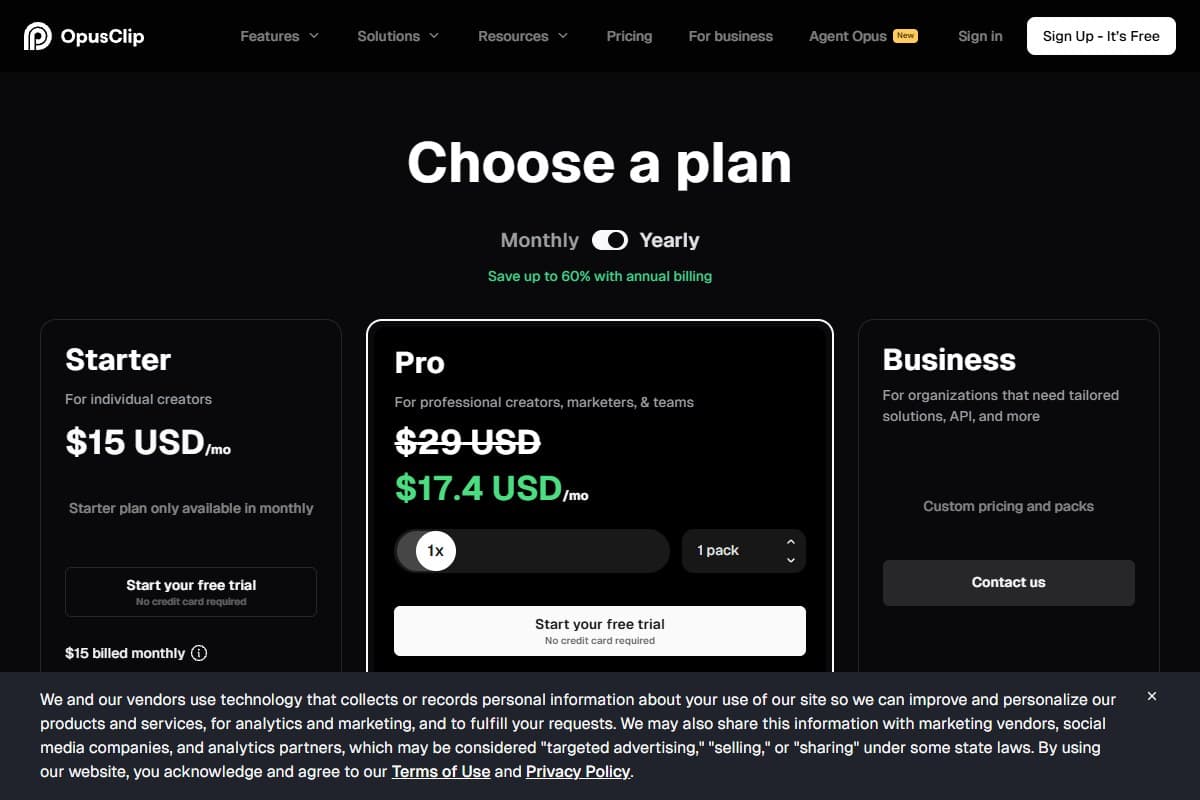
Now the part that decides everything. OpusClip bills one credit per minute of source video processed, not per clip produced. Upload a 60-minute podcast and you spend 60 credits whether the tool returns two usable clips or twenty. Videos under a minute cost a one-credit minimum, partial minutes round down, and publishing to X costs an extra credit per post.
Run that against real output. Pro's 300 monthly minutes covers five hour-long podcasts. That is it. A creator recording a weekly hour-long show fits comfortably. A streamer doing three two-hour sessions a week needs 1,440 minutes a month and is nowhere near any published tier. This is the single most common reason people feel misled by this product, and it has nothing to do with clip quality: they compared the $29 price against competitors' $29 prices without noticing that the unit being sold is completely different.
Annual billing is where the real saving sits, and the pricing page has a monthly and yearly toggle that most reviews forget to flip. Pro drops from $29 a month to $17.40 a month on yearly billing, and the annual plan grants 3,600 credits for the year up front rather than 300 that reset every month, which matters enormously if your recording schedule is lumpy. A podcaster who records six episodes in January and none in February keeps those credits on annual and loses them on monthly. Starter has no annual option at all and is monthly-only at $15, so the yearly discount is a Pro-tier decision.
One note on the numbers you will find elsewhere, because third-party sites are full of stale figures. You will see Starter at $9 and Pro at $19 quoted on review aggregators. Neither is a current OpusClip clipping price. The $19 figure in particular is easy to confuse with Agent Opus, a separate product OpusClip launched in 2026 with its own plans starting around that mark. Check the live pricing page before you commit, since this is exactly the kind of pricing that moves.
The other cost that is not in the price is storage. Media is held for 3 days on the free plan and roughly a month on paid plans, and projects become inaccessible within days of cancelling even if you have credits left. Download your exports. Do not treat this as an archive.
Who should use OpusClip
Buy it if you are:
- A podcaster publishing one long episode a week and cutting shorts from it, where 150 to 300 minutes a month is a comfortable fit
- A creator whose source material is varied (gameplay, sports, screen recordings) and who needs a clipper that works on more than talking heads
- A marketer repurposing webinars and recorded demos into social clips on a predictable schedule
- A YouTuber building a shorts channel off an existing long-form library, which pairs with the rest of the stack in our best AI tools for YouTubers guide
- An agency or media team that needs seats, analytics and API access, where the Business tier exists for exactly this
Who should avoid OpusClip
Skip it (try alternatives) if you are:
- A high-volume streamer processing many hours a week, where the per-minute meter makes the economics brutal and a cheaper per-minute competitor wins outright
- Someone who needs original footage generated rather than existing footage cut, which is Kling's job and not remotely the same product
- A team that needs a presenter on camera reading a script, which is what Synthesia is built for
- A creator on a tight budget whose content is plain single-speaker talking head, where the clip selection premium buys you little that a cheaper tool would not also find
- Anyone who needs long-term hosting of their source media, given the short storage windows
How OpusClip compares to the alternatives
| Tool | Rating | Price | Best for | Verdict |
|---|---|---|---|---|
| OpusClip | 4.2/5 | $15-$29/mo | Finding the right moments across any genre | Best clip selection, per-minute pricing |
| Vizard | 4.0/5 | From ~$29/mo | High volume clipping on a budget | More clips per dollar, selection a notch below |
| Klap | 4.0/5 | From ~$29/mo | Brand-consistent, polished vertical output | Cleaner crops and 4K, smaller feature set |
OpusClip vs Vizard. This is the matchup most creators actually land on. OpusClip optimises for picking the right moment; Vizard optimises for volume and cost per clip, with broader subtitle language coverage. On subtle content, OpusClip's selection is better. On straightforward talking-head material at high volume, the economics favour Vizard and the quality gap narrows to something you may not care about.
OpusClip vs Klap. Klap positions itself as the premium visual option, with cleaner crops, 4K export and a tighter, faster interface. If your priority is that every clip looks on-brand, Klap is the stronger pick. If your priority is that the tool finds moments you would have missed, OpusClip is.
OpusClip vs a generator. These are not competitors and it is worth being blunt about it, because plenty of people arrive at this comparison confused. OpusClip cuts video you already recorded. Kling invents video that never existed. If you have no source footage, no clipper on earth can help you, and you want a generative model instead.
| Use case | Winner |
|---|---|
| Finding the best moments in a long podcast | OpusClip |
| Clipping gameplay or sports with no verbal hook | OpusClip |
| Highest clip volume for the lowest bill | Vizard |
| Polished, brand-consistent vertical output | Klap |
| Creating original footage from a prompt | Kling |
| Presenter reading a script on camera | Synthesia |
What the Community Is Saying
Sentiment on OpusClip splits along a clean line, and the line is not where you would guess. Almost nobody argues the clip selection is bad. The arguments are about reliability and billing. Figures below were checked in September 2026 and move over time.
On G2, OpusClip holds roughly 4.7 out of 5 across about 127 reviews, one of the stronger scores in the category. Reviewers there are mostly marketing and content teams, and the recurring praise is time saved on repurposing rather than any single feature. The consistent sub-score weakness in the same profile is customer support. (Source: G2)
On Trustpilot, the picture is more divided: roughly 4.0 out of 5 across about 485 reviews, with 64% five-star and 20% one-star and very little in between. That shape is the tell. Positive reviewers cite ease of use and podcast clipping. Negative reviewers cluster on three specific things: videos that hang or never finish processing, reframing that tracks the wrong subject, and friction around refunds and cancellation, including credit expiry complaints. (Source: Trustpilot)
On Product Hunt, OpusClip sits around 4.5 out of 5 across roughly 78 reviews. The praise is about speed and one-click convenience. The criticism is more interesting: several reviewers report that recent updates degraded framing and split-screen detection, and smaller creators consistently raise upsell pressure and a thin free tier. (Source: Product Hunt)
Bottom line from the community: people complain about the meter, the processing reliability and the support queue. Almost nobody complains that it picks bad clips. That tells you exactly what you are buying and exactly what to test during the free plan.
Final verdict: 4.2 out of 5
OpusClip wins the only genuinely hard part of AI clipping and then charges for it in a way that catches people out. The clip selection is the best in the category, ClipAnything works on genres where transcript-based tools are useless, and the caption quality means most clips need a trim rather than a rebuild. For a podcaster or marketer with a predictable weekly output, this is a straightforward buy and Pro at $29 a month is good value against the hours it removes.
Three things hold it back from a higher score. The per-minute credit model means cost scales with your source footage rather than your output, which punishes exactly the high-volume creators the marketing targets. Auto-reframe is unreliable on multi-person and screen-share content and needs manual checking. And the reliability and billing complaints on Trustpilot are frequent enough, at 20% one-star, that you should treat the free plan as a real evaluation rather than a formality. None of that makes it the wrong tool. All of it is worth knowing before your card is on file.
Bottom Line
OpusClip earns 4.2 out of 5 as the best AI video clipper in 2026 for one specific reason: nothing else picks moments as well across as many genres. Buy it if you publish long-form on a schedule and cut shorts from it, where Pro at $29 a month and its 300 processing minutes covers roughly five hour-long episodes and replaces hours of manual scrubbing. Skip it if you are a high-volume streamer, because one credit per minute of source footage means three two-hour streams a week needs 1,440 minutes and no published tier comes close. Run your own monthly source-footage total against the tier limits before you subscribe, then test the clip selection on the free plan's 60 minutes, because the output quality is not the risk here and the meter is.
How Cutroom compares
Cutroom comes up in the same searches as OpusClip, so it is worth separating the two clearly: they do different jobs and are not direct competitors.
OpusClip starts with a long video and makes it shorter. You hand it a 60-minute podcast and it finds the 40 seconds worth posting. Cutroom starts with a raw talking clip and makes it finished. You hand Cutroom a take of up to 3 minutes of yourself talking to camera, and it returns a 1080x1920 vertical MP4 with a hook on the opening seconds, captions on every word, and b-roll already placed on the words it illustrates. Nothing gets shortlisted; the whole take gets edited, in one of four edit styles and 40 caption styles.
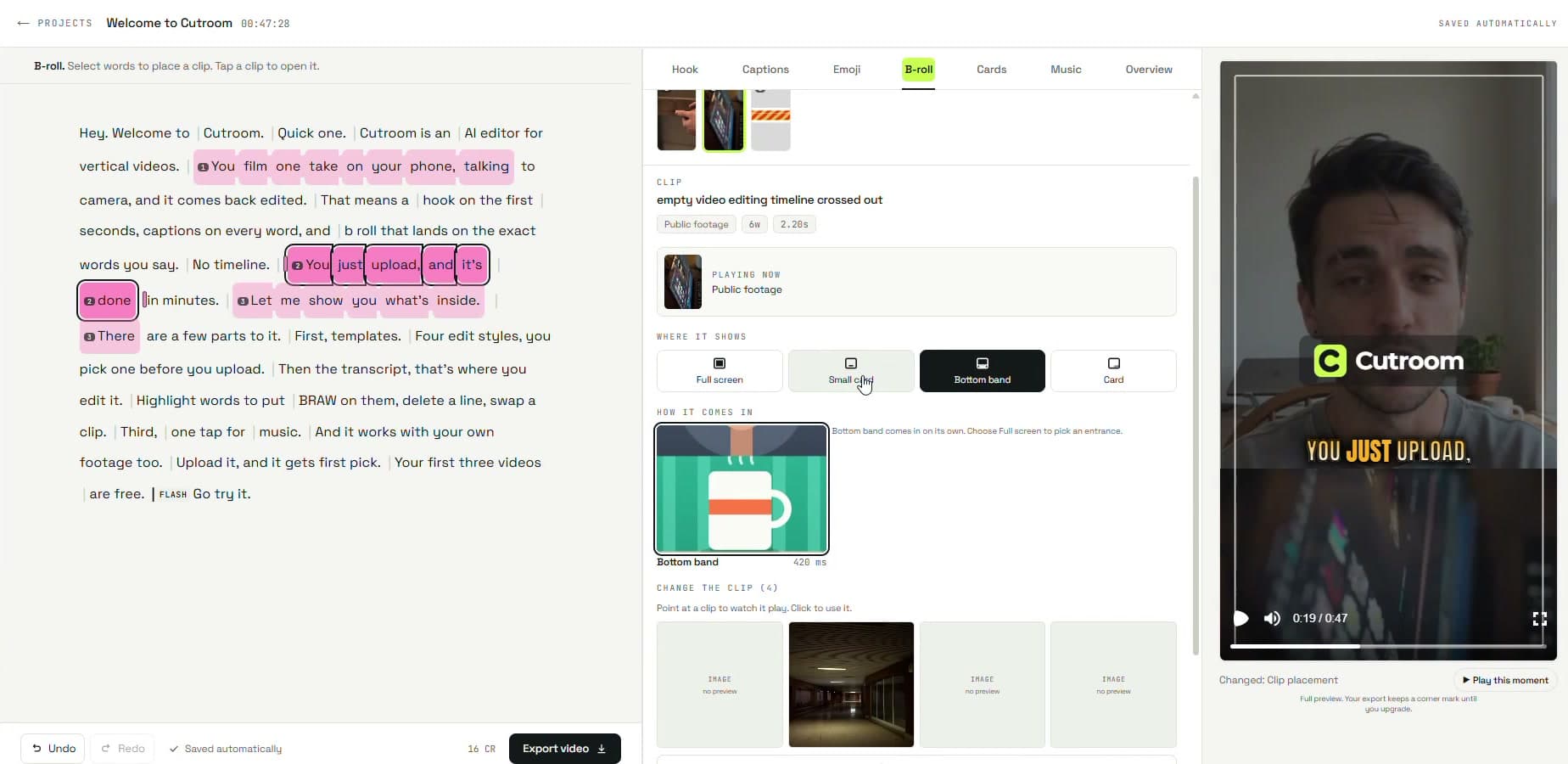
The quickest way to choose: if your problem is too much footage, you want OpusClip. If your problem is one unedited phone take that needs to look like a finished Reel, you want Cutroom. Billing follows the same split. OpusClip meters minutes of source footage, while Cutroom's first video is free with no card needed and paid plans start at $19.99/mo.
I earn a commission if you sign up through my link.
FAQ: OpusClip review
How much does OpusClip cost in 2026?
There is a free plan with 60 credits a month and a watermark, then Starter at $15 a month for 150 credits and Pro at $29 a month for 300 credits, with Business priced on a custom quote. Switching Pro to yearly billing drops it to $17.40 a month and grants 3,600 credits for the year up front instead of a monthly reset, which is the better deal for anyone whose recording schedule is uneven. Starter is monthly-only. Ignore the $9 and $19 figures still circulating on third-party sites, since neither is a current clipping price and the $19 one is easily confused with Agent Opus, a separate OpusClip product.
How do OpusClip credits actually work?
One credit equals one minute of source video processed, regardless of how many clips come back. A 60-minute podcast costs 60 credits whether you keep one clip or twenty. Videos under a minute cost a one-credit minimum, partial minutes round down, and publishing to X adds one extra credit per post. This is the single most important thing to understand before subscribing, because it means your bill scales with how much footage you feed in, not with how much content you publish.
Is OpusClip worth it?
For podcasters, marketers and creators publishing long-form on a predictable weekly schedule, yes, because the clip selection genuinely finds moments you would spend an hour scrubbing to locate. For high-volume streamers processing many hours a week, no, because the per-minute meter makes it expensive fast and a cheaper per-minute competitor wins on economics alone. The deciding calculation is your monthly source-footage total against the 150 and 300 minute tier limits, not the headline price.
Is OpusClip free?
There is a genuine free-forever plan with 60 processing minutes a month, plus a 7-day trial offering around 90 minutes. The free plan watermarks output, limits you to 9:16 vertical, and holds media for only 3 days, so it works as an evaluation rather than a production tool. That is enough to answer the only question worth answering before you pay, which is whether the clip selection works on your specific content.
OpusClip vs Vizard, which is better?
They optimise for different things. OpusClip picks better moments, especially on subtle or non-verbal content like gameplay and sports, and its virality scoring is a useful sorting mechanism. Vizard gives more clips per dollar, cleaner straightforward cuts and broader subtitle language coverage. Choose OpusClip if selection quality is your bottleneck, and Vizard if volume and cost per clip are.
Does OpusClip work on gaming and sports footage?
Yes, and this is where it separates itself from cheaper competitors. ClipAnything analyses visual and sentiment cues rather than only the transcript, so it can find moments in footage that has no verbal hook at all, which is precisely where transcript-slicing tools produce nothing usable. Framing on gameplay and screen-share content still needs checking clip by clip, since the auto-reframe tracking is less reliable when there is no single clear subject.
What are the biggest problems with OpusClip?
Three come up consistently. The per-minute credit model means costs scale with source footage rather than output, which surprises high-volume users. Auto-reframe tracking drifts or locks onto the wrong subject on multi-person and screen-share video, so clips need manual review. And public reviews show a real cluster of complaints around processing jobs that hang, slow support, and friction on refunds and cancellation, with 20% of Trustpilot reviews at one star despite an overall 4.0 score.
Can I use OpusClip clips commercially?
Yes, paid plans clear output for commercial use and the product is built for exactly that, including agency and team workflows on the Business tier. Watch the storage terms rather than the licence: media is retained for around 30 days on paid plans and projects become inaccessible within days of a subscription lapsing, so export and archive anything you intend to keep. Check the current terms for your plan before building a client workflow on top of it.
Does OpusClip replace a video editor?
Not entirely, and it is not trying to. Pro adds text-based and timeline editing, AI B-roll, AI images and AI voice-over, which is enough to finish most social clips inside the platform without exporting. Anything needing real editorial control, multi-track audio work or complex compositing still belongs in a conventional editor. Treat OpusClip as the shortlisting and assembly step, not the whole post-production pipeline.
Related reviews
- AI Video Tools topic hub: every video generator, clipper and script-to-video review in one place.
- Best AI video generator 2026: the generative models, for when you need footage that does not exist yet.
- Kling AI review 2026: the cinematic generator that solves the opposite problem to a clipper.
- Synthesia review 2026: the avatar route, if what you need is a presenter reading a script.
- Pictory review 2026: the other repurposing tool, built around turning written content into video.
Got an OpusClip question I didn't cover? Get in touch: reader questions shape the next round of reviews.
Free interactive tool
Compare OpusClip with other AI toolsSide-by-side pricing, features, and ratings — plus a recommended pick for your use case.
Independent AI tools researcher testing what actually works.
Keep reading
Related reviews
How to Automatically Repurpose Blog Posts into Videos Using Pictory and Make.com
The exact Make.com scenario to repurpose blog posts into videos automatically with Pictory: setup steps, real costs, time saved, and output quality.
Synthesia Review 2026: Is It Worth It?
Synthesia turns a script into a presenter-led video in 160+ languages. I tested it on a real onboarding module. Here is the honest verdict.

Grok Imagine 1.5 Review 2026: Is xAI's Video Model Worth It?
Grok Imagine 1.5 added native audio and hit #1 on the video Arena at launch. My honest take on xAI's image-to-video model, and its one real catch.