
Most AI tools in 2026 are racing to add features. Krisp spent the year quietly proving that doing one thing extraordinarily well still wins. This Krisp review is about whether that bet holds up when you point it at the genuinely awful audio remote work throws at you. The pitch hasn't changed since the company started: flip a switch and the background noise on your call vanishes, in both directions, in whatever app you're already using.
I'm not here to recite Krisp's feature list. I spent a week running it through the real enemies of a clean call (a neighbor's leaf blower, a café at lunch rush, a mechanical keyboard, and yes, a crying baby in the next room) to find out where the AI holds the line and where it finally cracks. Short version: the noise cancellation is worth the price on its own, and the newer meeting-assistant features are a bonus you didn't ask for.
How I Tested This
Why Krisp is trending right now
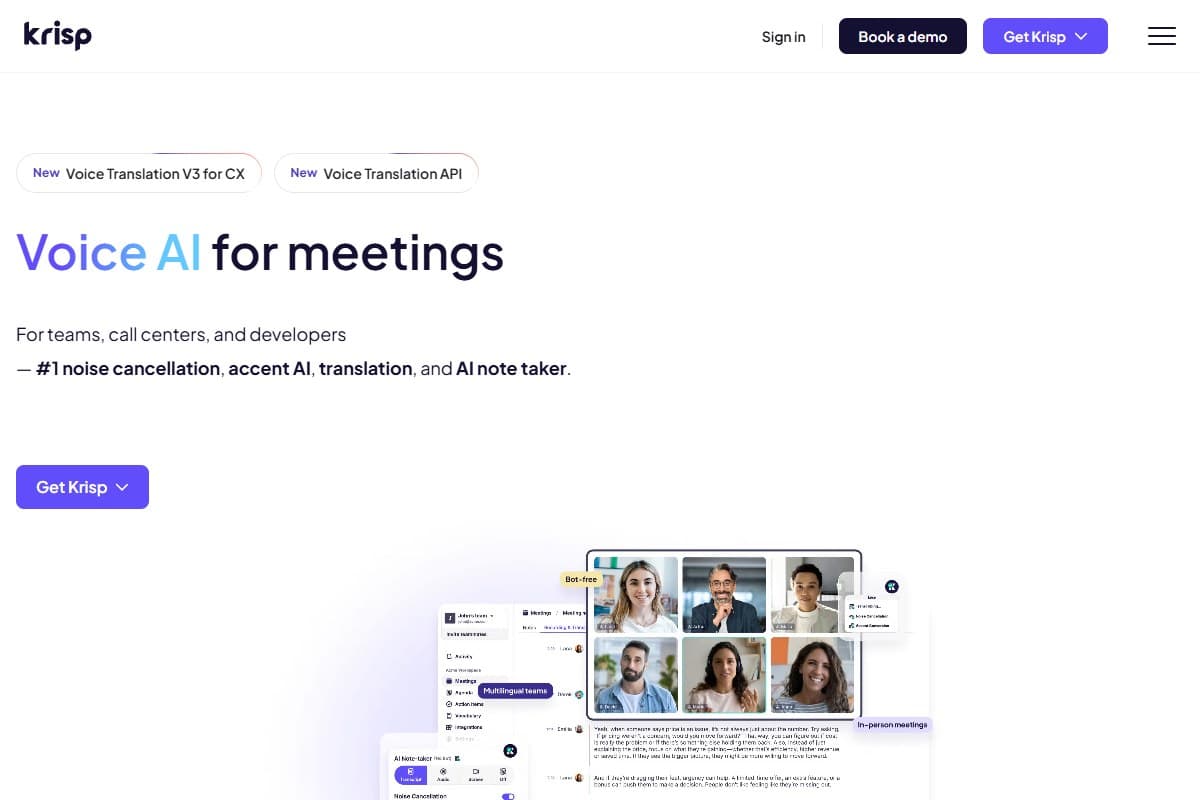
The whole AI audio category spent 2026 piling into meeting notes: Otter, Fathom, Granola, Wave, Fireflies, all fighting over who summarizes your Zoom best. Krisp is interesting because it came at the problem from the opposite end. It already owned the layer underneath all of them: the audio itself. Once your microphone is clean, the company reasoned, transcription and notes are the easy part to add on top. So it did, folding an AI Meeting Assistant, transcription, and even real-time accent conversion into what used to be a single-purpose noise app.
What's kept Krisp in the conversation is the architecture, not the feature creep. The noise cancellation runs on-device (your raw audio never leaves your machine to get cleaned), which is a real privacy story in a year where every other tool wants to ship your meetings to a cloud model. Pair that with SOC 2 and HIPAA compliance and Krisp became the default recommendation for anyone in healthcare, legal, or finance who needs clean calls without a data-handling headache.
What Krisp actually is
Krisp is an app-layer audio filter. It installs a virtual microphone and speaker, and any conferencing app that lets you pick a mic (which is all of them) can route through Krisp. That's the whole trick: it's not a Zoom plugin or a Teams add-on, it sits beneath them, so it works everywhere at once.
- Bidirectional noise cancellation: strips background noise from your mic and from the people you're listening to
- Background voice cancellation: removes other human voices near you, not just fans and traffic (the hard one)
- Echo cancellation: kills room echo and acoustic feedback on speakerphone setups
- AI Meeting Assistant: transcription, summaries, and action items layered on top of the clean audio
- Accent conversion: real-time accent localization aimed at call-center and support teams
- On-device processing: audio is cleaned locally; SOC 2 and HIPAA compliant
My honest testing experience
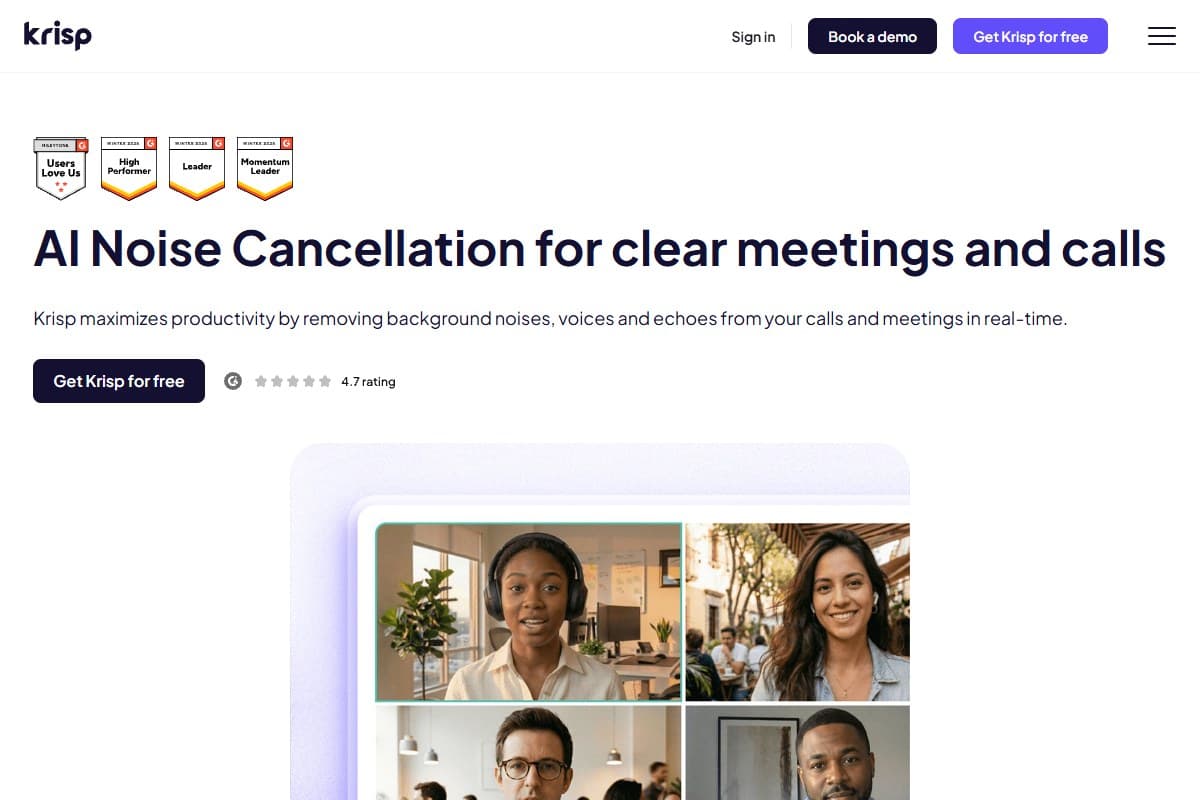
The moment that earned the rating happened during the leaf-blower call. A two-stroke engine howling six feet from an open window is the kind of noise that normally ends a meeting. On the other end, my colleague said she heard nothing. Not muffled, not reduced. Gone. I had to walk to the window and confirm the thing was still running. Steady, droning noise is where Krisp is genuinely uncanny: fans, traffic, AC hum, engines, keyboard clatter all evaporate the instant the toggle is on.
The pattern that kept repeating: Krisp is near-perfect on constant noise and merely very good on sudden, voice-shaped noise. The café was the real test. Ambient clatter and the espresso machine disappeared completely, but when someone two tables over laughed sharply or a server called out an order, a faint sliver occasionally slipped through before the AI clamped down. We're talking a fraction of a second, a handful of times in thirty minutes. Still, it's the honest edge of what the model can do. Background voice cancellation is the frontier, and Krisp is closer to solving it than anything else I've tried, without having fully nailed it.
The meeting notes surprised me. I went in expecting an afterthought and got a tidy summary with accurate action items off the keyboard-and-TV session. It's not going to dethrone a dedicated note-taker on speaker labels or formatting, but because it's working from already-clean audio, the transcription accuracy was a notch higher than I expected.
Listener reported hearing no background noise at all; I had to verify the blower was still on
What I liked
- It actually makes noise disappear. Not "reduced," not "softened"; on steady noise the result is genuinely silent, and that's rare
- Works in every app at once: because it's a virtual mic, Zoom, Meet, Teams, Slack, and Discord all get clean audio with zero per-app setup
- Bidirectional cleaning: it also strips noise from incoming audio, which saved a call where the other person was in a wind tunnel of a car
- On-device privacy: the noise cancellation never ships your raw audio to a server; SOC 2 + HIPAA is a real differentiator for regulated work
- One toggle, no fiddling: there's no EQ rabbit hole; you turn it on and forget it exists, which is exactly what you want mid-call
- The notes are a real bonus: transcription quality benefits from the clean input, so the assistant punches above what I expected from a noise app
What frustrated me
- Sudden voice-like sounds can leak: a sharp laugh or a called-out order occasionally slips a sliver through before the AI catches it; background voice cancellation isn't fully solved
- No permanent free tier anymore: the only free option is now a 7-day trial of the paid features; the old standing free allowance is gone, so after a week it's pay or nothing
- It's another always-on background app: on an older laptop the constant processing is a noticeable, if modest, draw on CPU and battery
- The meeting assistant isn't best-in-class: speaker labels and export options trail dedicated note-takers like Otter; treat notes as a perk, not the reason to buy
What I'd change about Krisp
If I had the team's ear for ten minutes, three things:
- Bring back a real free tier. Krisp built its reputation on a standing free allowance of daily noise cancellation; today the only free option is a 7-day trial. A trial converts people who already know they want it, but the permanent free plan is what earned Krisp its word-of-mouth; losing it cedes the "just keep it on forever" crowd to cheaper rivals.
- Close the gap on sudden voices. The steady-state noise problem is essentially solved. The remaining frontier is the unexpected human sound: a laugh, a shout, a name called across a room. Nailing that would move Krisp from "the best" to "untouchable," and it's the one thing power users still notice.
- Make the meeting assistant earn its place. Right now it feels like it exists because the category demanded it. Either invest in best-in-class diarization and exports so it competes with Otter, or lean harder into "notes from audio so clean the transcript is more accurate" as the actual angle, because that's the real, defensible advantage.
None of these dent the core product. But the first two are the difference between a 4.4 and a 4.7.
Pricing: is it worth it?
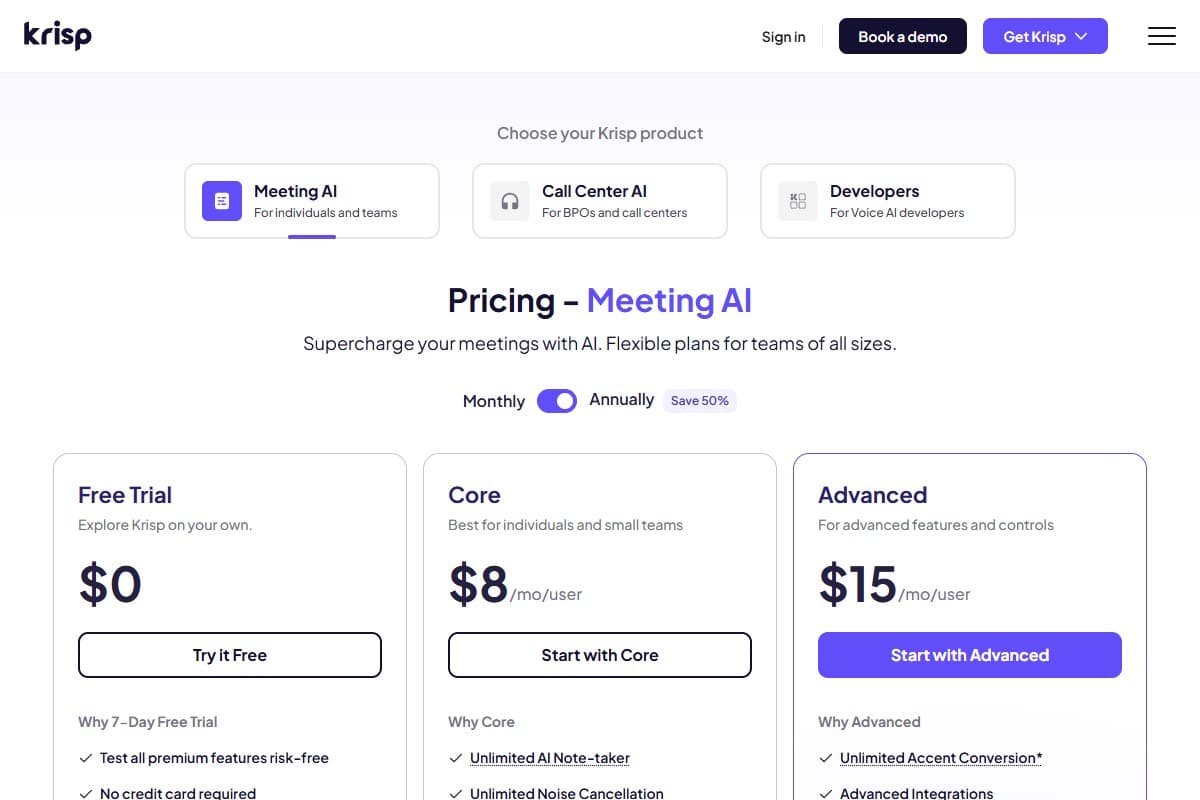
- 7-day trial of premium features
- No credit card required
- Works in every app
- Best for: trying it before you buy
- Unlimited noise cancellation
- Unlimited AI Note-taker
- Bidirectional noise + echo removal
- Best for: individuals & full-time remote workers
- Everything in Core
- Unlimited accent conversion
- Advanced integrations & controls
- Best for: support & sales teams
Core at $8/month per user billed annually (prices vary by region and billing term) is the tier that matters, and for unlimited noise cancellation this good it's an easy yes: it's cheaper than most note-takers' paid plans, and it's solving a problem they don't even touch. The honest knock is that the only free option is now a 7-day trial rather than the standing free plan Krisp used to offer, so you've got a week to decide rather than an open-ended runway. If you take more than one noisy meeting a day, the math makes Core a no-brainer. See current tiers and any active offers on the AIToolBlaze deals page.
Who should use Krisp
Buy it if you are:
- A remote worker who takes calls from unpredictable, noisy places: home with kids, a café, a co-working floor, a car
- In a regulated field (healthcare, legal, finance) where on-device, SOC 2 / HIPAA-compliant audio handling actually matters
- App-agnostic: you bounce between Zoom, Meet, Teams, and Slack and want clean audio in all of them without configuring each one
Who should avoid Krisp
Skip it (try alternatives) if you are:
- Mainly after meeting notes and summaries; a dedicated note-taker like Otter or Wave will out-transcribe Krisp's assistant
- Always calling from a quiet, controlled home office, where you may not need active cancellation at all
- On a very old or low-power laptop where another always-on background process is a real performance cost
How Krisp compares to the alternatives
| Tool | Rating | Price | Best for | Verdict |
|---|---|---|---|---|
| Krisp | 4.4/5 | $8/mo | Clean audio on any app from noisy places | Best-in-class noise cancellation; notes are a bonus, not the draw |
| Otter.ai | 4.2/5 | Free / $16.99/mo | Transcription & meeting notes for virtual calls | Stronger note-taker, but no real noise cancellation |
| Wave AI Note Taker | 4.1/5 | $11.67/mo | Bot-free capture of real-world audio | Great transcription of phone/in-person audio; not a noise tool |
| Use case | Winner |
|---|---|
| Killing background noise on any call | Krisp |
| On-device / regulated-industry privacy | Krisp |
| Best meeting notes & summaries | Otter.ai |
| Phone calls & in-person transcription | Wave |
| Clean audio across many apps at once | Krisp |
The honest framing: Krisp and the note-takers aren't really competitors, they're complements. Krisp cleans the audio; Otter or Wave writes it down. The best remote-work stack in 2026 often runs Krisp underneath whichever note-taker you prefer.
Final verdict: 4.4 out of 5
Krisp earns its rating by being the rare AI tool that does one hard thing almost perfectly. Steady-state noise cancellation is genuinely uncanny (I confirmed a leaf blower was still running because my listener couldn't hear it), it works in every app at once with a single toggle, and the on-device privacy story is concrete rather than marketing fluff. I'm deducting for sudden voice-like sounds that can occasionally leak before the AI clamps down, the loss of a permanent free tier (it's a 7-day trial now), and a meeting assistant that's a decent bonus rather than a reason to buy. If you take calls from anywhere noisy, and especially if privacy matters, it's a clear buy at $8/month. If all you want is meeting notes, pair a dedicated note-taker with it or start there instead.
Bottom Line
Krisp earns 4.4 out of 5 by doing one hard thing almost perfectly: its on-device AI strips steady-state background noise so completely that listeners can't tell a leaf blower is running behind you, and it works across every app with a single toggle. The deductions are minor: occasional voice-like sounds leak before the AI clamps down, the free tier is gone (now a 7-day trial), and the meeting assistant is a bonus rather than a reason to buy. Buy it at $8/month if you take calls from anywhere noisy or privacy matters to you; skip it if all you actually want is meeting notes, where a dedicated note-taker serves you better.
FAQ: Krisp review
Is Krisp worth paying for?
For anyone who takes calls from a noisy or unpredictable environment, yes. Core at $8/month per user (billed annually) unlocks unlimited noise cancellation plus the meeting assistant, and it's cheaper than most paid note-takers while solving a problem they don't address. The value is highest if you have more than one noisy meeting a day, and since the free option is only a 7-day trial, full-time remote workers will move to a paid plan quickly.
How well does Krisp actually cancel noise?
In my testing it was near-flawless on steady, constant noise: a leaf blower, traffic, AC hum, and keyboard clatter effectively disappeared, in both directions on the call. Where it shows minor strain is sudden, voice-shaped sounds like a sharp laugh or someone calling out nearby, which can leak a sliver for a fraction of a second before the AI catches them. Background voice cancellation is the hardest case, and Krisp is the closest I've used to solving it.
Krisp vs Otter vs Wave: which should I pick?
They solve different problems despite all being "AI audio" tools. Pick Krisp if your priority is clean audio on calls from noisy places, across any app, with on-device privacy. Check the best AI meeting assistant roundup if you mainly want strong transcription and meeting summaries for virtual calls, or Wave if you record real-world audio like phone calls and in-person meetings. Many people run Krisp underneath a note-taker rather than choosing between them.
Does Krisp work with Zoom, Teams, and Google Meet?
Yes, with all of them at once. Krisp installs a virtual microphone and speaker, so any app that lets you choose an audio device (which is every major conferencing tool plus Slack and Discord) can route through it. You set it up once and it works everywhere, rather than installing a separate plugin per app.
Is Krisp private and secure?
This is one of Krisp's strongest points. The noise cancellation runs on-device, so your raw audio is cleaned locally and never sent to a server just to be filtered, and the company maintains SOC 2 and HIPAA compliance. That makes it a credible option for healthcare, legal, and finance teams who need clean calls without a data-handling concern.
What's the catch with Krisp's free plan?
These days the free option is a 7-day trial of the premium features rather than a standing free plan: Krisp's older always-free daily allowance is gone. That's plenty to feel the difference on real calls, but once the week is up you'll need a paid plan (Core from $8/month) to keep using it. If Krisp is going to be your daily driver, plan on Core from the start.
Related reviews
- Cluster hub: AI Audio Tools
- Wave AI Note Taker Review 2026
- Best AI meeting assistant roundup
- Best Free AI Tools (Tested)
Got a Krisp question I didn't cover, like how it handles a specific noise type or app? Get in touch: reader questions shape the next round of reviews.
Free interactive tool
Compare Krisp with other AI toolsSide-by-side pricing, features, and ratings — plus a recommended pick for your use case.
Independent AI tools researcher testing what actually works.
Keep reading
Related reviews
Wave AI Note Taker Review 2026: Is the Bot-Free Transcriber Worth It? (Hands-On Test)
Wave is the bot-free AI note taker quietly racking up 11,000+ 5-star reviews. I tested it on real calls, meetings, and a lecture: here's the honest verdict.
ElevenLabs Music v2 Just Launched: AI Music That Switches Genres Mid-Track (And Cuts Pricing Up to 50%)
ElevenLabs Music v2: mid-track genre switching, section inpainting, embedded sound effects, and up to 50% lower API pricing. My honest first-48-hours take.
ElevenLabs Review 2026: Is the $22 Creator Plan Actually Worth It?
ElevenLabs hit $500M ARR and signed Spotify for AI audiobooks. After testing Eleven v3 hands-on, here's my honest verdict on whether it's worth the money.