
The fastest way to overpay for automation in 2026 is to compare the monthly prices. That number is the least useful figure on any of these pricing pages, because the six AI automation tools below meter six different things: Make counts credits, Zapier counts tasks, n8n counts full workflow executions, ActivePieces counts credits per day, Taskade counts credits per agent run, and Systeme.io does not meter automation at all. Two platforms at the same headline price can differ by more than ten times in what they actually let you run.
So I built the same workflows on all six and watched the meter rather than the price tag. This post ranks them by what they cost to run once real volume hits, with the billing unit spelled out for each. Six tools, the same jobs, no press-kit paraphrasing.
Best AI automation tools 2026: quick picks
Make.com
Free · from $9/mo
The most capability per dollar in the category. A visual canvas you can actually debug, and 10,000 credits for $9 against Zapier's 750 tasks for $19.99.
Systeme.io
Free forever · from $17/mo
Not a general automation platform. It is the one that automates the marketing stack itself: funnels, email sequences and courses, on a free plan that is genuinely usable.
Taskade
Free · from $10/mo
The cheapest way to run agents that act on your data rather than rules that move it. Unlimited agents and automations on a $10 plan with ten seats.
Zapier
Free · from $19.99/mo
The largest app catalog at 9,000+ integrations and by far the gentlest learning curve. You pay for both in per-task pricing that bites at volume.
n8n
Self-host free · cloud from €20/mo
Bills per full workflow execution rather than per step, and the Community Edition self-hosts for free. Read the licence before you resell it.
ActivePieces
Free · from $20/mo
100 credits a day forever with unlimited flows, and an MIT-licensed core you can embed in your own product without asking anyone.
Links to Make.com, Systeme.io and Taskade are affiliate links. Zapier, n8n and ActivePieces are plain links, because I have no affiliate relationship with any of them. It did not change the order, and I have said so at each position.
How I Tested This
Quick comparison: the six at a glance
| Tool | Best for | Entry price | The meter | The catch |
|---|---|---|---|---|
| Make.com | Most multi-step work | $9/mo | Credits (1 per module run) | Polling drains credits fast |
| Systeme.io | Marketing funnels | Free, then $17/mo | Nothing metered | Not a general automation tool |
| Taskade | Agents acting on data | $10/mo | Credits per agent run | Free credits never renew |
| Zapier | Simple workflows, fast | $19.99/mo | Tasks (1 per step) | Cheapest paid tier is 750 tasks |
| n8n | Self-hosting, volume | Free self-host | Full executions | Fair-code licence, not MIT |
| ActivePieces | Running free forever | $0 | Credits per day | 100/day resets, no monthly pool |
That table is the whole argument of this post. A three-step workflow run 250 times a month costs 750 tasks on Zapier, which is the entire $19.99 Professional tier. The identical workflow costs 750 credits on Make, which is inside the free plan. On n8n it costs 250 executions, a tenth of the €20 Starter tier. Same work, three wildly different bills.
1. Make.com: best overall
Make is the tool I would hand to anyone whose automations have outgrown "when this, then that" and who is willing to spend an afternoon on the learning curve. The visual canvas is the reason. When a workflow breaks at step six of nine, Make shows you the actual data that moved between each module, so you find the malformed field in a minute instead of bisecting a linear log.
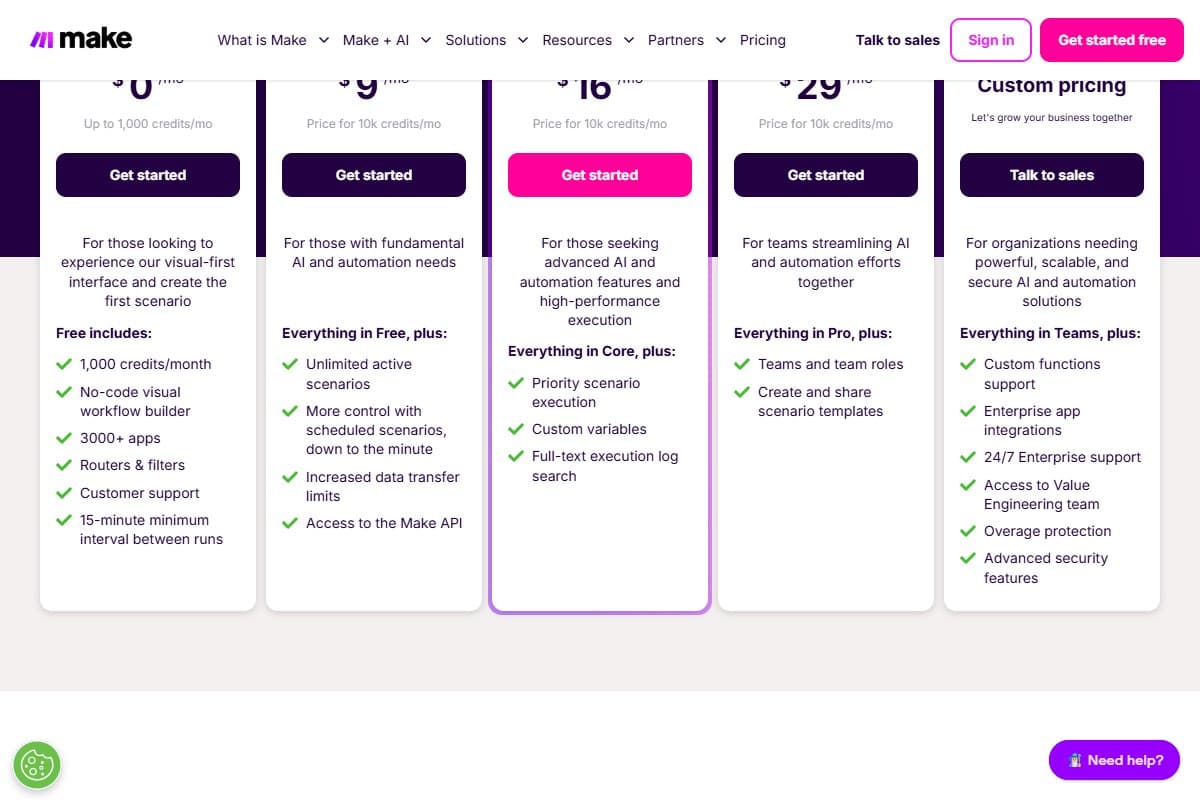
The pricing is the other reason, and it is not close. Core is $9 a month for 10,000 credits. Zapier's cheapest paid tier is $19.99 a month for 750 tasks. Both count roughly the same thing, one unit per module or step that runs, so that is twenty times the volume for less than half the price. The free plan gives 1,000 credits a month with access to 3,000+ apps, which is enough to build and run something real.
Two things to know before you commit. Make renamed its billing unit from operations to credits in August 2025, converting at one to one, so older tutorials still apply. And the free plan enforces a 15-minute minimum interval between scheduled runs, which is the ceiling most people hit before they hit the credit cap. My full Make.com review covers the learning curve honestly, and the Pictory and Make video workflow is a complete worked build if you want to see the shape of a real scenario.
- Roughly 20x the volume of Zapier's entry tier for less than half the price
- Visual canvas shows the actual data moving between modules, which makes debugging tractable
- 3,000+ app integrations plus routers, iterators and filters on the free plan
- Routers and error-handler modules consume zero credits, so branching is effectively free
- Free plan is genuinely usable at 1,000 credits a month rather than a time-limited trial
- Real learning curve: iterators and aggregators take a weekend to click
- Polling on a short interval drains credits even when nothing has changed
- Free plan is capped at a 15-minute minimum interval between scheduled runs
- Native AI modules can consume more than one credit per operation, unlike standard modules
- Failed runs still consume the credits they used before failing
2. Systeme.io: best for marketing funnels
Systeme.io is the odd entry here and it earns its place by being honest about what it is. This is not a general-purpose automation platform. You cannot wire arbitrary APIs together with it. What it does instead is automate the entire marketing stack in one tool: sales funnels, email sequences, courses, affiliate programs and a blog, with the automation built into those objects rather than bolted on.
For a solopreneur that trade is usually correct. Wiring a funnel together from a page builder, an email tool and a course platform using Make or Zapier means three subscriptions plus the automation bill plus the integration maintenance. Systeme.io replaces all of it, and the free plan is the most genuinely useful free tier in this entire roundup: 2,000 contacts, three sales funnels, one course, a blog, unlimited emails, no transaction fees, and no card required.
Paid plans start at $17 a month for Startup, which lifts you to 5,000 contacts and unlimited funnels. Webinar is $47 and Unlimited is $97. The comparison that matters: Systeme.io's most expensive plan costs the same as ClickFunnels' cheapest, and ClickFunnels has no free tier at all. The honest weakness is polish, because the templates and the email designer are basic next to premium suites. My Systeme.io review covers exactly where the free tier runs out.
- The most usable free tier here: 2,000 contacts, 3 funnels, a course and unlimited emails, no card
- Replaces three or four separate subscriptions rather than gluing them together
- Zero transaction fees on sales, which most competitors charge on lower tiers
- $97 unlimited plan matches ClickFunnels' entry price for vastly more volume
- Nothing is metered per automation run, so costs stay flat and predictable
- Not a general automation platform: you cannot wire arbitrary APIs together
- Templates and the email designer are basic next to premium marketing suites
- Locks your funnels, list and courses into one vendor, which raises the exit cost
- Limited use outside marketing, so most teams still need Make or Zapier alongside it
3. Taskade: best for AI agents and automation
Taskade sits at the boundary between automation and agents, which is where a lot of 2026 work actually lives. A Make scenario executes rules you defined. A Taskade agent gets an instruction, a set of tools and access to your project data, then decides the steps itself. For anything where the task is fuzzy, such as "summarise this week's research and draft next week's outline", that difference is the whole point.
It is also the cheapest serious agent platform in this list. Pro is $10 a month billed annually for 50,000 credits, unlimited agents, unlimited automations and ten seats included. Business at $25 adds white-label, API access and unlimited members with 150,000 credits. Against that, most dedicated agent platforms start at $40 or more for a single seat.
The catch is the free plan, which is a trial in disguise. You get 6,000 credits once, awarded as 1,000 on verification plus 5,000 on your first app build, and they do not renew monthly. That is enough to evaluate the product properly and not enough to run anything ongoing. My Taskade review has the full credit-burn picture.
- Cheapest real agent platform here at $10/mo for unlimited agents and ten seats
- Agents live inside the project workspace, so they have context that detached tools lack
- Unlimited automations and apps from the Pro tier up
- White-label plus API at $25/mo, far below what competitors charge for either
- Switches between multiple frontier models per task rather than locking you to one vendor
- Free-tier credits are one-time and never renew, so the free plan is effectively a trial
- Agent runs consume credits unpredictably compared to deterministic rule-based tools
- Narrower integration catalog than Make or Zapier for pure app-to-app plumbing
- Breadth of the product makes the first hour steeper than a single-purpose builder
4. Zapier: most popular
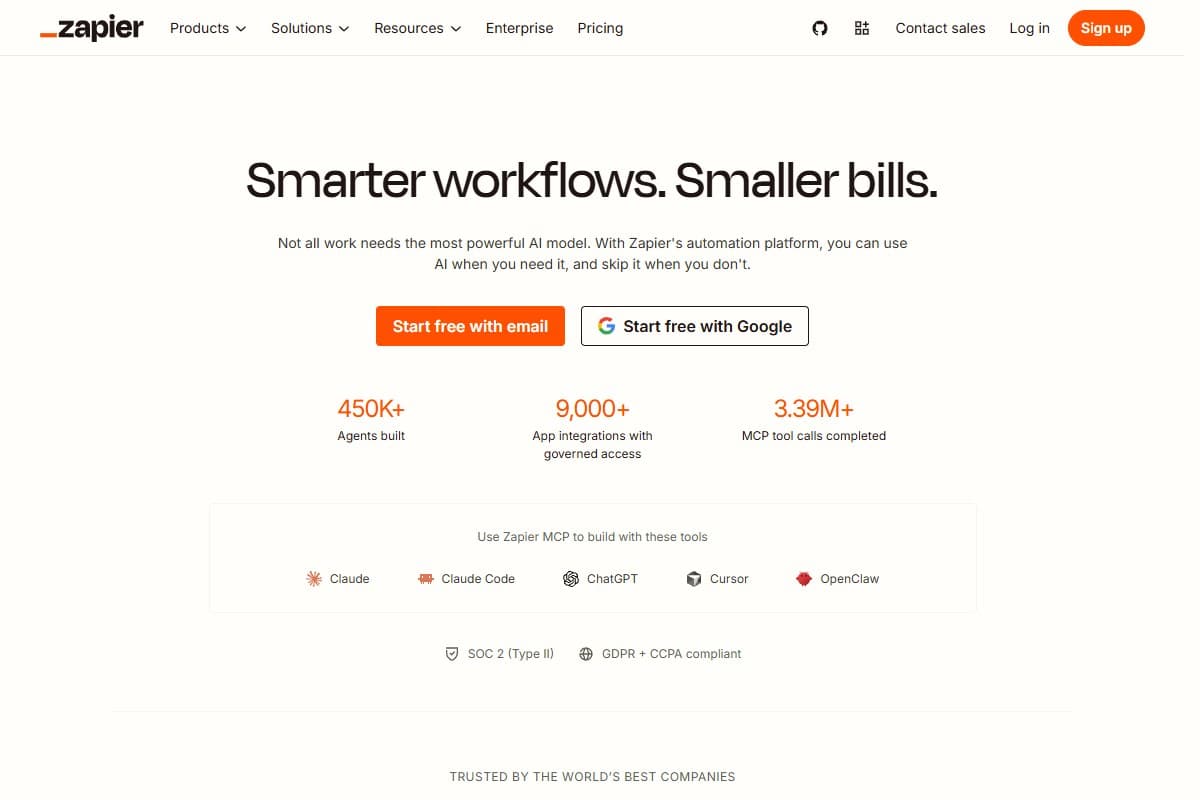
Zapier is the most popular automation platform for good reasons, and the reasons are not technical. Its app catalog is the largest in the category at over 9,000 integrations, so the obscure tool your finance team insists on is more likely to be there than anywhere else. And its linear step-by-step builder is genuinely the easiest on-ramp in this roundup. Third-party testing puts a first working Zap at 30 to 60 minutes against four to ten hours for an equivalent n8n workflow.
The problem is what it costs once you are past that first Zap. The free plan allows 100 tasks a month and two-step Zaps only, which rules out most real work immediately, since a trigger plus two actions is already three steps. Paid starts at $19.99 a month billed annually for 750 tasks, and a task is consumed per step, not per workflow. A three-step automation running 250 times a month consumes your entire entry tier.
Zapier has leaned hard into AI, reporting 450,000 agents built and MCP connections into Claude, ChatGPT and Cursor. That is real and useful. It does not change the arithmetic that makes Make roughly twenty times cheaper per unit of work.
- Largest app catalog in the category at 9,000+ integrations
- Gentlest learning curve here: a first working workflow in 30 to 60 minutes
- Strong AI and MCP layer connecting into Claude, ChatGPT, Cursor and others
- Highest ease-of-use scores of the three big platforms in third-party review data
- SOC 2 Type II, GDPR and CCPA compliance, which matters for regulated buyers
- Most expensive per unit of work here: 750 tasks for $19.99 against Make's 10,000 credits for $9
- Free plan is limited to 100 tasks a month and two-step Zaps, which excludes most real workflows
- Tasks are consumed per step, so multi-step automations drain the allowance several times faster
- Linear builder makes complex branching harder to model than Make's canvas
- Costs escalate sharply above 10,000 tasks a month
5. n8n: best self-hosted
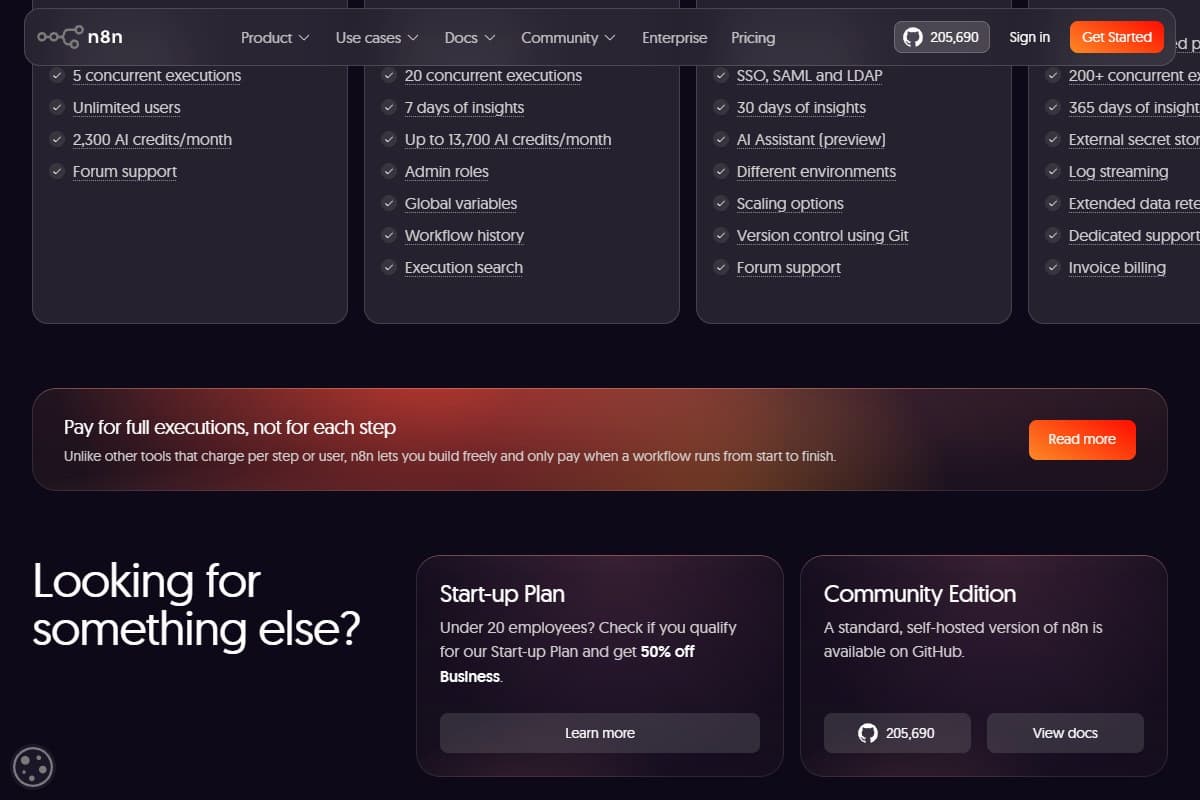
n8n is the pick for technically confident teams, and it has the most interesting pricing model in this roundup. It bills per full workflow execution rather than per step. A nine-module workflow costs one execution on n8n and nine credits on Make or nine tasks on Zapier. For long, complex workflows run at moderate frequency, that is a structural advantage no amount of discounting elsewhere can match.
Cloud plans start at €20 a month for Starter with 2,500 executions and 2,300 AI credits, then €50 for Pro with 10,000 executions. The Community Edition is free to self-host, and at over 205,000 GitHub stars it has the largest community of any tool here.
One correction worth making, because it affects real commercial decisions. n8n is not open source in the OSI sense. It ships under the Sustainable Use Licence, which the company describes as "fair-code". Self-hosting for your own internal automations is free and unrestricted. Offering n8n itself as a service, white-labelling it, or embedding it in a product you sell requires a commercial agreement. If that is your plan, ActivePieces below is the one with the permissive licence. The other cost is learning: expect four to ten hours to your first non-trivial workflow.
- Bills per full execution, not per step, which is dramatically cheaper for long workflows
- Community Edition self-hosts free with no execution cap beyond your own hardware
- Largest community here at over 205,000 GitHub stars
- Highest satisfaction scores of the three big platforms in G2 review data
- Native code nodes let you drop into JavaScript or Python when the visual layer runs out
- Steepest learning curve here: four to ten hours to a first non-trivial workflow
- Fair-code licence, not OSI open source, and it restricts reselling or white-labelling
- Self-hosting means you own uptime, backups, upgrades and security patching
- Cloud Business tier jumps to €667/mo, a very large step above Pro
- Expects comfort with APIs, JSON and data shapes that Zapier hides from you
6. ActivePieces: best free option
ActivePieces is the most generous free plan in this roundup and the only tool here with a genuinely permissive licence. The free tier gives 100 credits a day with unlimited flows, and includes flows, agents, tables, MCP support and API access. It resets daily rather than monthly, which suits steady low-volume automation better than a monthly pool you can exhaust in week one.
The licence is the real story. The ActivePieces core is MIT-licensed, which means you can self-host it, modify it, embed it inside a product you sell, and white-label it without asking anyone or signing anything. For an agency building automation into client deliverables, that distinction against n8n's fair-code terms is worth more than any feature comparison.
Paid plans are flat rather than per-seat: $20 a month for Plus with 10,000 monthly credits and up to five users, $200 for Team with 50,000 credits and 25 users. The trade is catalog depth, at 760+ integrations against Zapier's 9,000+, though anything with an API works through the HTTP piece. The community is also much smaller, so you will find fewer worked examples when you get stuck.
- MIT-licensed core, so you can embed, resell or white-label it with no agreement
- 100 credits a day free forever with unlimited flows, resetting daily rather than monthly
- Flat pricing rather than per-seat: $20/mo covers five users, $200/mo covers 25
- Self-hosting is free and unrestricted, unlike n8n's commercial terms
- Includes agents, tables, MCP and API access even on the free tier
- 760+ integrations against Zapier's 9,000+, so obscure apps often need the HTTP piece
- Smallest community here, which means fewer worked examples when you get stuck
- Daily credit reset is awkward for bursty workloads that need a monthly pool
- Less mature than Make or Zapier, with a shorter track record on reliability at scale
Entry-tier pricing, side by side
- 100 credits per day
- Unlimited flows
- MIT licence, self-host free
- 760+ integrations
- Best for: running free indefinitely
- 10,000 credits/month
- 3,000+ apps
- Visual scenario canvas
- Free tier: 1,000 credits
- Best for: most multi-step work
- 50,000 credits/month
- Unlimited agents, 10 seats
- Annual billing
- Free credits never renew
- Best for: agents on your data
- 5,000 contacts
- Unlimited funnels
- Nothing metered per run
- Free forever tier available
- Best for: marketing funnels
- 750 tasks/month
- 9,000+ integrations
- Annual billing
- Free tier: 100 tasks
- Best for: simple workflows
- 2,500 executions/month
- Billed per full execution
- Community Edition free
- Fair-code licence
- Best for: self-hosting at volume
Read that as six billing models rather than six prices. Make and Taskade count credits. Zapier counts tasks per step. n8n counts whole executions. ActivePieces counts credits that reset daily. Systeme.io does not meter automation at all. The only honest way to compare is to estimate your monthly run volume and multiply it by each platform's unit, which is exactly the step most buyers skip.
How to pick, by the job you actually have
Your workflows have more than three steps. Make.com. The per-unit economics are decisively better than Zapier's and the canvas is what makes a nine-module scenario maintainable.
You need it working this afternoon and you are not technical. Zapier. You will pay several times more per unit of work, and for simple, low-volume automations that is a rational trade for the hours you save.
You are automating marketing rather than plumbing. Systeme.io. Funnels, email and courses in one tool beats wiring three subscriptions together, and the free plan runs a small business.
The task needs judgement, not rules. Taskade at $10 a month. Agents that read your project context beat a rule engine on anything fuzzy.
You have volume and technical confidence. n8n. Per-execution billing plus free self-hosting is the cheapest path at scale, if you can absorb the learning curve and own the infrastructure.
You are an agency embedding automation in what you sell. ActivePieces. The MIT licence is the entire answer, and it is the one thing n8n's fair-code terms do not permit.
What the Community Is Saying
The review data and the community consensus agree with what I measured, with one recurring complaint that shows up everywhere.
On G2, n8n carries the highest satisfaction of the three major platforms, at roughly 4.8 from around 219 reviews, against Make at about 4.6 from 270 and Zapier at 4.5 from over 1,500. The pattern is worth reading carefully: Zapier's score comes from a review base six times larger, which usually means a broader and less self-selected group of users. n8n's score reflects a smaller, more technical population that chose it deliberately. The G2 Make versus n8n comparison collects both sets of reviews side by side.
The learning-curve gap is the most consistently reported finding across independent comparisons. Multiple 2026 reviews put a first non-trivial n8n workflow at four to ten hours against 30 to 60 minutes for the equivalent in Zapier, with Make in between. That gap is the single best predictor of whether a team actually adopts the tool it picked.
The universal complaint is usage meters running out before the month does. It surfaces for every platform here that meters anything, and the cause is almost always the same: polling on a short interval, which consumes the allowance whether or not there is new data to process. The fix is also the same everywhere, which is to redesign around webhooks. Make's own community forum is full of this exact thread, and it is the reason my Make.com review spends as long as it does on the credit counter.
For the two self-hosted options, the repositories are the most honest signal available: n8n on GitHub at over 205,000 stars, and ActivePieces on GitHub, where you can read the MIT licence yourself rather than take a comparison post's word for it.
Bottom Line
Make.com is the best AI automation tool for most people in 2026 because it gives roughly twenty times Zapier's entry volume for less than half the price, and its visual canvas is what makes a nine-step workflow debuggable when it breaks. Pick Zapier instead if your automations are simple, your volume is low and your time is expensive, because a first working Zap takes under an hour against four to ten for n8n. Pick Systeme.io if you are automating marketing rather than plumbing, Taskade at $10 if the work needs judgement rather than rules, n8n if you have volume and can self-host, and ActivePieces if you need a permissive licence or a free plan that never expires. Whichever you choose, estimate your monthly run volume first and multiply it by each platform's billing unit, because the sticker price will not predict your bill on any of them.
FAQ: best AI automation tools in 2026
What is the best AI automation tool in 2026?
Make.com for most people. Its Core plan is $9 a month for 10,000 credits where Zapier's entry paid tier is $19.99 for 750 tasks, and both count roughly one unit per step that runs, so Make delivers around twenty times the volume for less than half the price. The visual canvas also makes multi-step workflows debuggable in a way linear builders do not. Zapier is the better pick if you are non-technical and your automations are simple, and n8n is better if you have real volume and can self-host.
Which automation tool is cheapest at scale?
Self-hosted n8n or ActivePieces, because the only cost is the server. Among cloud plans, n8n's per-execution billing is cheapest for long workflows, since a nine-step workflow costs one execution rather than nine credits or nine tasks. Make is cheapest for high-frequency short workflows at $9 for 10,000 credits. Zapier is the most expensive per unit of work at every tier and escalates sharply above 10,000 tasks a month.
Is Make.com better than Zapier?
For multi-step workflows and for cost, yes. Make gives about twenty times the monthly volume at less than half the entry price, and its visual canvas handles branching, looping and data restructuring far more gracefully than Zapier's linear steps. Zapier wins on two things that genuinely matter: a 9,000+ app catalog against Make's 3,000+, and a learning curve short enough that a first workflow takes under an hour. If you need an obscure integration or you are not technical, Zapier is the right answer despite the price.
Is n8n really open source?
Not in the strict sense. n8n ships under the Sustainable Use Licence, which the company calls "fair-code". You can self-host it free for your own internal automations with no restrictions, and the source is public on GitHub. What you cannot do without a commercial agreement is offer n8n itself as a service, white-label it, or embed it in a product you sell. If you need those rights, ActivePieces has an MIT-licensed core that permits all of them.
What is the best free automation tool?
ActivePieces, on balance. It gives 100 credits a day with unlimited flows, forever, and the daily reset suits steady low-volume work better than a monthly pool. Self-hosted n8n or ActivePieces is unlimited if you can run a server. Make's free plan is the best of the hosted options at 1,000 credits a month with 3,000+ apps, though it caps scheduled runs at a 15-minute minimum interval. Zapier's free plan is the weakest here at 100 tasks a month with two-step workflows only.
Why did my automation credits run out so fast?
Almost always polling. A scenario checking for new data every 15 minutes runs 2,880 times a month whether or not anything changed, and each check consumes a credit or task. That single design choice accounts for most of the "my plan ran out in twelve days" reports across every platform here. The fix is to switch the trigger to a webhook so the workflow only runs when there is genuinely something to process, or to lengthen the polling interval to the slowest cadence you can tolerate.
What is the difference between automation and an AI agent?
An automation executes steps you defined in advance, so the same trigger always produces the same sequence. An agent is given an instruction, a set of tools and access to data, then decides the steps itself. Rules are cheaper, faster and fully predictable, which is why Make and Zapier remain the right tools for most plumbing. Agents earn their cost when the task is fuzzy, such as summarising research or drafting from context, which is where Taskade fits in this list.
Can I use these tools without any coding?
Yes for five of the six. Make, Zapier, Systeme.io, Taskade and ActivePieces are all no-code, though Make and ActivePieces expect you to understand how data moves between steps. n8n is the exception: it is usable without writing code but assumes comfort with APIs, JSON and data shapes, and it offers native JavaScript and Python nodes for when the visual layer runs out. That flexibility is the reason to choose it, so the trade is deliberate.
Related reviews
- Automation topic hub: every automation and integration review in one place.
- Make.com review: the full hands-on test behind the top pick, including the credit gotchas.
- Systeme.io review: where the free marketing tier actually runs out.
- Taskade review: AI agents inside a real project workspace.
- Repurpose blog posts into videos with Pictory and Make: a complete worked Make build, module by module.
Got an automation question I did not cover, or a workflow that broke in an interesting way? Get in touch; reader questions shape the next round of reviews.
Free interactive tool
Compare AI tools side-by-sideSide-by-side pricing, features, and ratings — plus a recommended pick for your use case.
Independent AI tools researcher testing what actually works.
Keep reading
Related reviews

Make.com Review 2026: The Best Zapier Alternative?
I rebuilt my Zapier automations in Make.com myself. It's cheaper per credit and more powerful, but the learning curve is real. Here's my verdict.
Best AI Chatbot Builders 2026: I Tested 6 Tools and Ranked Them
I tested 6 AI chatbot builders on the same knowledge base. Chatbase, CustomGPT, Taskade, Viktor, Botpress and Tidio, ranked by what shipped.

How to Automatically Repurpose Blog Posts into Videos Using Pictory and Make.com
The exact Make.com scenario to repurpose blog posts into videos automatically with Pictory: setup steps, real costs, time saved, and output quality.