
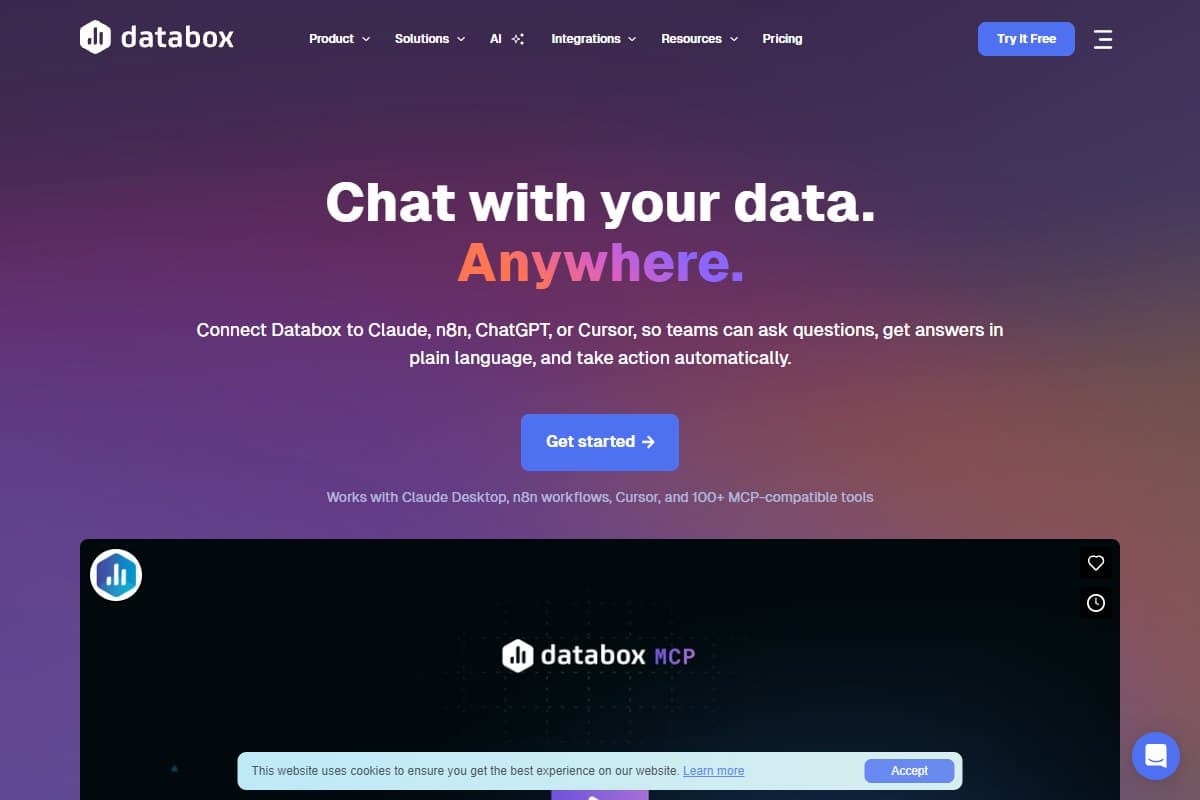
If you've ever wanted to type "how did paid search do last week vs the week before?" into Claude and get an answer pulled from your actual Google Ads and GA4 data, not a hallucination, that's the pitch for Databox MCP, which launched on June 1, 2026 and finished #3 Product of the Day on Product Hunt. It's a Model Context Protocol (MCP) server that bolts your Databox analytics onto Claude, ChatGPT, Cursor and 100+ MCP-compatible assistants, so you can interrogate your dashboards in plain English instead of clicking through them.
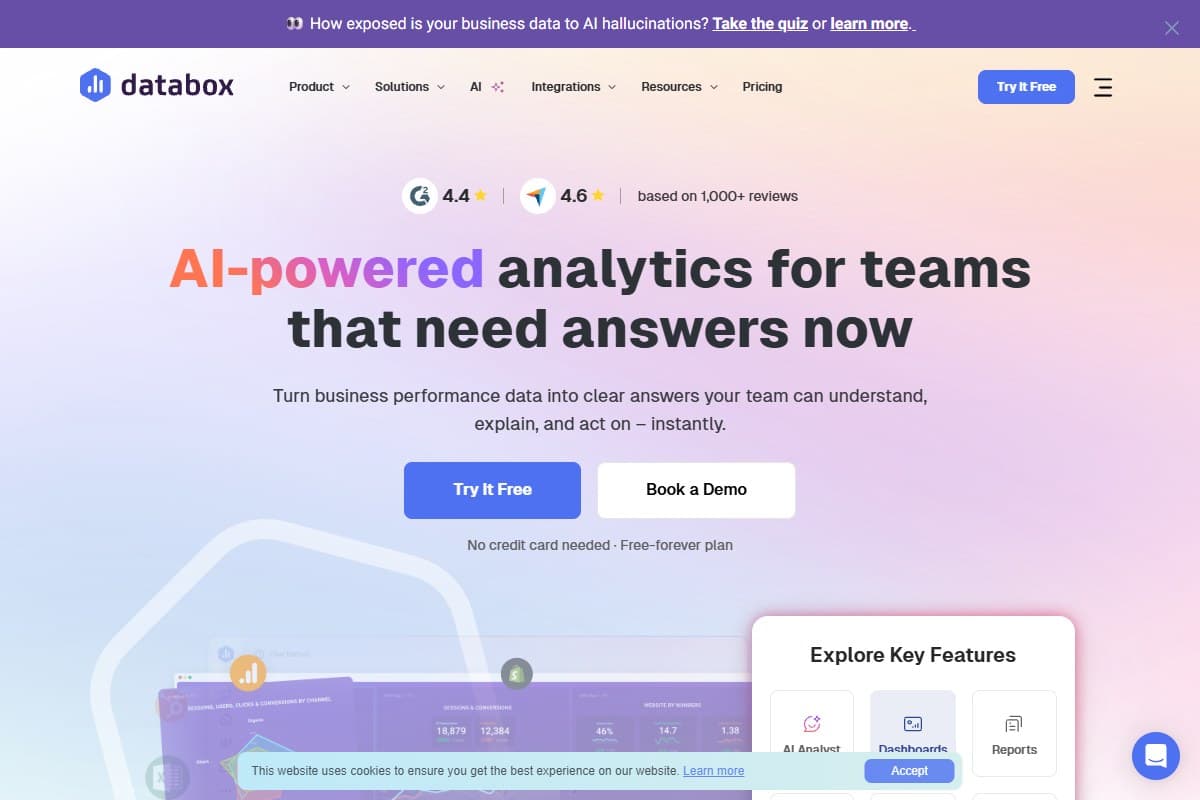
This is a launch first-look, not a six-month verdict: I'll be upfront about that. It's built on the official MCP documentation, the free-tier setup flow, and a careful read of the pricing and the affiliate fine print, not weeks of production use. But there's enough here to tell you who Databox AI is for, where the catch is, and whether it's worth wiring into your AI assistant this week. Short version: genuinely useful, with one pricing asterisk you need to see coming.
How I Tested This
Why Databox MCP is trending right now
Two things put this launch on the front page.
First, timing rides the MCP wave. Model Context Protocol went from a niche Anthropic spec to the way AI assistants plug into real tools over the back half of 2025 and into 2026. Every serious SaaS is racing to ship an MCP server, and analytics is one of the most obvious fits: dashboards are exactly the kind of structured data an assistant is bad at guessing and good at querying. Databox shipping a polished MCP server for an established product (not a weekend hack) is why it landed #3 on Product Hunt with 342 upvotes on launch day.
Second, it crosses the "talk to your data" line credibly. Plenty of tools claim conversational analytics and then hallucinate numbers. Databox's angle is a governed semantic layer: the assistant queries metric definitions your team already agreed on, with historical context, so the answer Claude gives you matches the dashboard your boss looks at. That trust gap is the whole ballgame for AI analytics, and it's why this launch got attention beyond the usual launch-day noise.
What Databox MCP actually is
In plain English: Databox MCP turns your analytics into something an AI assistant can read and reason over, live.
- An MCP server: you connect it once (OAuth 2.0, server URL
mcp.databox.com), and any MCP-compatible assistant can then query your Databox data. - Broad assistant support: Claude (web, desktop, Claude Code), ChatGPT, Cursor, n8n workflows, and 100+ MCP-compatible tools.
- 130+ data sources behind it: GA4/Google Ads, HubSpot, Salesforce, Shopify, Facebook Ads, Stripe, plus databases (BigQuery, Snowflake, PostgreSQL) and spreadsheets.
- Two-way: you can ask questions and push new data (from APIs/CSVs), schedule recurring AI analysis, and trigger metric-change alerts.
- A governed semantic layer: answers use consistent metric definitions and history, so the AI's numbers match the team's numbers.
The mental model: it's not "an AI that looks at a screenshot of your dashboard." It's "your assistant gets a clean, governed pipe into the metrics Databox already manages." That distinction is the reason the answers are trustworthy enough to act on.
My honest first-look take
The thing that genuinely impressed me on paper, and in the setup flow, is how low-friction the connection is. A 60-second OAuth handshake and your assistant can reach 130+ sources. Compare that to the usual "spin up a data warehouse, model everything, then bolt on a BI tool" slog and it's a real shortcut for teams that already keep their metrics in Databox.
The thing that gave me pause is the credit economics, and I want to be straight about it because it's the part the marketing soft-pedals.
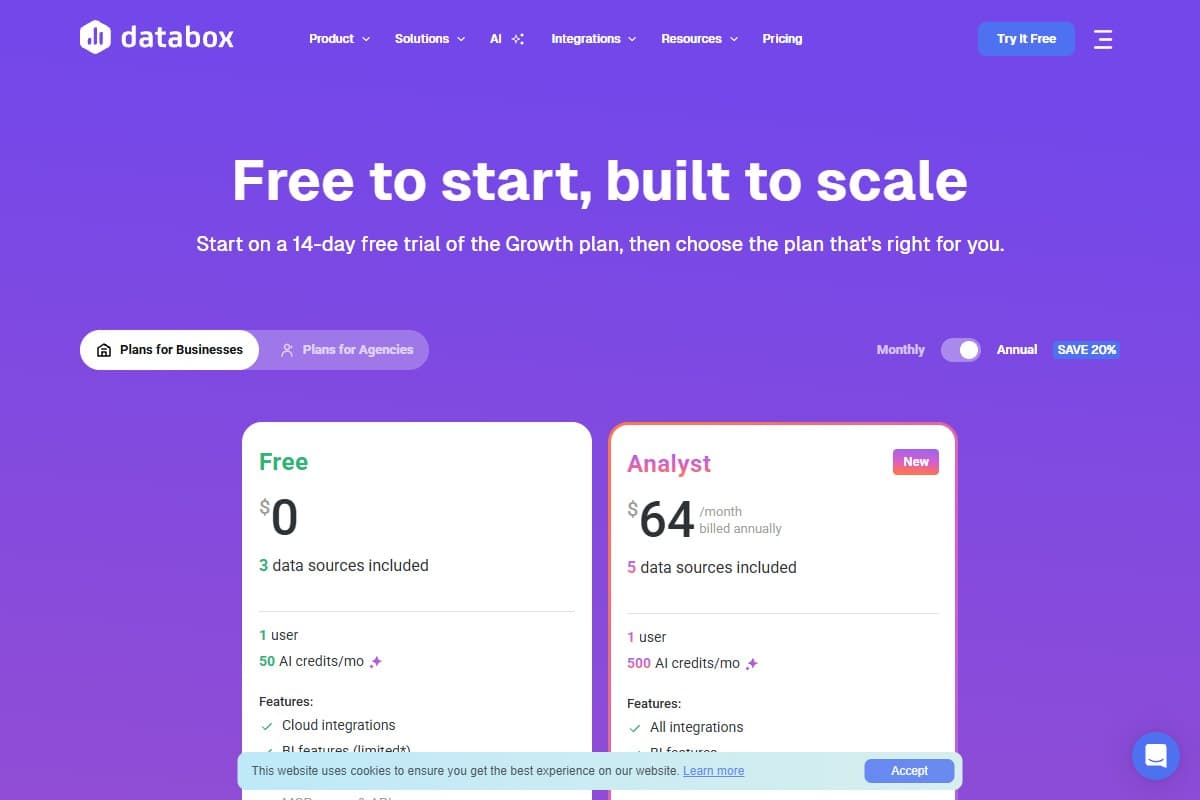
Technically true, but the Free tier is labeled 'limited' MCP/Genie access with only 50 AI credits/month: full conversational use effectively needs Analyst ($64/mo) or higher. The headline and the pricing table don't quite agree.
Every MCP/Genie query draws from a monthly AI-credit pool: 50 on Free, 500 on Analyst, up to 4,000 on Growth. So "free" gets you a taste, not a workflow. That's not a scandal, metered AI is normal in 2026, but if you read "included for all users at no cost" and plan to run your team's daily reporting through it on the free tier, you'll hit the wall fast. Budget by credits, not by seat price.
What I liked
- 60-second setup. OAuth 2.0, one server URL, done. No warehouse, no SQL, no modeling project to stand up first.
- Genuinely broad reach. 130+ data sources and 100+ assistants means it fits most existing stacks instead of forcing a new one.
- Governed answers, not guesses. The semantic layer is the differentiator: the AI's numbers match the dashboard, which is the only way conversational BI is actually usable.
- Two-way, not just read-only. Pushing data, scheduling recurring analysis, and alerting on metric changes make it a workflow tool, not a party trick.
- Works where you already are. Querying from inside Claude or ChatGPT beats context-switching into yet another dashboard tab.
What frustrated me
- The "free for all" claim is soft. Free-tier MCP access is "limited" and capped at 50 credits/month. The headline oversells what the free plan actually does.
- Credit metering adds a variable bill. Heavy conversational use eats credits; the true cost depends on usage, not just the sticker price.
- Data-source caps drive upgrades. Extra sources run ~$5.60/mo each, and each GA4 property counts as one: multi-client agencies will feel this.
- It's not a deep-analysis engine. No true cross-source blending on a shared key, and drill-down/attribution/cohort work is weaker than a real BI stack. MCP answers are only as good as what's modeled in Databox.
Pricing: is Databox MCP worth it?
MCP is bundled into Databox's normal plans (annual-billed prices shown), but the AI-credit allowance is what really determines how usable it is.
- 3 data sources
- 50 AI credits/mo
- Limited MCP/Genie access
- Best for: trying conversational queries
- 5 data sources
- 500 AI credits/mo
- Full MCP access
- Best for: solo marketers
- Unlimited users
- 1,500 AI credits/mo
- Extra sources +$5.60 ea
- Best for: small teams
- 4,000 AI credits/mo
- Unlimited history
- 15-min sync
- Best for: data-heavy teams & agencies
The honest read: Free is a demo, Analyst ($64/mo) is the real entry point for one person actually using MCP daily, and Growth ($399/mo) is where agencies and data-heavy teams land once credit usage and data-source counts climb. If your metrics already live in Databox, MCP is close to free extra value on a plan you're paying for anyway. If you're adopting Databox only for MCP, price it against a dedicated conversational-BI tool first.
Who should use Databox MCP
Use it if you are:
- A marketing or ops team that already runs reporting in Databox: MCP is low-effort added value
- A solo marketer who wants to ask "how's this campaign doing?" from inside Claude without opening a dashboard
- An agency that wants clients' governed metrics queryable by AI, with answers that match the reports you send
Who should avoid Databox MCP
Skip it (try alternatives) if you are:
- A data team needing true multi-source blending, attribution, or cohort analysis: this is reporting, not deep analytics
- Cost-sensitive and planning to run heavy daily usage on the free tier: credits will throttle you fast
- Not already in Databox and only want the chat layer: a purpose-built tool may be cheaper for that single job
How Databox MCP compares to the alternatives
| Tool | Rating | Price | Best for | Verdict |
|---|---|---|---|---|
| Databox MCP | 4.2/5 | $64/mo Analyst | Governed conversational reporting from Claude/ChatGPT | Fast setup, broad reach, metered by AI credits. |
| Whatagraph MCP | 4.0/5 | ~$229/mo | Custom metrics/blends via its own MCP layer | More modeling, higher entry price. |
| Coupler.io | 3.9/5 | $32–$259/mo | Multi-source blending + AI analytics agent | Stronger blending, less polished chat. |
| Tableau (Agent) | 4.1/5 | $75/user/mo Creator | Enterprise BI with natural-language calcs | Far deeper analytics, far heavier lift. |
| Use case | Winner |
|---|---|
| Ask your dashboards questions from Claude/ChatGPT | Databox MCP |
| Custom metric modeling and blends | Whatagraph |
| Cheap multi-source data blending | Coupler.io |
| Deep enterprise analytics & drill-down | Tableau |
| Fastest setup with no warehouse | Databox MCP |
If your interest in MCP is really about wiring AI into your wider stack, my Make.com review covers the automation side of connecting data and tools, and the ChatGPT vs Claude vs Gemini comparison helps pick the assistant you'll actually run these queries from.
Final verdict: 4.2 out of 5
Databox MCP is one of the better executions of the "talk to your data" idea I've seen, and the governed semantic layer is the reason it earns a real score instead of a novelty rating. The setup is fast, the assistant and data-source coverage is broad, and for teams already paying for Databox it's close to free upside.
I'm holding back the last 0.8 for three honest reasons: the "free for all users" framing oversells a credit-capped free tier; AI-credit metering makes the true cost usage-dependent rather than predictable; and it's a reporting layer, not a deep-analytics engine, so data teams will outgrow it. None of those are dealbreakers: they're expectations to set before you wire it in.
Net: if your metrics live in Databox, connect MCP this week and budget for the Analyst tier if you'll use it daily. If you're shopping for conversational BI from scratch, compare it against Whatagraph and Coupler.io before committing.
What I'd change about Databox MCP
If the Databox team handed me the roadmap, here's where I'd push: all of it rooted in what I hit during this first look.
- Stop calling the Free tier "included for all users." Fifty AI credits a month with "limited" MCP/Genie access is a demo, not inclusion. I'd either rename it ("Free trial of MCP") or bump the free credit pool to something a solo user can actually run a week of reporting on. The headline and the pricing table contradicting each other is the kind of thing that erodes trust on a launch that's otherwise built on trust.
- Show me a live credit meter. Every query silently draws from the monthly pool (500 on Analyst, 4,000 on Growth), but nothing in the flow tells me what a given question costs or how many credits I have left. A running counter inside the assistant response would turn the scary "variable bill" into something I can manage.
- Fix the GA4-counts-as-a-source trap for agencies. At ~$5.60/mo per extra source with each GA4 property counting separately, a multi-client agency's bill balloons fast. I'd add an agency/multi-property bundle so client onboarding doesn't feel punitive.
- Be honest in-product about the analytics ceiling. Since there's no true cross-source blending or attribution, I'd surface a "can't answer that here" hint rather than letting the assistant approximate.
FAQ: Databox MCP
What is Databox MCP and when did it launch?
Databox MCP is a Model Context Protocol server that lets AI assistants (Claude, ChatGPT, Cursor, n8n and 100+ MCP-compatible tools) query your Databox analytics conversationally across 130+ data sources. It launched on June 1, 2026 and finished #3 Product of the Day on Product Hunt. Setup is an OAuth 2.0 connection to the mcp.databox.com server endpoint and takes about 60 seconds.
Is Databox MCP free?
Sort of. Databox says MCP is included for all users, and it does work on the Free plan, but the Free tier is "limited" MCP/Genie access capped at 50 AI credits per month, which is enough to try it, not to run a workflow. Real daily use effectively needs a paid tier: Analyst at $64/mo (500 credits), Pro at $159/mo (1,500 credits), or Growth at $399/mo (4,000 credits). Budget by credit usage, not just seat price.
Which AI assistants and data sources does Databox MCP work with?
On the assistant side: Claude (web, desktop, Claude Code), ChatGPT, Cursor, n8n, and 100+ MCP-compatible tools. On the data side: Databox's 130+ integrations, including GA4, Google Ads, HubSpot, Salesforce, Shopify, Facebook Ads, Stripe, databases like BigQuery, Snowflake and PostgreSQL, plus spreadsheets and custom data pushed via API or CSV.
Will the AI give accurate numbers or hallucinate?
This is Databox MCP's main selling point: it queries a governed semantic layer with consistent metric definitions and historical context, so answers are meant to match the dashboards your team already trusts rather than being guessed. That said, it's only as good as what's modeled in Databox: if a metric isn't defined or a source isn't connected, the assistant can't reason over it. Treat it as querying your governed data, not analyzing raw source APIs directly.
What are the best Databox MCP alternatives?
For conversational/AI analytics, the closest alternatives are Whatagraph (its own MCP layer with custom metrics, from ~$229/mo), Coupler.io (multi-source blending plus an AI analytics agent, ~$32–$259/mo), and Tableau with its natural-language Agent (deeper enterprise BI, ~$75/user/mo for Creator). Databox MCP wins on fastest setup and breadth of assistants; the others win on modeling depth or blending.
Does Databox have an affiliate or partner program?
Yes: two separate ones. The affiliate program (run on FirstPromoter) pays 20% recurring commission for 12 months with a 90-day cookie, and is the right fit if you're just promoting it. The separate Solutions Partner program pays 30% recurring for agencies that manage clients' Databox accounts. They're different tracks with different access levels, so pick based on whether you're referring or managing.
Related reviews
- Marketing tools topic hub: every marketing and analytics tool review on the site in one place.
- Make.com Review 2026: the automation layer for connecting data and tools across your stack.
- ChatGPT vs Claude vs Gemini: pick the assistant you'll actually run your Databox MCP queries from.
- NeuronWriter Review 2026: another data-driven tool for marketers, on the content/SEO side.
Got a Databox MCP question I didn't cover, or want me to test a specific query against a live connection? Get in touch, reader questions shape the next round of reviews.
Free interactive tool
Compare Databox MCP with other AI toolsSide-by-side pricing, features, and ratings — plus a recommended pick for your use case.
Independent AI tools researcher testing what actually works.
Keep reading
Related reviews
MailerLite Account Suspended? My Experience + Alternatives
MailerLite suspended my newsletter account and upheld it after review. Here's what happened, what MailerLite told me, and what I'm considering next.

Systeme.io Review 2026: The $0 All-in-One Funnel Builder That Actually Works?
Systeme.io's free plan gives you funnels, email, and a course for $0: no card. I tested it against ClickFunnels and Kajabi. Here's the honest catch.
OpusClip Review 2026: Is It the Best AI Video Clipper?
OpusClip turns long videos into short clips automatically. I checked the clip picker, the credit math and the billing. Here is the honest verdict.